Page11of18
IMC01 Maintenance Manual
Version 1.03
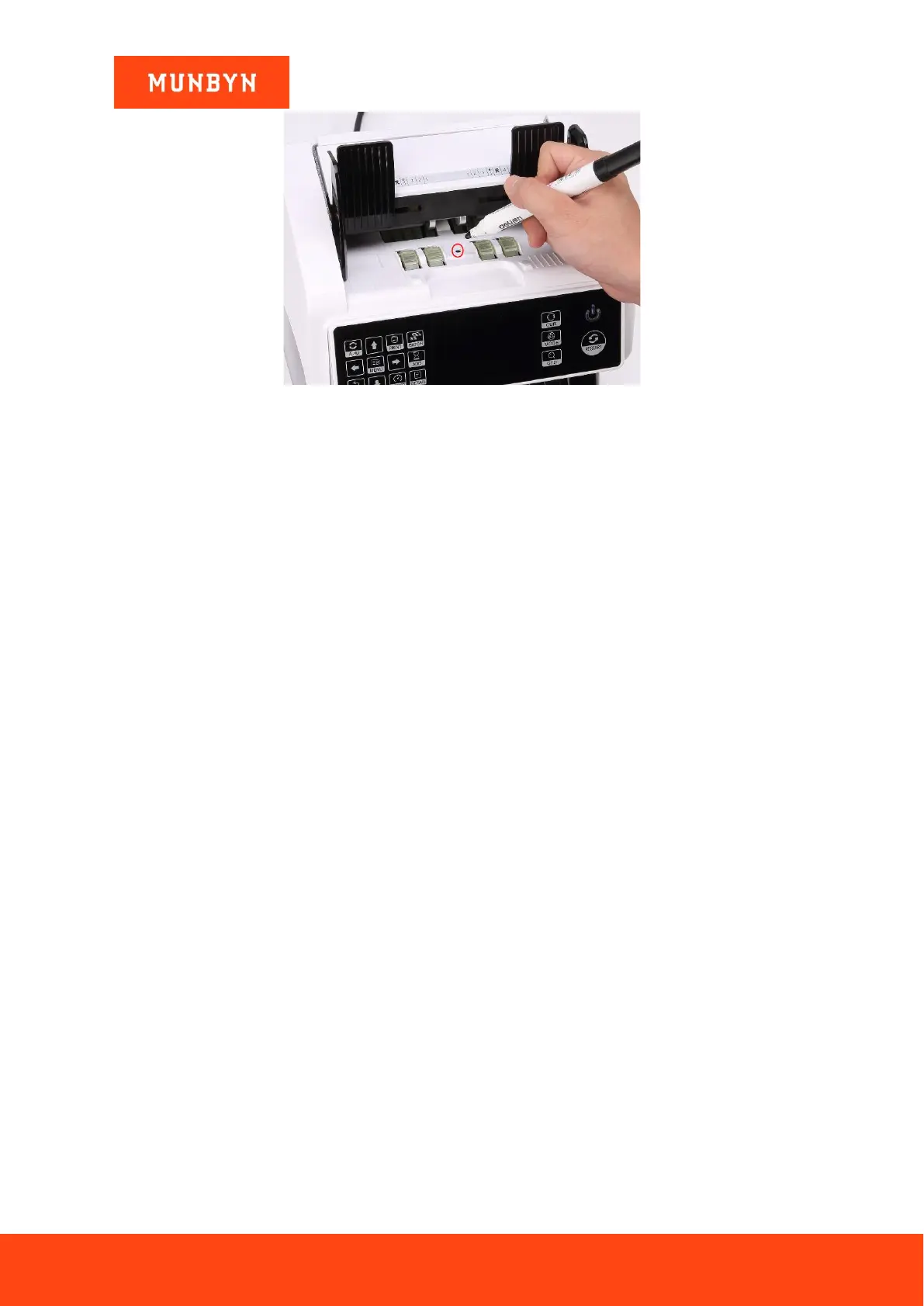
Figure 3-3 Use Marker Pen to Decrease the Sensitivity of Hopper Sensor
Please use the marker pen to paint a little on the hopper sensor as shown in the above figure.
If the wheels don’t move when you place the bill on the hopper by enabling the auto counting, that means the
hopper sensor doesn’t work.
If you meet the above hopper sensor errors, please follow the instruction of hopper sensor maintenance
according to section 4.3.1.
3.3.2. Stacker Sensor Error
If the impeller is always spinning, or the “stacker sensor error” indicated on the screen, that means the stacker
sensor doesn’t work or too sensitive. Please follow the instruction of the stacker sensor maintenance according
to section 4.3.2.
3.3.3. Counting Sensor Error
If the number of banknote counting is always not correct, or the “Main Motor Error” is shown on the screen,
that means the counting sensor error doesn’t work. Please clean the machine first.
If the error still happens, please follow the instruction of the counting sensor error maintenance according to
section 4.3.3.



 To Next Page