Page7of18
IMC01 Maintenance Manual
Version 1.03
2.3. Clean the Internal Sensors
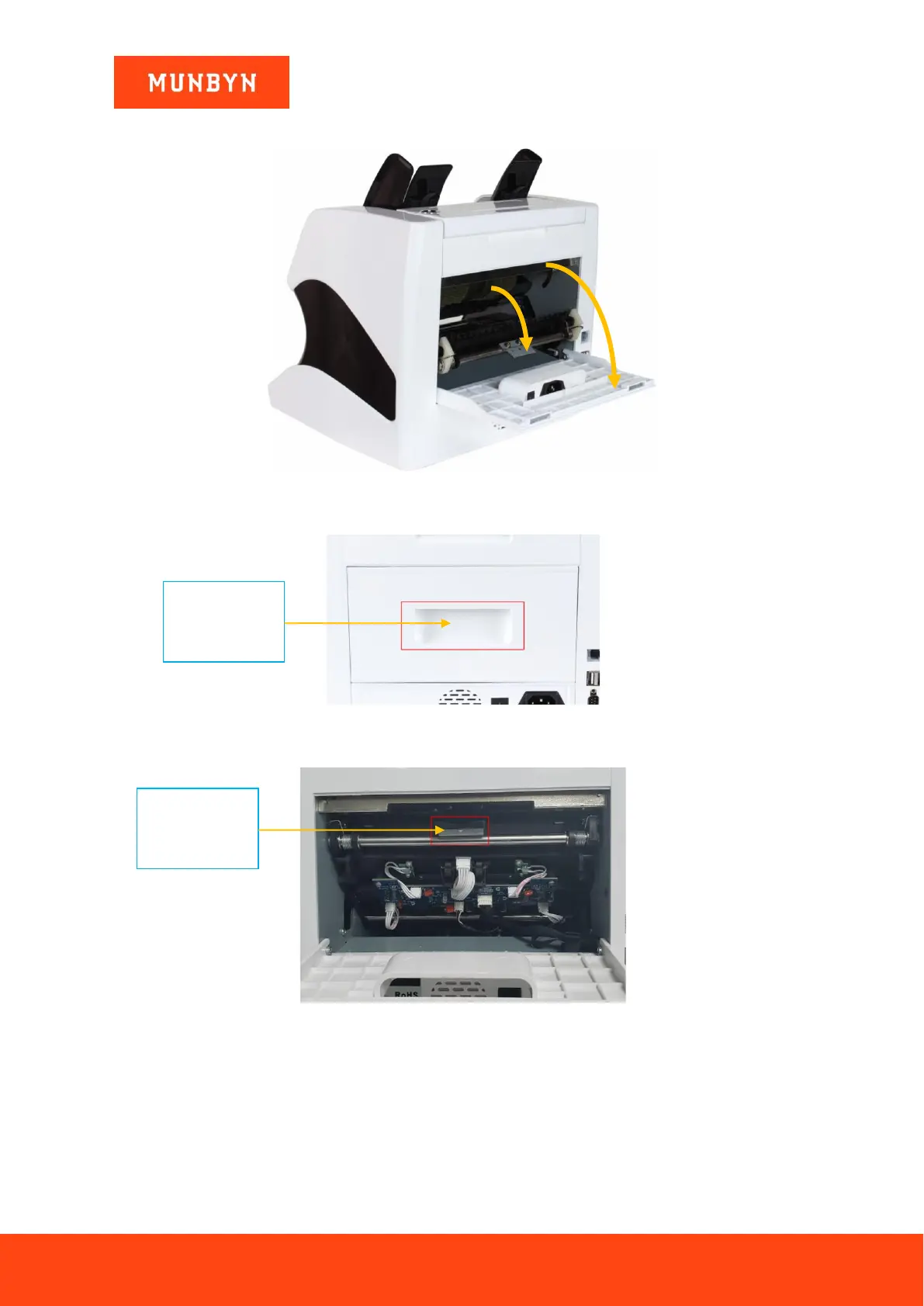
Figure 2-5 Direction of Back Cover Opening
1) Pull the handle of external back cover with the direction shown in Figure 2-5 to open the back cover.
Figure 2-6 Handle of External Back Cover
2) Pull the handle of internal back covering the direction shown in Figure 2-5 to open it.
Figure 2-7 Handle of Internal Back Cover
3) Clean the lower CIS and Lower UV sensors with cleaning cloth or nylon brush respectively.



 To Next Page