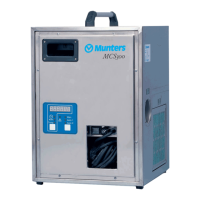
DehumidierML180-MLT350
6.4Operatorpanel
Figure6.1Mainpowerswitch
Figure6.2Operatorpanel
Item
Switch/Indicator
Function
1
Run/StopSwitchWhentheRun/StopswitchissettoStoptheunitswitchesoff.
WhenthemodeswitchissettoMANandtherun/stopswitchissettoOperationthe
dehumidierstarts.
WhenthemodeswitchissettoAUTOandtherun/stopswitchissettoOperationthe
dehumidiercanbecontrolledbyanexternalhumiditysensororRH98.
2
ModeSwitchWhenthemodeswitchissettoMANthedehumidierrunsinmanualmode.Inthismodethe
unitwillruncontinuouslywhentherun/stopswitchisoperatedtothepositionOperation.
WhenthemodeswitchissettoAUTOthedehumidierrunsinautomaticmode.Inthismode
ahumiditysensororRH98mustbeconnectedtotheunit.WhentheRun/Stopswitchis
settoOperationthehumiditysensororRH98determineswhenthedehumidierstarts
andstops.
3
PowerConnectedIndicatorIndicatesthatmainspowerisconnectedtothedehumidier.
4UnitRunningIndicator
Indicatesthatthedehumidierisrunning,orisreadytostartonasignalfromthehumidity
sensororRH98(automaticmode).
5
FaultWarningIndicatorIndicatesthattheunithasshut-downduetothecontrolcircuitdetectingthateitherthehigh
temperaturecut-outorthefanmotoroverloadhastripped.Forunitsttedwithanaircooled
condenser,thefaultwarningindicatorisactivatedwhenthereisacondenserfanorheater
fault.
6
TemperatureGauge
IndicatestheReactivationAirtemperature.
7
Runningtimemeter(optional)Indicatesthenumberofhoursthatthedehumidierhasbeenoperating.
Table6.1Operatorpanelfunctions
18Operation190TGB-1034-L1604



 To Next Page