DehumidierML180-MLT350
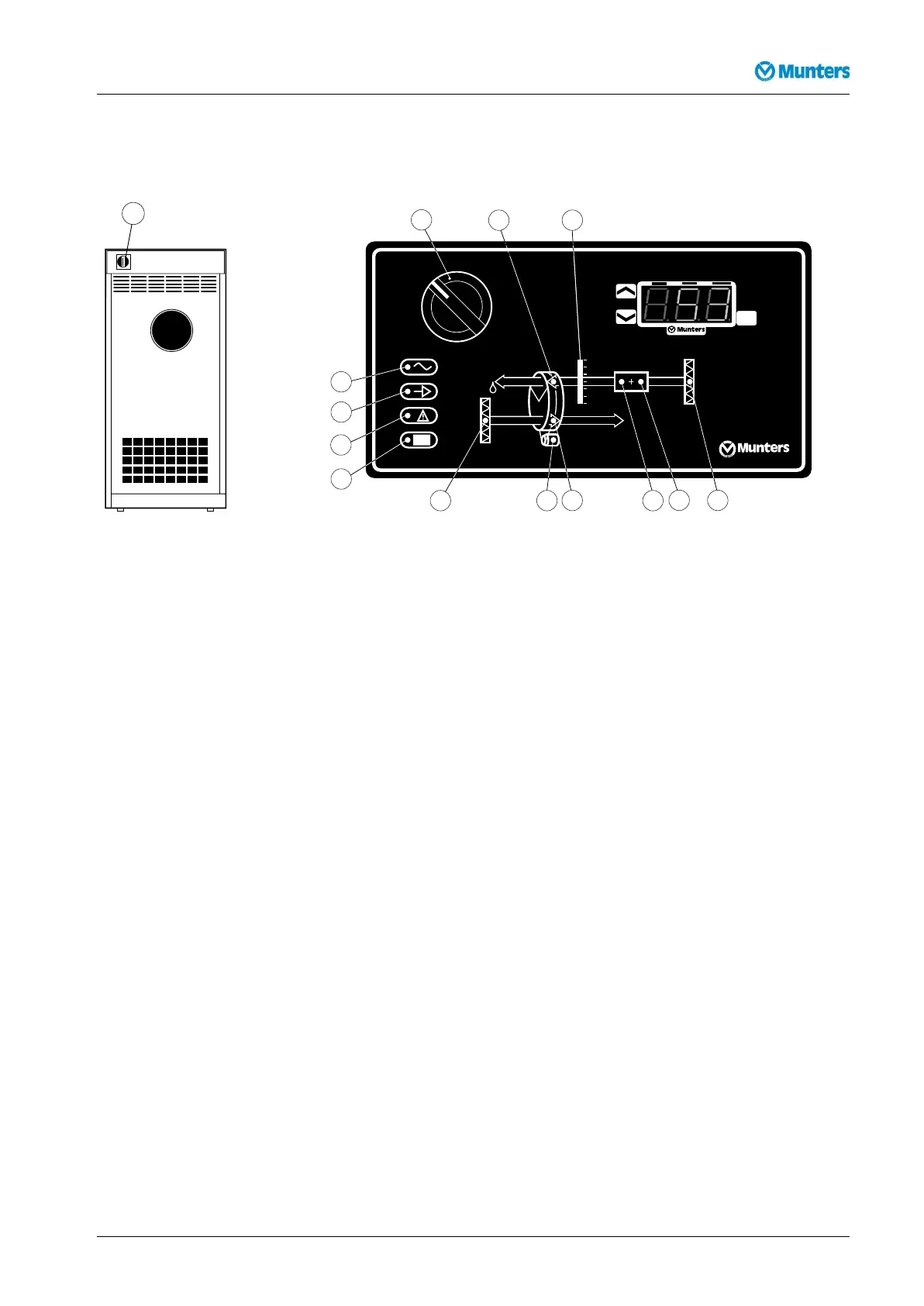
6.5RH98operatorpanel
SET
RH 98
%RH
OUT.1
OUT.2
ALARM
Figure6.3RH98operatorpanel
Checkingandchangingsetpointsandcontrolparameterscanbemadeduringoperationorinstand-by
mode.
ButtonFunction
Display/changeacertainvalueandresetthealarm
Increasethevalue
Decreasethevalue
%RH:Displaypositionofcontrolstepsforreactivationheater(0=off;1=on).
Table6.2RH98operatorpanelfunctions
Duringnormaloperationandinanypositionofthemodeswitchthecurrentrelativeairhumidityis
displayed.
6.6Operatingtheunit
6.6.1Manualmode
1.CheckthattheRun/Stopswitchissetto (Stop).
2.OperatethemodeswitchtopositionMAN.
3.Connectmainspowertotheunitandensurethatthepowerconnectedindicatorisilluminated.
4.Operatetherun/stopswitchtoposition(Operation).Ensurethattheunitrunningindicatoris
litandtheunitisoperating.
5.Operatetherun/stopswitchtoposition
,checkthattheunitstopsandthattheunitrunning
indicatorgoesout.
Fordetailsontheoperatorpanel,seesection6.4,Operatorpanel
190TGB-1034-L1604Operation19



 To Next Page