5-74
PCB ERS LAMP
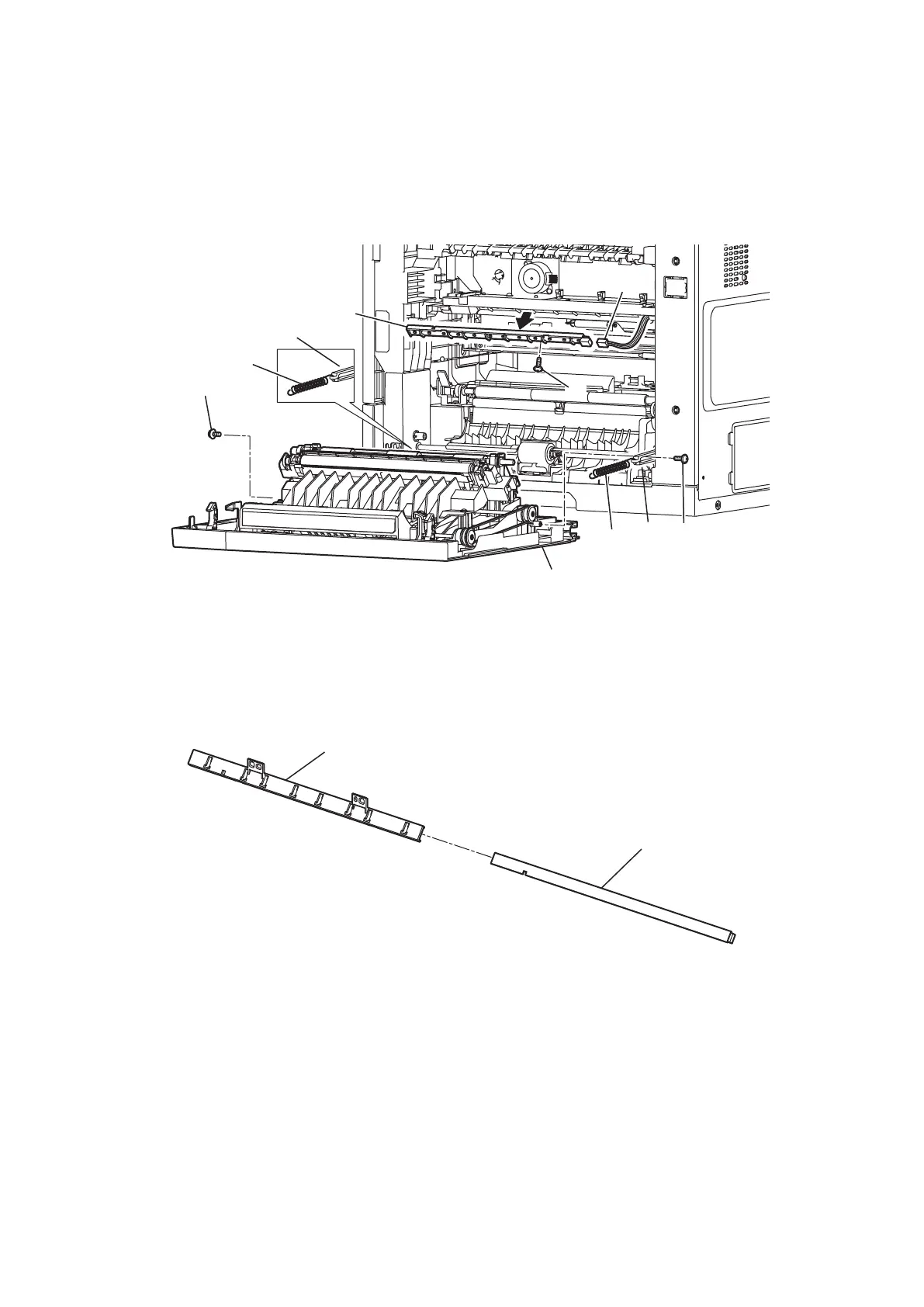
1. Open the Cover jam access. (See “ROLLER TRANSFER ASSY/GUIDE TRANSFER” on page 5-45.)
2. Remove the Printer fuser. (See “PRINTER FUSER” on page 5-58.)
3. Remove two Spring C stopper JAC [1].
4. Remove two screws [2] and remove two Stopper JAC [3] from the lug.
5. Remove the Cover jam access [4].
6. Disconnect the connector [5].
7. Remove one screw [6], then remove the Bracket PCB LED [7].
[
4
]
[
5
]
[
6
]
[
7
]
[
1
]
[
2
]
[
1
]
[
2
]
[
3
]
[
3
]
8. Pull out the PCB ERS LAMP [8] from the Bracket PCB LED [7].
[
7
]
[
8
]



 To Next Page