bizhub C754e Series/C554e Series/C364e Series
Fax Job Shops
10
Registering a Fax Program Key
PRE-REQUISITES
• FK-511 Fax Kit must be installed.
APPLICATION
Customer uses the same combination of settings
each week to send out reports. They want to store
the frequently-used settings in a program key
to reduce keystrokes in order to improve productivity
and minimize fax transmission errors.
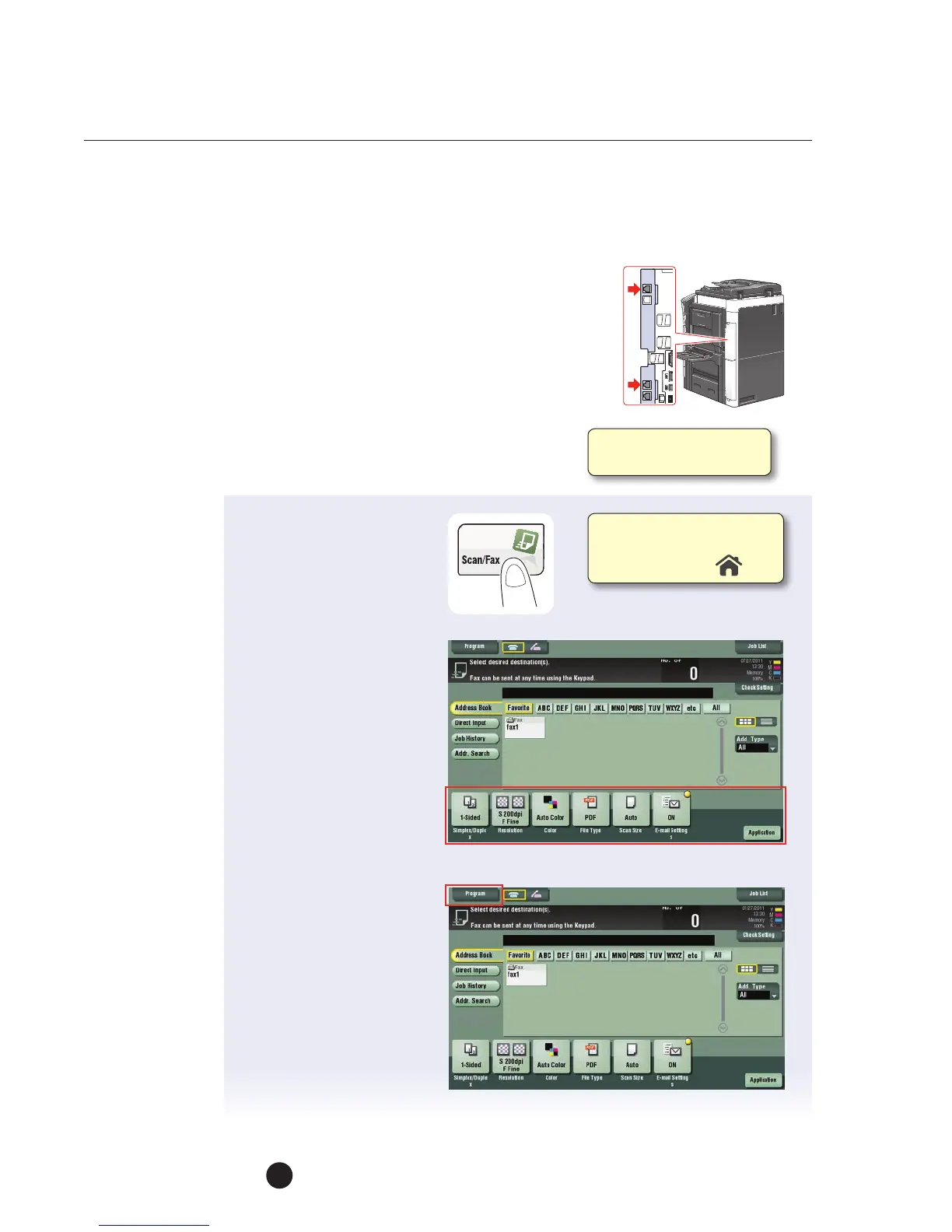
1. Touch Scan/Fax.
2. Configure the desired
fax settings by selecting
the necessary
parameters:
a. Simplex/Duplex
b. Resolution
c. Color
d. File Type
e. Scan Size
f. Application Menu
3. Tap Program when all
the fax settings have
been made.
4. Select a “Not
Registered” key
(an unregistered
program key) store
your settings.
You can register up to
400 Fax/Scan Programs.
Ifnot on the home screen,
touch the Menu key on
the Control Panel .



 To Next Page