Muratec MFX-C3680 Series
Fax Features
25
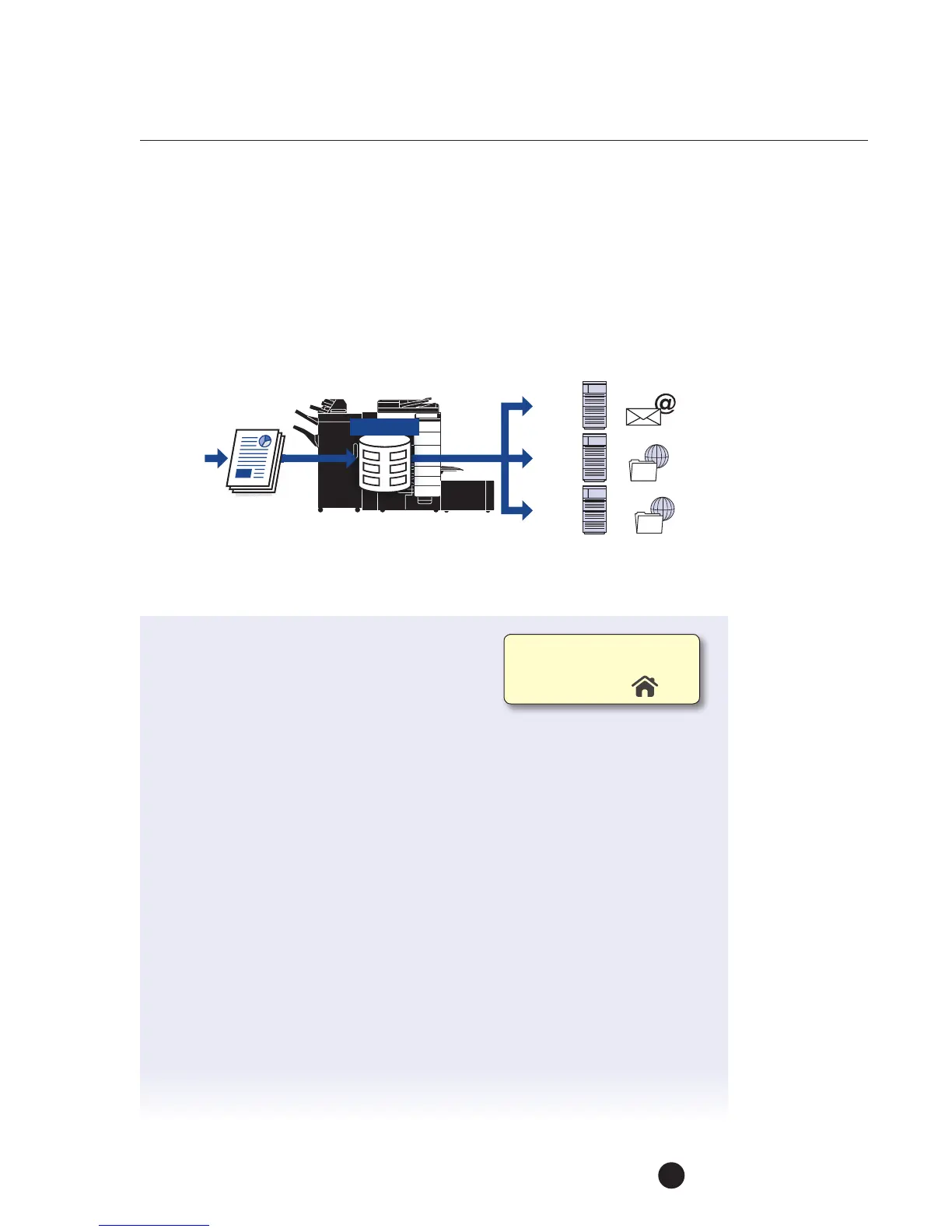
TSI Routing (Transmission Subscriber Identification)
When this mode is enabled, incoming faxes will be directed to and stored in a User
Box (on machine HDD) according to the sender’s TSI. The Header on the top edge
of the incoming fax is commonly referred to as the TSI. The sender’s fax number
in the TSI willbe used as the identifying criteria. The documents are then routed
toapredetermined destination via Email address, FTP address, or SMB folder.
This function is enabled using the “Utility Mode” in the Administrator Settings
Let’s set up the TSI User Box
1. Touch Utility.
2. Touch Administrator Settings.
3. Enter Password (Default is 1234567812345678).
4. Touch OK.
5. Touch Fax Settings.
6. Touch Function Settings.
7. Touch TSI User Box Setting.
8. Touch Yes to set the TSI User Box Setting. When a document is received that
does not have registered TSI information, you need to indicate the operation
that you would like to occur.
a. Do you want the reception to Automatically Print?
b. Do you want the reception to be stored in the Memory RX User Box?
c. Do you want the reception to be stored in a Specified User Box?
9. Touch Automatically Print.
10. For Print, touch Yes so that all documents routed to User Box will also be
printed (if user does not want the reception to print, they can select NO
and the document will only be routed to the applicable User Box.
Original
Email
Server
FTP
Server
SMB
Folder
Hard Disk
FTP
SMB
Email
Ifnot on the home screen,
touch the Menu key on
the Control Panel .



 To Next Page