bizhub C754e Series/C554e Series/C364e Series
Fax Job Shops
12
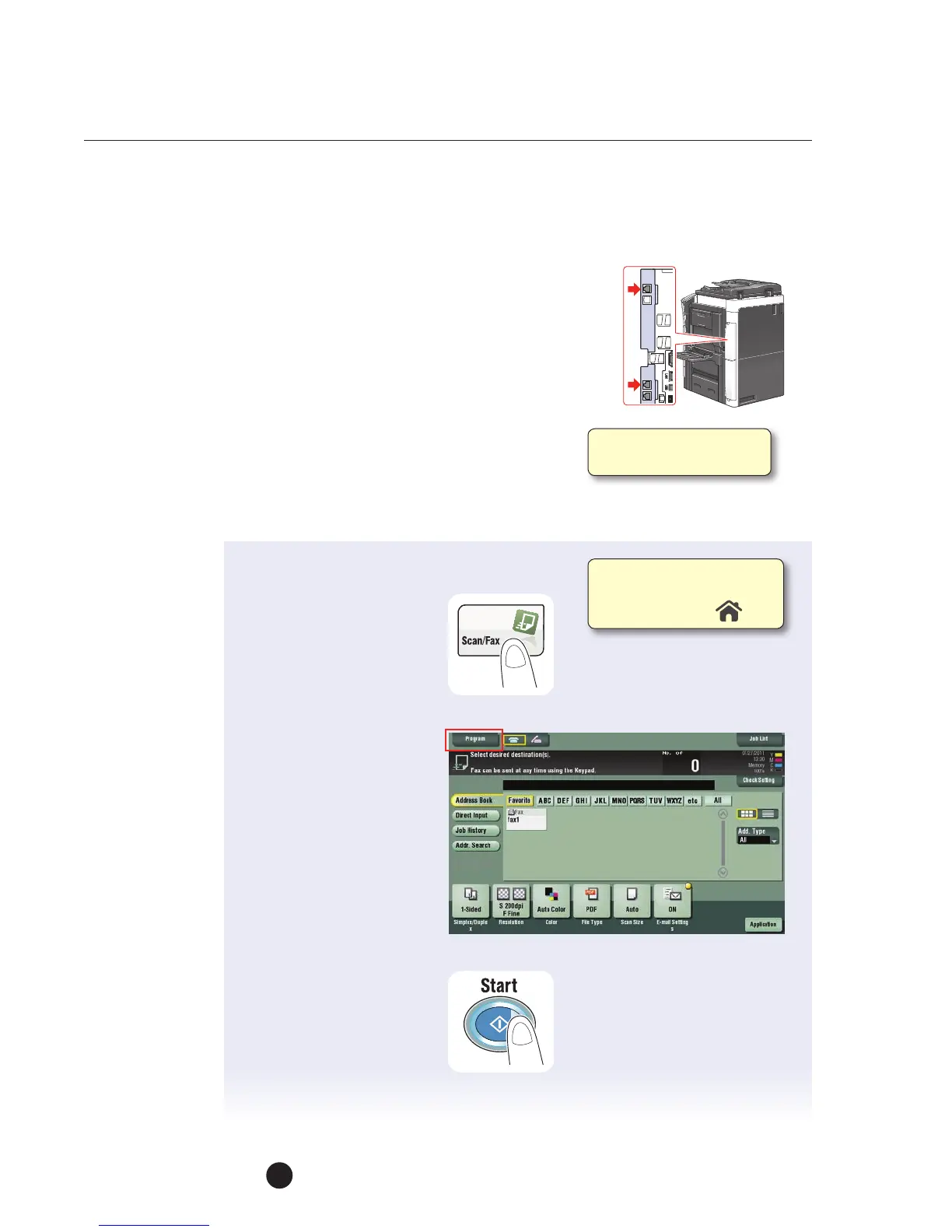
Sending a Fax by Recalling a Fax Program Key
PRE-REQUISITES
• FK-511 Fax Kit must be installed.
APPLICATION
Customer uses the same combination of settings
each week to send out reports. They want to store
the frequently-used settings in a program key to
reduce keystrokes in order to improve productivity
and minimize fax transmission errors. This job shop
provides the instructions on how to recall the Fax Program Key that was registered
in the previous Job Shops (Registering a Fax Program Key)
1. Load the Original.
2. Touch Scan/Fax.
3. Tap the Program key.
4. Select the Program key
(the registered settings
of the program are
automatically enabled).
5. Specify the Destination
(if it was not included
in the registered
Program key).
6. Touch Recall.
7. Press Start.
You can register up to
400 Fax/Scan Programs.
Ifnot on the home screen,
touch the Menu key on
the Control Panel .



 To Next Page