bizhub C754e Series/C554e Series/C364e Series
Fax Job Shops
54
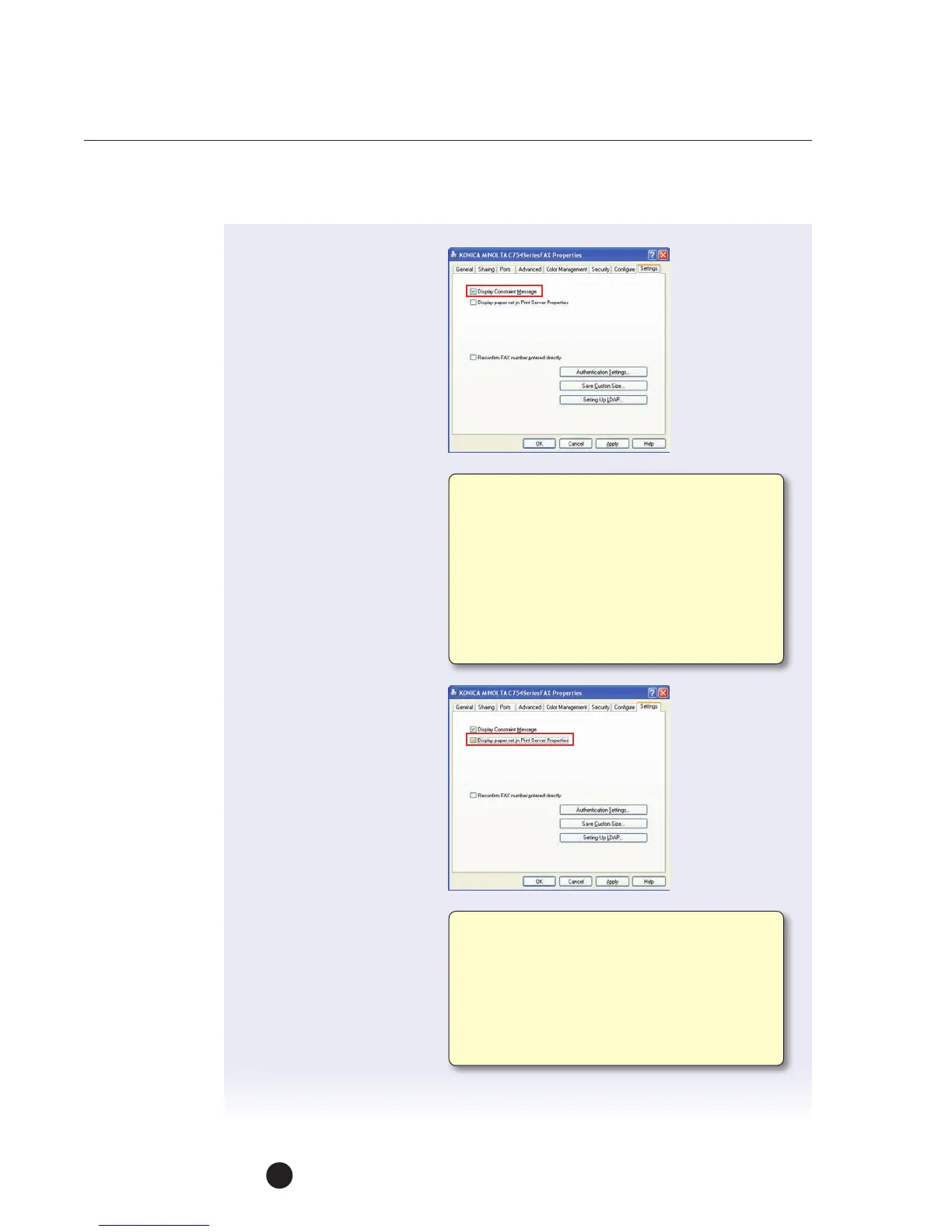
6. Click on the Display
Constraint Message box
and click Apply.
7. Click on the Display
PaperSet in Print
Server Properties box
andclickOK.
Select this check box to display a warning
message when functions, which are enabled
forthe print driver, cannot be configured
simultaneously. A change in a FAX driver setting
may cause a conflict with another setting.
Theconflicting setting changes the original
setting automatically. However, with this check
box selected, a message will appear requesting
confirmation to change the setting causing
theconflict.
Select this check box to use forms added in
theServer Properties dialog box of the Printers
folder. The paper is registered in the Print
Server Properties dialog box (available from
thePrinters and Faxes folder) and can be used
with the FAX driver. The paper that can be used
from the Print Server Properties dialog box are
displayed for viewing.



 To Next Page