Section 78 00-02-0732
2016-02-26 - 15 -
Product Features
Power Up
There are two options to connecting the PV450 display:
• The battery and ignition inputs to display are both connect to the battery
• The battery input is connected to the battery and the ignition input is connected to the
ignition switch.
NOTE: If both are connected to the battery, then an inline battery
disconnect must be installed.
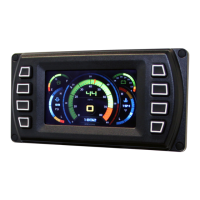
When the ignition is turned on, the PV450 display powers up and the engine health statistics
can be viewed via preset gauges. To see more gauge screens, press the Enter key.
Main Menu
The main menu is activated at any time by pressing the Menu key on the display.
The following features are accessed through the main menu:
• Gauge Display – provides a series of screens that display engine and auxiliary
information in a variety of formats.
• Engine Diagnostics – displays a list of engine fault codes and descriptions through a
DM1 message structure.
• User Settings – allows you to customize the display options for ambient light and
brightness, set US or metric units, language, specify the Home screen and screen setup
status.
• Utilities – allows configuration of the plug address. Also displays software version
information at the top of the page.


 To Next Page
 Loading...