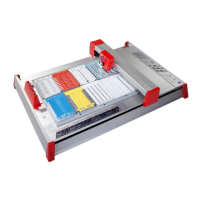
mp-PM A3
Operating instructions V1.0
Index
1 Introduction ..................................................................................... 3
2 Items supplied ................................................................................. 4
3 Produkt overview ............................................................................ 5
4 Starting up the mp-PM A3 ............................................................... 6
5 Operation ........................................................................................ 7
5.1 Control keys .................................................................... 8
6 Inserting the plotter pen into the pen station ................................. 9
7 Placing the base plates (GPx, GPU A4 resp. A3) ............................ 10
8 Windows driver installation .......................................................... 11
9 Driver settings in Windows............................................................ 18
9.1 Orientation and paper size ........................................... 18
9.2 Velocity (plotting feed) ................................................. 20
10 Settings in the ACS software ......................................................... 22
10.1 Tags output ................................................................... 23
10.2 Sheet labels output - Duomatt ..................................... 24
10.3 Sheet labels output - Labels (ELW/ELG etc.)................. 26
11 Cleaning and product care............................................................. 29
12 Troubleshooting ............................................................................ 30
13 Technical information .................................................................... 31
14 Safety instructions ......................................................................... 32


 To Next Page
 Loading...