10
PORTABLE DVD PLAYER USER GUIDE
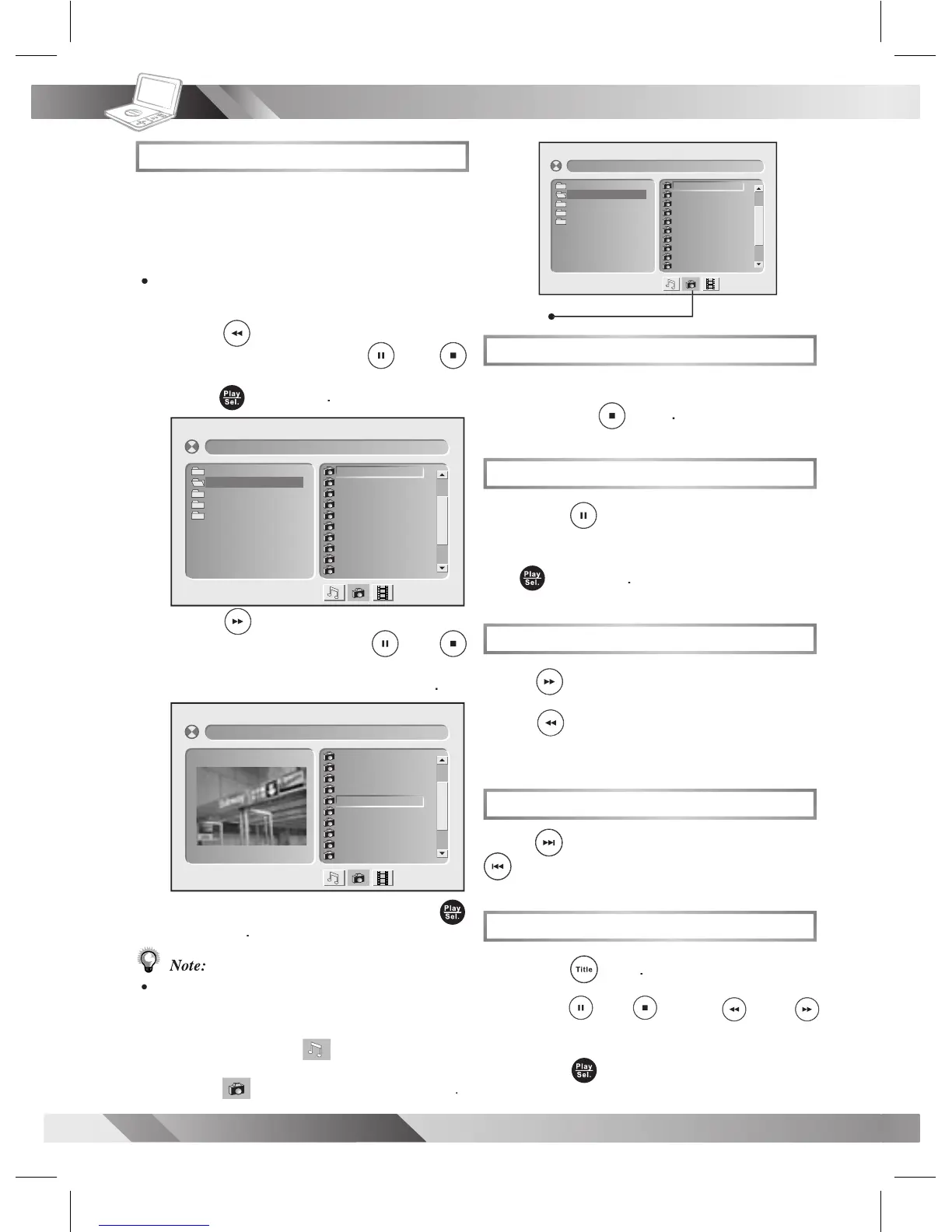
Kodak and JPEG Picture CDs Playback
Stopping Playback
To stop playback and return to the menu
To stop playback and return to the menu
To return to normal playback,
to rotate the picture clockwise by 90° or
to rotate the picture clockwise by 90° or
to rotate the picture clockwise by 90° or
to rotate the picture clockwise by 90° or
picture counter-clockwise by 90°.
picture counter-clockwise by 90°.
picture counter-clockwise by 90°.
Viewing the Next or Previous Picture
to view the next picture or
to view the previous picture.
to select the preferred picture.
Basic Picture CDs Playback
For Kodak Picture CDs, the DVD player
starts slide show playback.
For picture CDs with a menu screen, the
menu appears after a few seconds.
on the left screen. Press
on the right screen. Press
review is shown on the left screen
To play picture slide show,
Some discs, MMC/SD cards or USB Flash Drives
may contain music, picture and video le formats.
When the player reads the disc, card or USB ash
will be selected rst. To
will be selected rst. To
select Picture CD mode, press
is selected and then press
is selected and then press
[CA NAD A]0 01. J PG
001 . 0 01
002 . 0 02
003 . 0 03
004 . 0 04
005 . 0 05
006 . 0 06
007 . 0 07
008 . 0 08
009 . 0 09
010 . 0 10
[CA NAD A]0 01. J PG
001 . 0 01
002 . 0 02
003 . 0 03
004 . 0 04
005 . 0 05
006 . 0 06
007 . 0 07
008 . 0 08
009 . 0 09
010 . 0 10
01. JAPAN
02. CANADA
03. FRANCE
04. BRAZIL
05. EGYPT
[C A N A D A ] 0 0 1 . JPG
00 1 . 0 0 1
00 2 . 0 0 2
00 3 . 0 0 3
00 4 . 0 0 4
00 5 . 0 0 5
00 6 . 0 0 6
00 7 . 0 0 7
00 8 . 0 0 8
00 9 . 0 0 9
01 0 . 0 1 0
01. JAPAN
02. CANADA
03. FRANCE
04. BRAZIL
05. EGYPT



 To Next Page