EasyManua.ls Logo

Mustek MP70B - OSD Setup - Video Output; Video Output Settings; OSD Setup - Video Configuration; Video Setup Options

Mustek MP70B
20 pages
Print Icon
To Next Page IconTo Next Page
To Previous Page IconTo Previous Page
Loading...
13
PORTABLE DVD PLAYER USER GUIDE
OSD Setup - continued
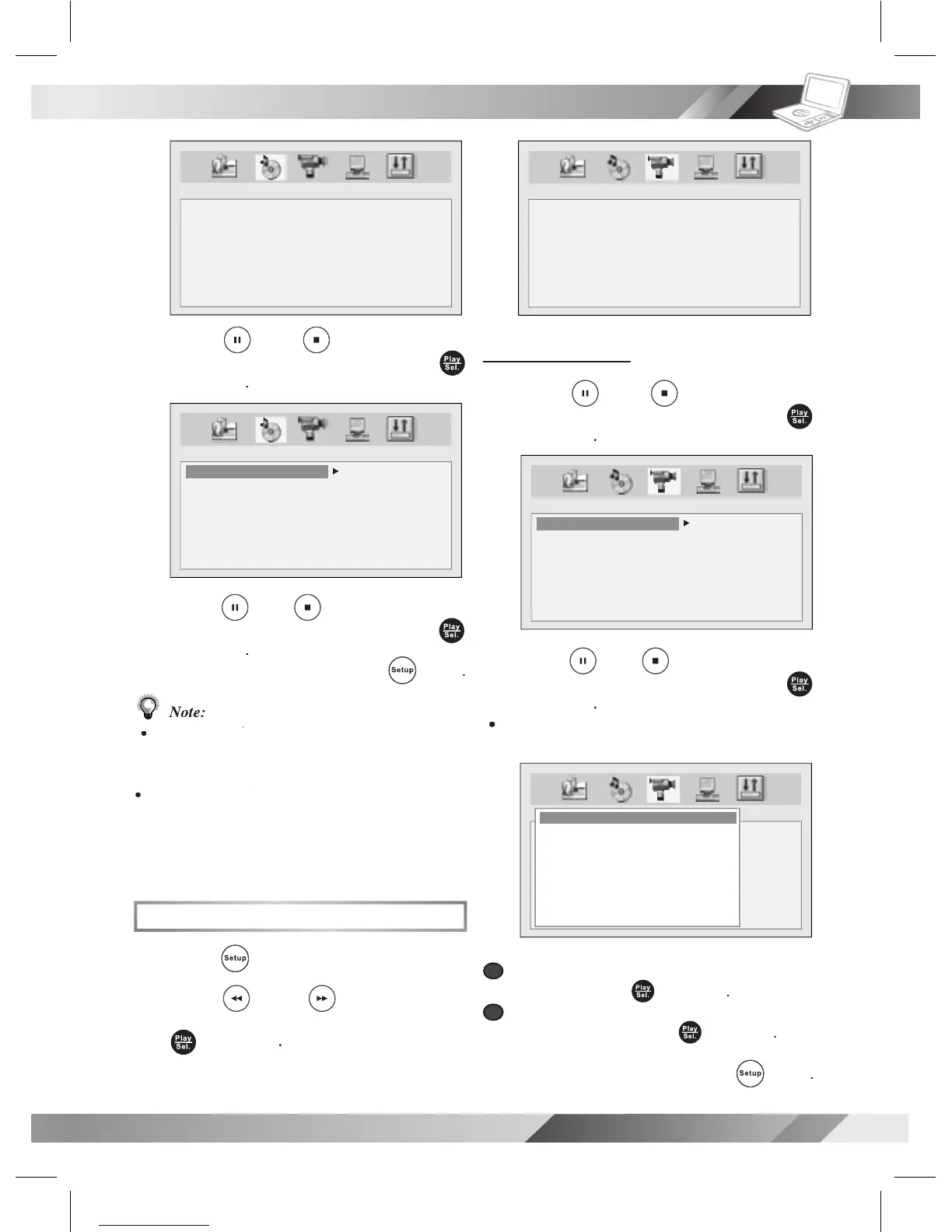
3
Press
Up
/
Down
to
select
DIGITAL OUT
and then press
Play/Sel.
.
4
Press
Up
/
Down
to
select a
preferred option
and then press
Play/Sel.
.
- To leave SETUP MENU,
press
Setup
.
Note:
Select
RAW
when connecting the player’s Digital
RAW when connecting the players Digital RAW
Out (Coaxial) jack to a Dolby Digital decoder
or an equipment with a Dolby Digital decoder.
Select
PCM
when connecting the players
PCM when connecting the players PCM
Digital Out (Coaxial) jack to a 2-channel
digital stereo ampli er. Please do not adjust
the volume to zero.
Video Setup
1
Press
Setup
in stop mode.
2
Press
Left
/
Right
to select
VIDEO SETUP
icon and then press
Play/Sel.
.
AUDIO SETUP
DIGITAL OUT
AUDIO SETUP
DIGITAL OUT
SPDIF/OFF
SPDIF/RAW
SPDIF/PCM
Video Output
Video Output
3
Press
Up
/
Down
to
select
VIDEO OUTPUT
and then press
Play/Sel.
.
4
Press
Up
/
Down
to
select a
preferred option
and then press
Play/Sel.
.
If you choose “P-Scan”, the following will
show on the screen as a reminder.
a
a
If your TV supports P-Scan feature, select
“OK” and press
Play/Sel.
.
b
b
If your TV does not support P-Scan feature,
select “NO” and press
Play/Sel.
.
- To leave SETUP MENU,
press
Setup
.
VIDEO SETUP
VIDEO OUTPUT
TV TYPE
TV SYSTEM
CVBS
P-SCAN
VIDEO SETUP
VIDEO OUTPUT
TV TYPE
TV SYSTEM
VIDEO SETUP
VIDEO OUTPUT
TV TYPE
TV SYSTEM
P_SCAN WARNING
ENABLE PROGRESSIVE
ENSURE YOUR TV SUPPORT
P_SCAN MODE
IF YOU WANT TO CHANGE TO
P_SCAN PLEASE PRESS OK
- - - - [04]
NO OK


Related product manuals