6
PORTABLE DVD PLAYER USER GUIDE
Your Portable DVD Player is capable of playing DVD discs and having their content viewed on the
unit’s LCD display, as well as on an external TV. While your Portable DVD Player is primarily intended
to play NTSC DVDs, it can also play PAL DVDs (NTSC and PAL are video formats); refer to the Quick
Guide and to the following information:
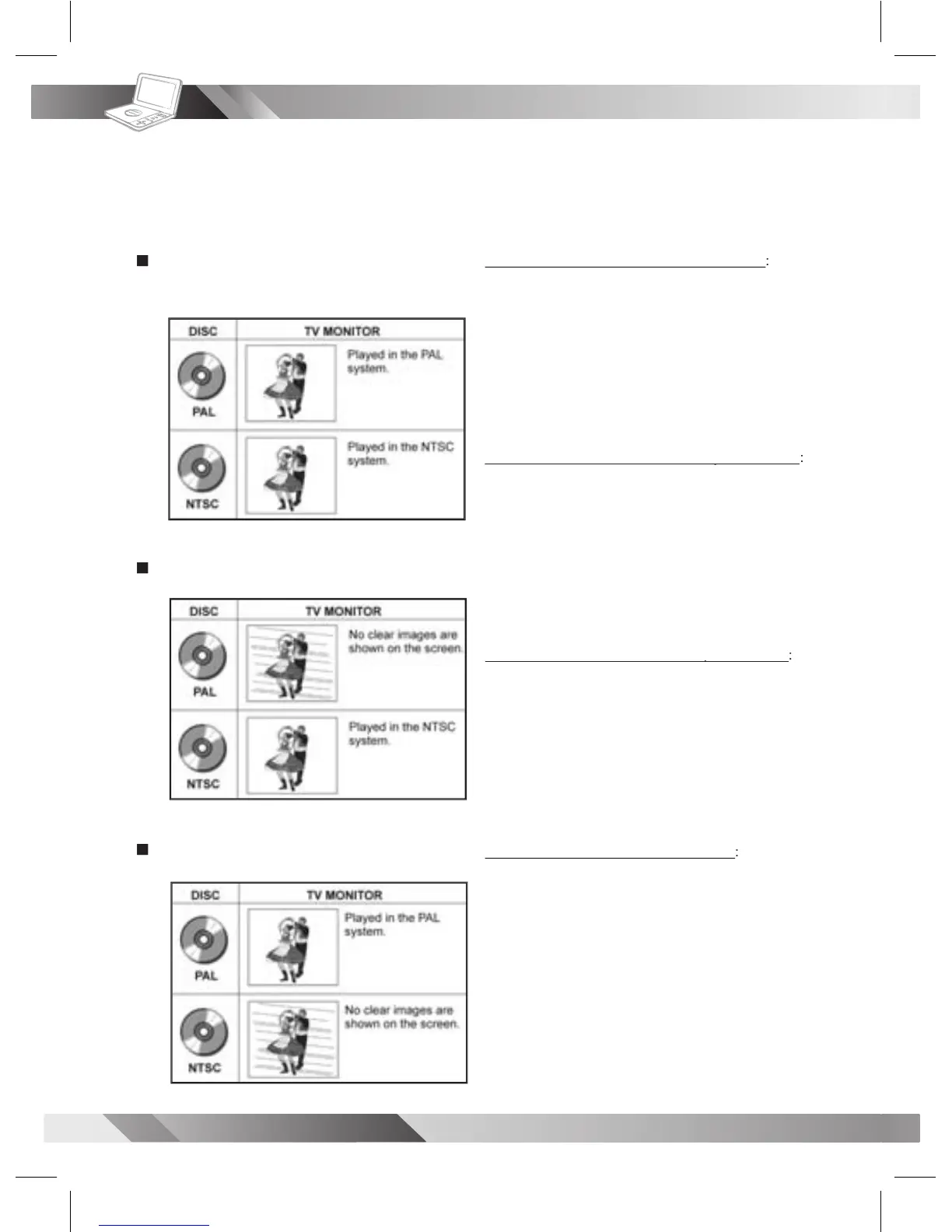
Selecting the type of disc for the type of TV connected
To View NTSC DVDs on an NTSC TV Monitor
1. In the VIDEO SETUP menu, be sure the “TV
SYSTEM” entry is set for NTSC (the default).
2. Be sure the NTSC Monitor is ready to receive NTSC
3. The video content being played will appear on both
the Portable DVD Player’s LCD and on the external
To View NTSC DVDs on a Multi-TV System Monitor
To View NTSC DVDs on a Multi-TV System Monitor
1. In the VIDEO SETUP menu, be sure the “TV
SYSTEM” entry is set for NTSC (the default).
2. Be sure the Multi-TV System (external) Monitor is
set to receive NTSC video signals.
3. The video content being played will appear on both
the Portable DVD Player’s LCD and on the external
To View PAL DVDs on a Multi-TV System Monitor
To View PAL DVDs on a Multi-TV System Monitor
1. In the VIDEO SETUP menu, be sure the “TV
SYSTEM” entry is set for PAL.
2. Be sure the Multi-TV System (external) Monitor is
set to receive PAL video signals.
3. The video content being played will appear on both
the Portable DVD Player’s LCD and on the external
To View PAL DVDs on a PAL TV Monitor
1. In the VIDEO SETUP menu, be sure the “TV
SYSTEM” entry is set for PAL.
2. Be sure the PAL Monitor is set to receive PAL video
3. The video content being played will appear without
color on Portable DVD Player’s LCD. The external
monitor will display the PAL content in color. See the
Connecting to a Multi-TV System (external)
monitor (capable of viewing NTSC and PAL)
Connecting to the NTSC TV



 To Next Page