EasyManua.ls Logo

Mustek MP70B - Password [DVD]; Angle Mark; DIVX; Default

Mustek MP70B
20 pages
Print Icon
To Next Page IconTo Next Page
To Previous Page IconTo Previous Page
Loading...
16
PORTABLE DVD PLAYER USER GUIDE
OSD Setup - continued
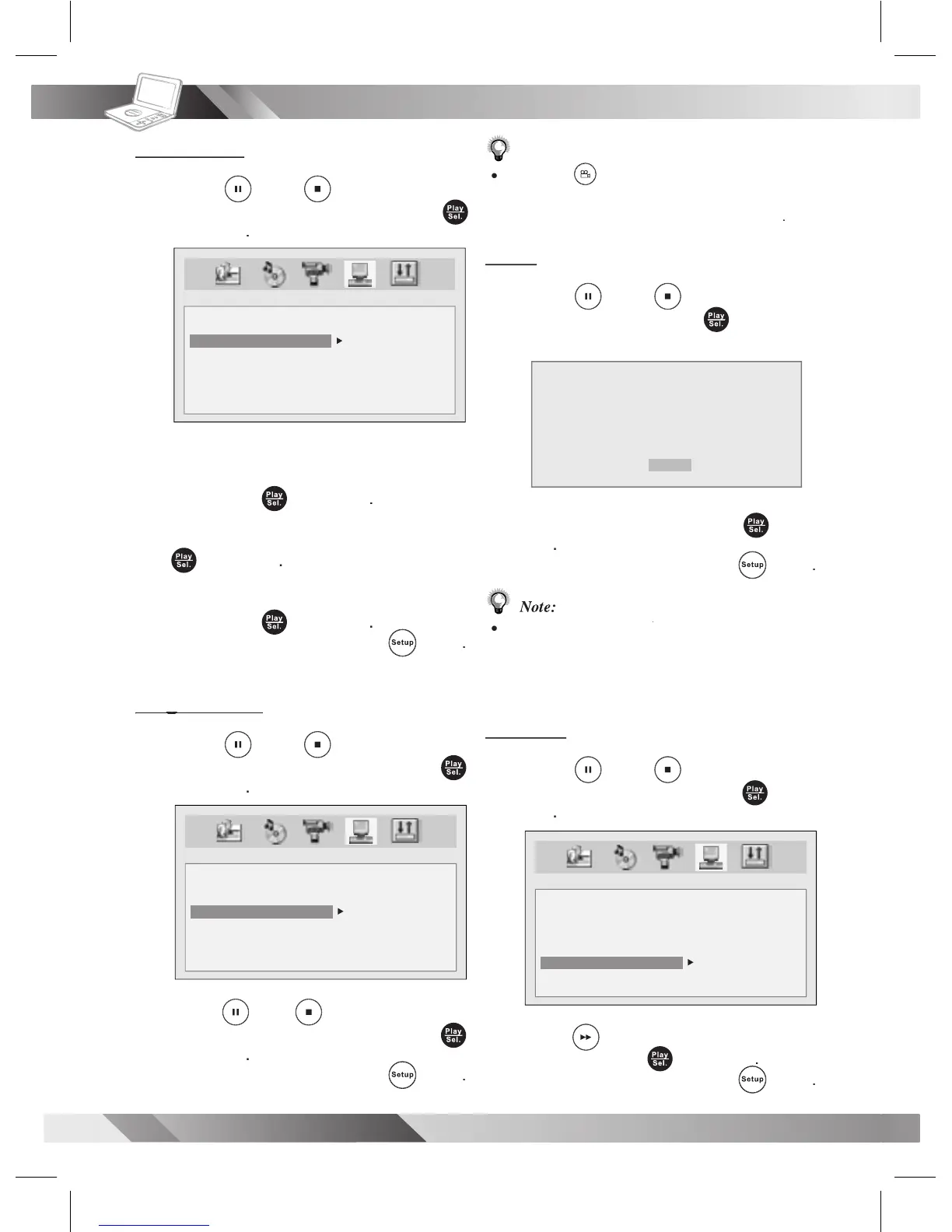
Password
3
Press
Up
/
Down
to
select
PASSWORD
and then press
Play/Sel.
.
4
Enter the previously set password or
factory pre-set password
“0000”
and
then press
Play/Sel.
.
5
Enter new password
and then press
Play/Sel.
.
6
Enter the password again to verify
and
then press
Play/Sel.
.
- To leave SETUP MENU,
press
Setup
.
Angle Mark
Angle Mark
3
Press
Up
/
Down
to
select
ANGLE MARK
and then press
Play/Sel.
.
4
Press
Up
/
Down
to
select a
preferred option
and then press
Play/Sel.
.
- To leave SETUP MENU,
press
Setup
.
SYSTEM SETUP
SCREEN SAVER
PARENTAL
PASSWORD
ANGLE MARK
DIVX
DEFAULT
OLD : _ _ _ _
NEW : _ _ _ _
VERIFY: _ _ _ _
SYSTEM SETUP
SCREEN SAVER
PARENTAL
PASSWORD
ANGLE MARK
DVIX
DEFAULT
ON
OFF
Note:
Pressing
Angle
will change camera angles for
movies that support this feature regardless of whether
the ANGLE MARK feature isOn or Off”
.
DivX
3
Press
Up
/
Down
to
select
DIVX
and then press
Play/Sel.
.
A DivX display appears.
4
To leave
the display, press
Play/
Sel.
.
- To leave SETUP MENU,
press
Setup
.
Note:
Please proceed
DIVX
to check Registration Code
DIVX to check Registration Code DIVX
when you purchase or rent an encrypt movie le
from VOD (Video-On-Demand) service agent.
Default
3
Press
Up
/
Down
to
select
DEFAULT
and then press
Play/
Sel.
.
4
Press
Right
to select
DEFAULT
and then press
Play/Sel.
.
- To leave SETUP MENU,
press
Play/Sel.
Setup
.
SYSTEM SETUP
SCREEN SAVER
PARENTAL
PASSWORD
ANGLE MARK
DVIX
DEFAULT
READ
DIVX REGISTRATION
REGISTRATION CODE:
XXXXXXXX
TO LEARN MORE VISIT WWW.DIVX.COM/VOD
[DONE]

Related product manuals