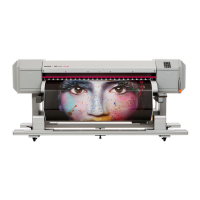
The media slips, is torn /
crumpled during initialization.
Is the media loaded correctly?
‐ Load the media correctly.
Are any curls or warps present on your media?
‐ Set the media holder at both edges of the media.
‐ Check that you select the appropriate vacuum fan setting.
Are you using creased, damaged, torn or curled media?
‐ Replace the media.
Is the media loaded correctly?
‐ Load the media correctly.
Is the media loaded at an angle?
‐ Load the media straight.
Did you load the media which has been printed before?
‐ Use a new media.
The printer does not detect
the media.
Do you use the printer within recommended environmental conditions?
- Make sure to use the printer within the specification range.
Are there any foreign materials such as torn paper attached to Pressuriz-
ing rollers?
- Clean Pressurizing rollers.
Do you use the printer within recommended environmental conditions?
- Make sure to use the printer within the specification range.
If the media is jammed or torn, remove it according to “The media is jammed” P.148.
Note



 To Next Page