4 Handling the printer VJ-1324 OPERATION MANUAL
4-24
NOTE
• Even when printing is started during warm up, the printer continues to be warmed up until the preset
temperature has been reached.
• When printing is started during warm up, the print quality is not guaranteed.
1. Check if the printer is the printer is being warmed up.
• "Warming Up" is displayed on the operation panel.
2. Send the data.
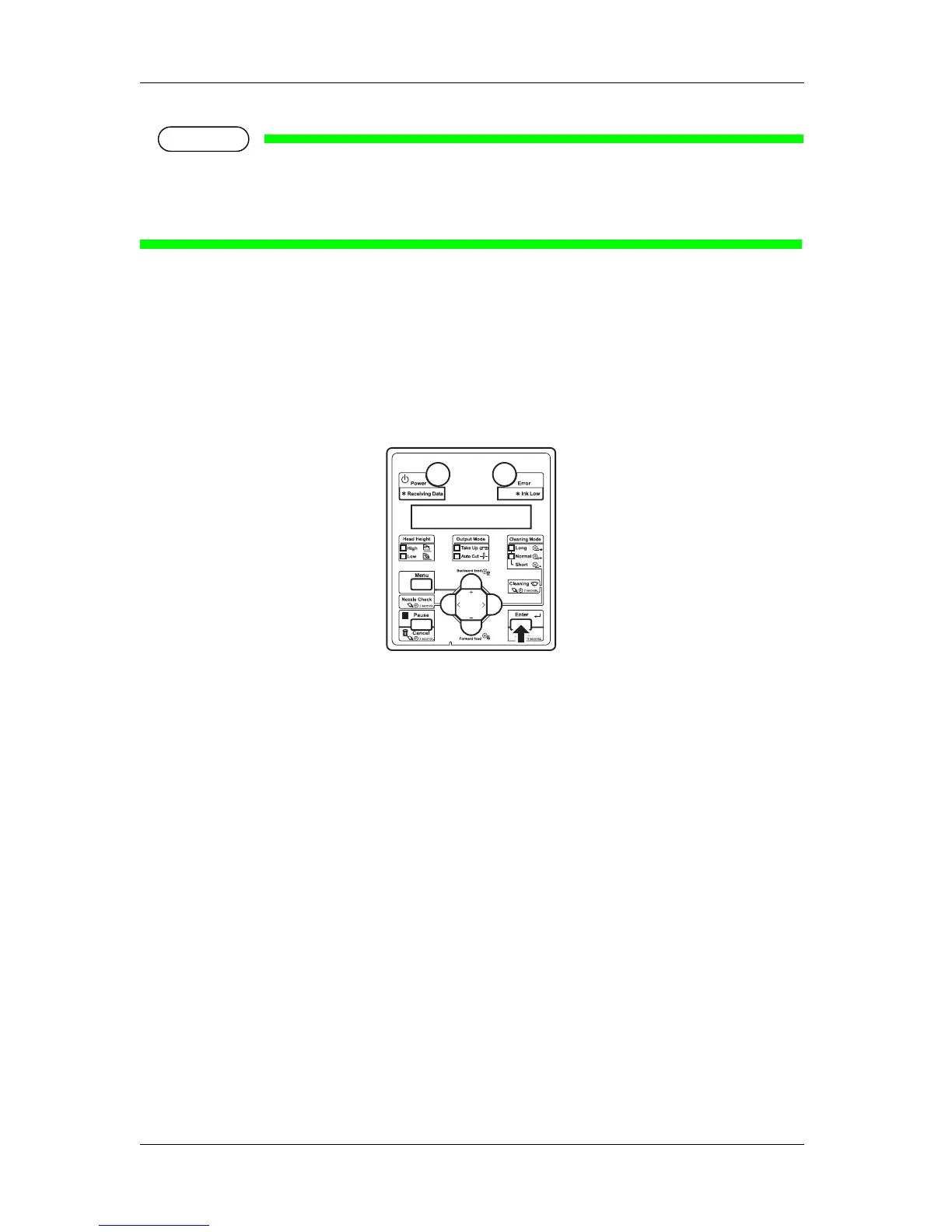
• "Warming Up" "Skip -> E" is displayed on the operation panel.
3. When printing during warm up, press the [Enter] key on the operation panel.
• The printer starts printing.
4.5 Using spectrophotometer (SPECTROVUE VM-
10)
The optional spectrophotometer (SPECTROVUE VM-10) can be attached to print and measure the color
target. Performing color calibration or profiling of the printer by using RIP software compatible with
SPECTROVUE VM-10 enables printing with more accurate colors.
For more information about the option, contact your local MUTOH dealer.
Follow the procedure below.










 To Next Page