3 Before using VJ-1324 OPERATION MANUAL
3-20
3.4 Loading media
This section explains how to load and set media, and settings for each media type.
NOTE
• Refer to the following for details about handling media.
4.2 Media
• For details of the recommended media, contact your local MUTOH dealer.
3.4.1 Loading roll media
This section describes the procedure to load the roll media.
To load the roll media, use the scroller included with the printer.
NOTE
• The following roll media can be loaded on the scroller included with the printer.
• Media tube with a diameter of three inches: Less than 150mm in outer diameter, less than 19kg
in weight
• Media tube with a diameter of two inches: Less than 150mm in outer diameter, less than 19kg in
weight
Follow the procedure below to load the roll media.
CAUTION
• When loading the roll media, place it on a flat surface such as a desk.
If the roll media is loaded with the scroller up, the scroller may be damaged.
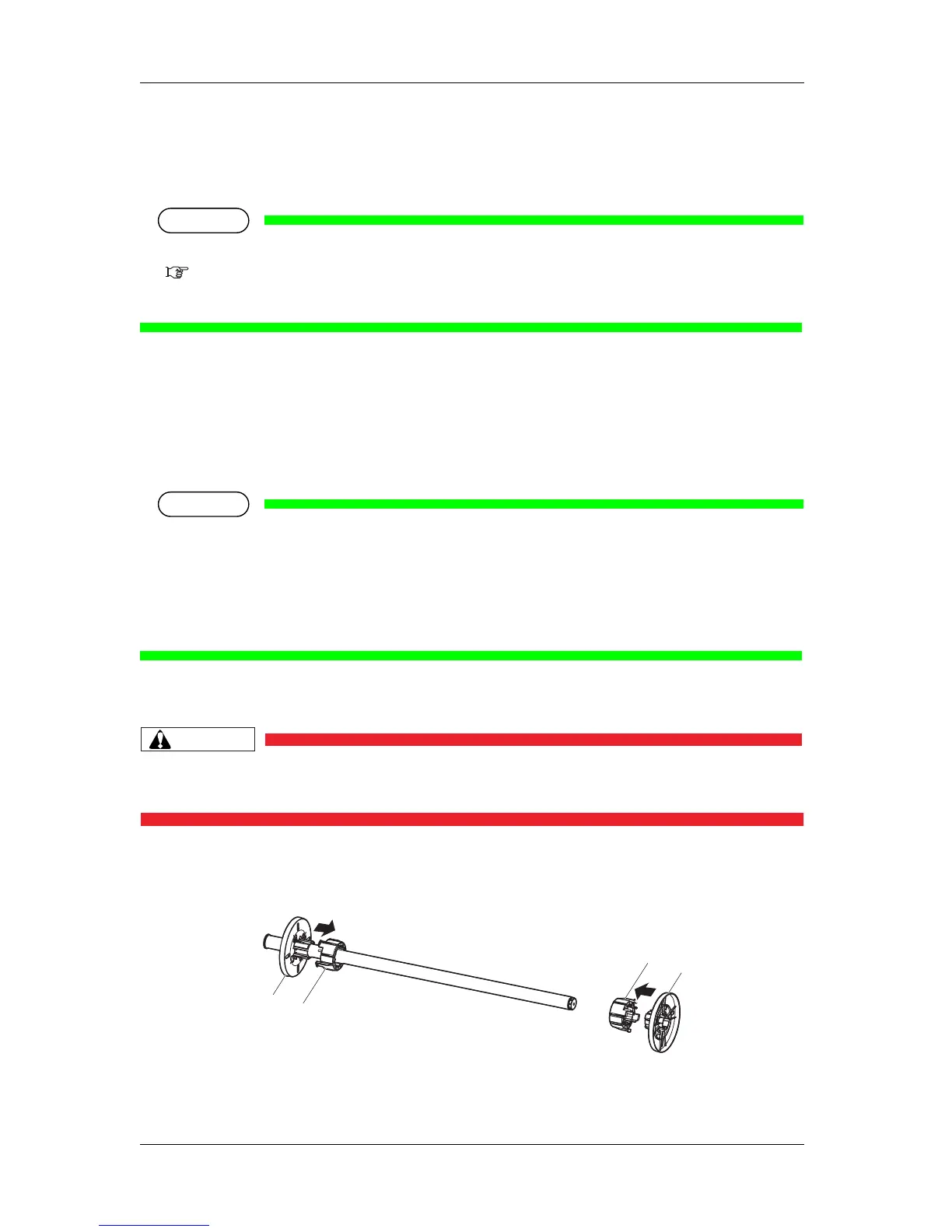
1. When using the roll media with the media tube width of two inches, remove the attachments for
three-inch media from the movable media stopper and fixed media stopper.
2
3
3
1















 To Next Page