4 Handling the printer VJ-1324 OPERATION MANUAL
4-8
4.2.5.2 When returning the print head to the original position
NOTE
• Do not open the front cover or change the head height during printing.
If the head height is changed, the alignment will be changed and high print quality will not be
guaranteed.
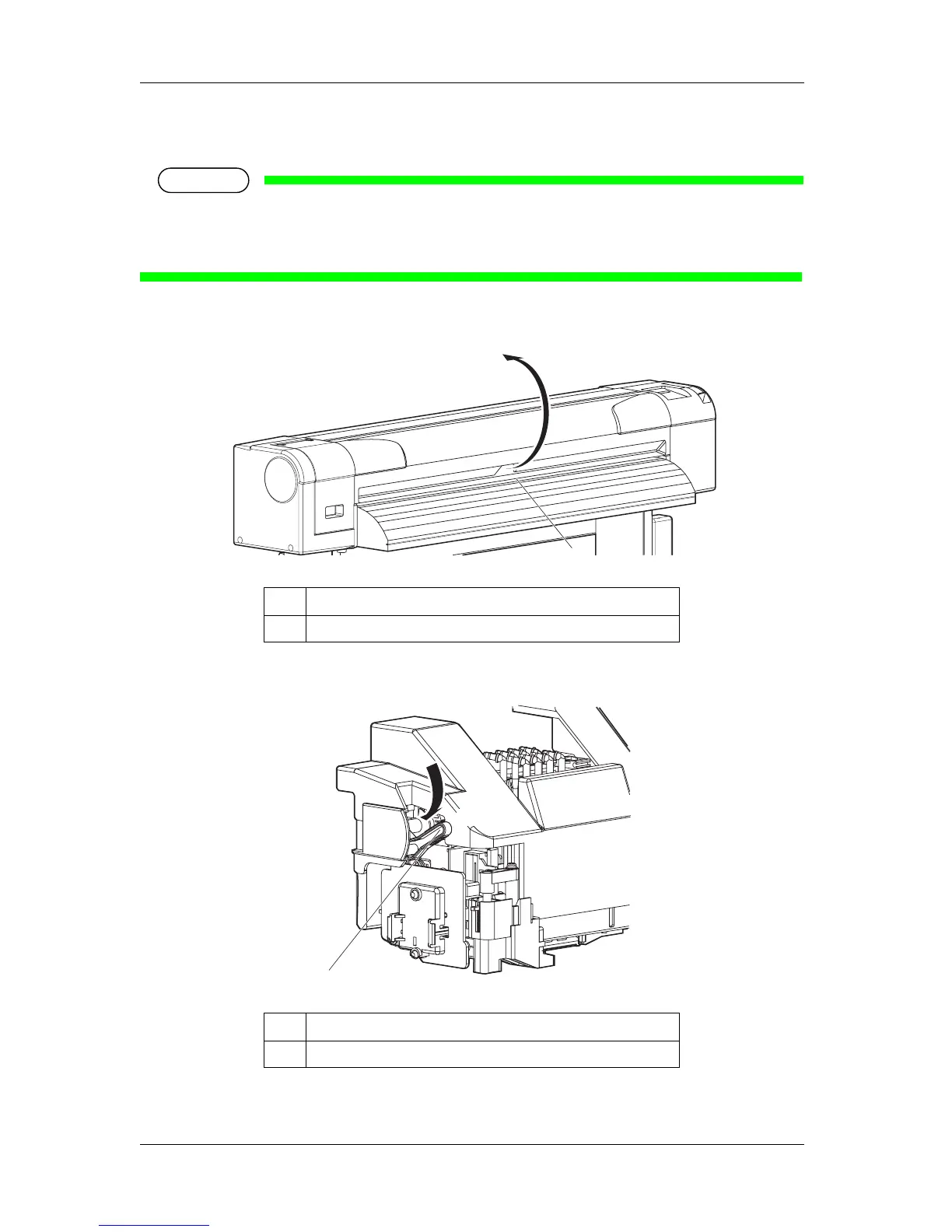
1. Open the front cover.
2. Change the head height by moving the head height adjustment lever (orange).
• The Low lamp on the operation panel lights up in green.
No. Name
1 Front cover
No. Name
1 Head height adjustment lever
1
1
Low










 To Next Page