4 Handling the printer VJ-1324 OPERATION MANUAL
4-22
• Printing
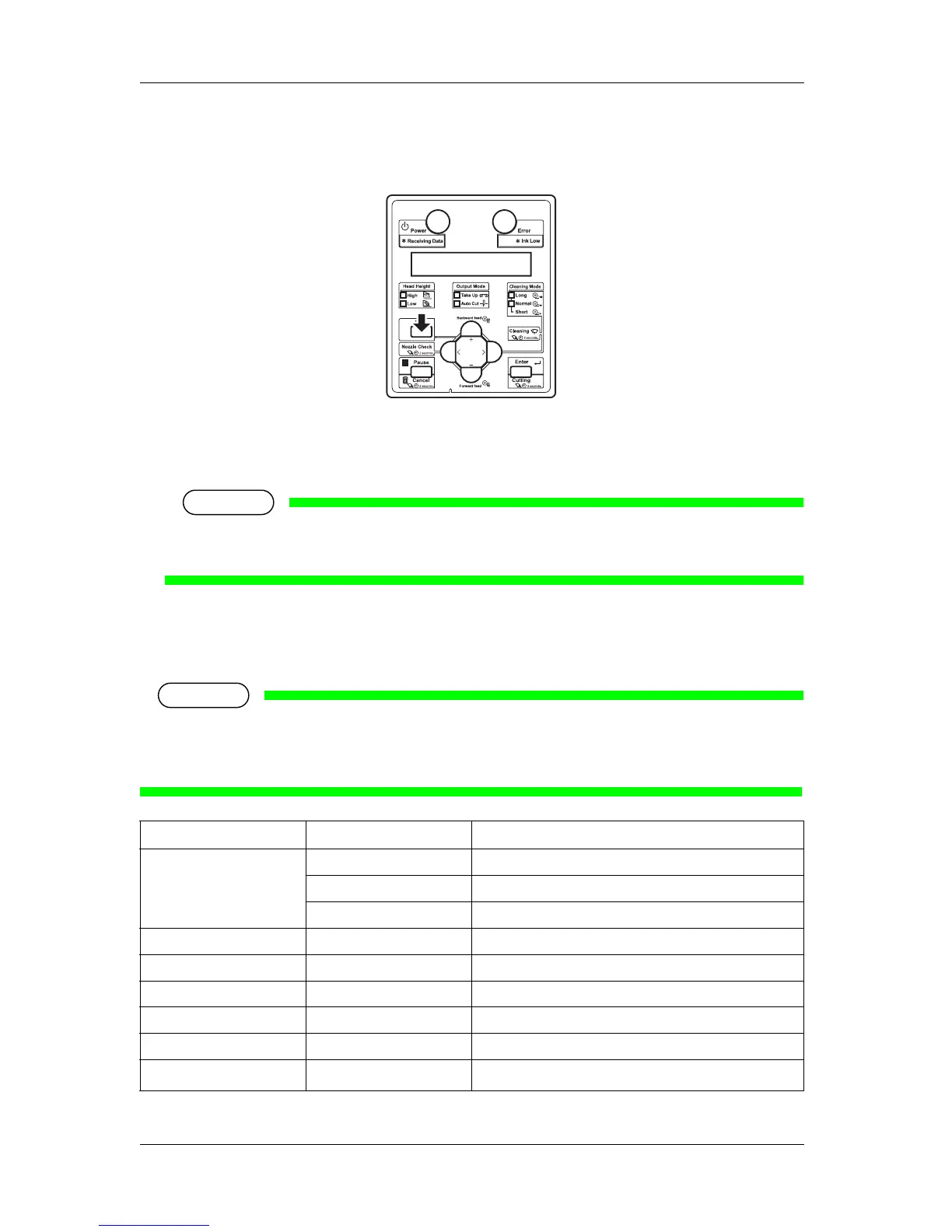
2. Press the [Menu] key on the operation panel.
• "Menu5: Temperature" is displayed on the operation panel.
3. Press the [+] key or [–] key to change or confirm settings.
NOTE
• For the setting items whose settings can be changed or confirmed, refer to "4.4.5.2 Settings that
can be changed or confirmed while printing".
4.4.5.2 Settings that can be changed or confirmed while printing
NOTE
• When you change a setting during operation, be sure to select "Backup" to save the setting that you
changed.
If the printer returns to Normal without "Backup" being selected, the changed setting is not saved.
Setup item Setting Description
Temperature Pre Checks the current temperature of the pre-heater.
Platen Checks the current temperature of the platen heater.
Dryer Checks the current temperature of the dryer.
Pre heater Off / 30 °C to 50 °C Changes the temperature of the pre-heater.
Platen heater Off / 30 °C to 50 °C Changes the temperature of the platen heater.
Dryer Off / 30 °C to 50 °C Changes the temperature of the dryer.
PF Adjust -5.00%~0.00~5.00% Change the feed adjustment value.
Backup — • [Enter] key: Save the changed setting.
— • [Cancel] key: The printer returns to Normal.










 To Next Page