VJ-1324 OPERATION MANUAL 4 Handling the printer
4-21
CAUTION
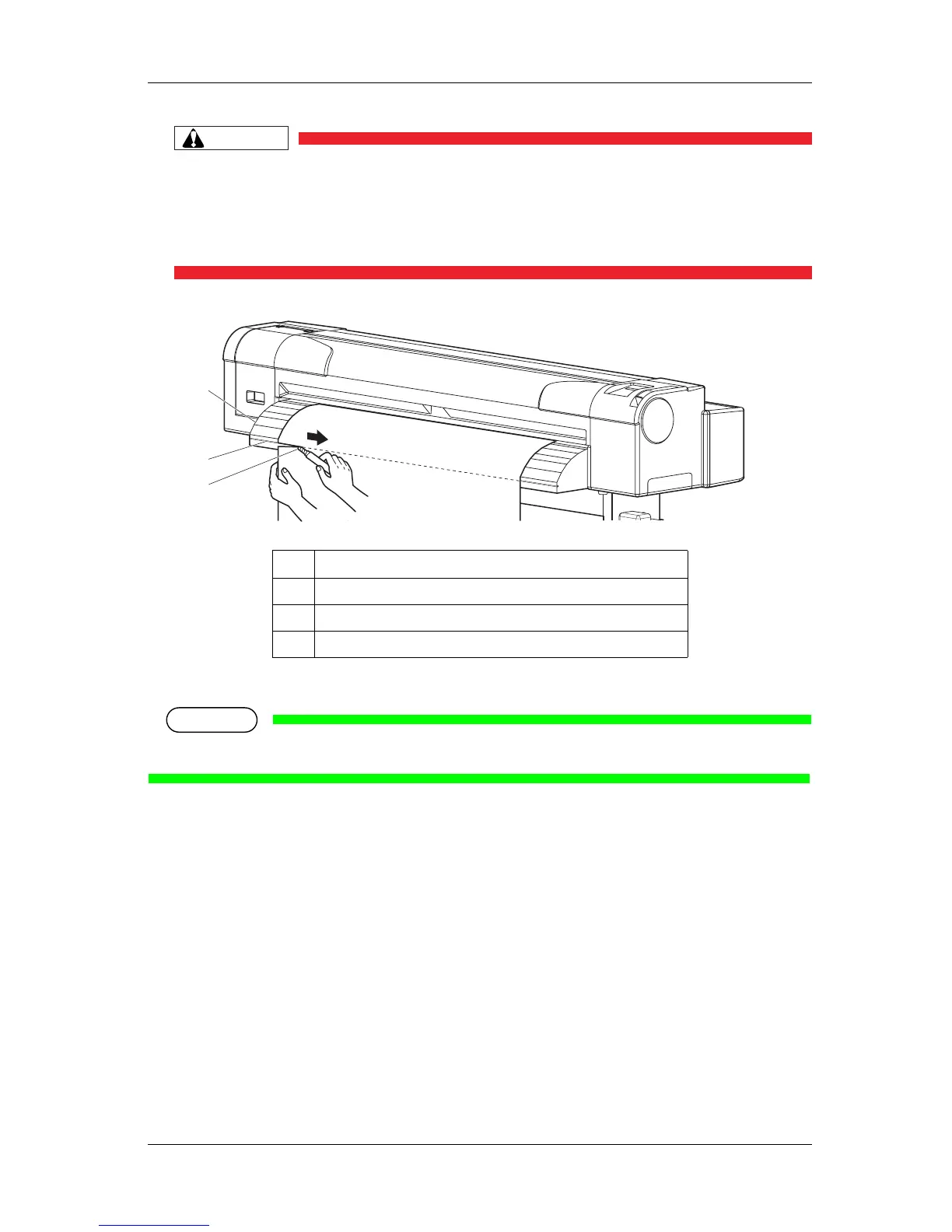
• Pay attention to the following points when cutting roll media.
Mishandling the razor blade may cause a cut on your finger or hand.
• When you hold media, do not place your finger on the media cut groove.
• Move the razor blade along the media cut groove.
• The procedure for cutting the roll media is complete.
NOTE
• When loading the new roll media, cut the front edge of the media if it is not straight.
4.4.5 Changing and confirming settings while printing
While the printer is operating, you can change or confirm settings for the Panel setup menu.
4.4.5.1 Procedure for changing and confirming settings while printing
Follow the procedure below to change or confirm settings for the Panel setup menu.
1. Confirm that the printer is in one of the following conditions.
• Receiving data
• Analyzing data
No. Name
1 Media guide
2 Media cut groove
3 Razor blade
2
1
3










 To Next Page