EasyManua.ls Logo

MW BETA Series - User Manual

MW BETA Series
21 pages
Print Icon
To Next Page IconTo Next Page
Loading...
1 / 21
BETA series
Model:
BETA 12K WIFI
BETA-user manual-EN-
R1 27.07.2020
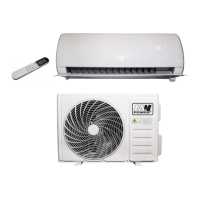
SPLIT TYPE INVERTER AIR-CONDITIONER
BETA series
Models:
BETA 12K WIFI
OWNER'S MANUAL
Obrázek n ejde zobrazit.

Other manuals for MW BETA Series

Questions and Answers

  • M
    Mr. Edward BakerAug 13, 2025
    What to do if my MW Air Conditioner doesn't work?
    • M
      Matthew YoungAug 14, 2025
      If your MW Air Conditioner isn't working, there could be several reasons. First, check the power source and plug to ensure they are functioning correctly. Also, inspect and replace the fan motor, test and replace the thermomagnetic switch, and check/replace any defective protective devices or fuses if needed. Make sure all connections and plugs are tightened, and reset the automatic off device if it's activated. Verify that voltage levels are within the recommended range and deactivate the TIMER ON function. Finally, inspect the motherboard for damage and replace it if necessary.
  • G
    Gloria DavisAug 17, 2025
    Why is my MW BETA not blowing enough air, and it's too hot or cold?
    • M
      Melissa AveryAug 17, 2025
      If your MW Air Conditioner isn't providing enough airflow or the temperature isn't right, it could be due to several factors. Check if the temperature settings are correct and adjust them as needed. Ensure that the air inlet and outlet of both the indoor and outdoor units are free from blockages. Clean or replace the air filter if it's blocked. Increase the fan speed if it's set to the minimum. Remove or minimize other heat sources in the room. Finally, check the refrigerant levels and refill if necessary.
  • V
    Vincent ClarkAug 21, 2025
    What to do if my MW BETA Air Conditioner remote isn't working?
    • S
      Seth LeonardAug 21, 2025
      If your MW Air Conditioner isn't responding to the remote, first move closer to the indoor unit. If that doesn't work, replace the remote control batteries. Also, make sure there are no obstacles between the remote control and the signal receiver on the main unit.
  • M
    Michael HumphreyAug 25, 2025
    Why does my MW BETA have a strange smell?
    • K
      Karen DanielsAug 26, 2025
      If your MW Air Conditioner has a strange smell, the air filter is likely dirty. Clean or replace the air filter to resolve this issue.
  • D
    Dennis BennettAug 28, 2025
    Why is the display off on my MW BETA Air Conditioner?
    • S
      Selena DorseyAug 28, 2025
      If the display is off on your MW Air Conditioner, check the LED function settings. Also, ensure that the device is powered on.
  • A
    Ashley WintersSep 1, 2025
    Why does my MW Air Conditioner make a sound of flowing water?
    • J
      Juan CrossSep 1, 2025
      If you hear the sound of flowing water in your MW Air Conditioner, check the drain for blockages, as it could be due to regression liquid in the drain.
  • G
    Glenn HunterSep 5, 2025
    Why does my MW BETA emit a slight mist from the air outlet?
    • B
      brianpierceSep 5, 2025
      A slight mist emitted from the air outlet of your MW Air Conditioner can occur when the air becomes very cold, such as in COOL or DRY modes.
  • M
    Michelle OwensSep 9, 2025
    Why is my MW BETA making a strange noise?
    • T
      Tonya MaysSep 9, 2025
      The strange noise from your MW Air Conditioner could be caused by the expansion or contraction of the front panel due to temperature changes.

Summary

Refrigerants R32

Introduction to Refrigerants R32

Information about the environmentally friendly R32 refrigerant used in air conditioners, its properties, and safety precautions.

Room Area Requirements for R32 Air Conditioners

Table specifying required room area for different BTU capacities of the air conditioner using R32 refrigerant.

Device Construction

Indoor Unit Components

Diagram and description of the indoor unit components, including front panel, air filter, display, and signal receiver.

Outdoor Unit Components

Diagram and description of the outdoor unit components, including air outlet grille, terminal block cover, and gas/liquid valves.

Indoor Unit Display

Operating the Device

Auto-Restart Function

Explanation of the auto-restart feature, including how to activate and deactivate it after power interruptions.

Emergency Function Operation

Instructions for using the emergency button for forced cooling or heating operations when the remote fails.

Remote Controller

Meaning of Remote Controller Symbols

Detailed explanation of buttons and symbols found on the remote controller for various functions and modes.

Remote Controller Battery Replacement

Instructions for replacing the batteries in the remote controller, including battery type and DIP switch information.

Remote Controller Operation Guide

Guidance on basic operation of the air conditioner via the remote controller, including temperature display settings.

Device Functions

Air Flow Control (SWING)

How to use the SWING function to adjust the air flow direction using flaps and motorized deflectors.

Cooling Mode Operation

Instructions for activating and optimizing the cooling function of the air conditioner for room cooling and humidity reduction.

Heating Mode Operation

Instructions for activating and optimizing the heating function of the air conditioner for room heating, including defrost cycle.

Fan Mode Operation

How to operate the air conditioner in fan-only mode for ventilation and adjust fan speed and air direction.

Timer Function Settings

Guide to setting, changing, or canceling the automatic switch-on/off timer for the air conditioner.

Dry Mode Operation

How to use the DRY mode to reduce air humidity for a more comfortable room environment.

Auto Mode Operation

How to activate the automatic operation mode where fan speed and temperature are set automatically.

Sleep Function

How to activate the sleep function which automatically adjusts settings and switches off after 10 hours.

ECO Function

How to activate the ECO mode for energy-saving operation in cooling and heating modes.

Display Function (Indoor Display)

Instructions for switching the LED display on/off on the indoor unit panel.

Turbo Function

How to activate the TURBO function for maximum airflow and rapid temperature adjustment.

I FEEL Function

How to activate the I FEEL function to measure room temperature and optimize comfort.

Self-Clean Function

How to use the self-clean function to remove dirt and bacteria from the evaporator, recommended every 3 months.

Mildew Function

How to use the MILDEW function to dry indoor parts and prevent mildew, available in DRY/COOLING mode.

8°C Heating Function

How to activate the 8°C heating function for maintaining a minimum temperature when the unit is in standby.

Troubleshooting

Possible Faults and Causes

A table listing common device faults, their possible causes, and basic troubleshooting steps.

MW BETA Series Specifications

General IconGeneral
BrandMW
ModelBETA Series
CategoryAir Conditioner
LanguageEnglish