12 / 21
BETA series
BETA-user manual-EN-
7.1. M
EANING OF SYMBOLS ON THE DISPLAY
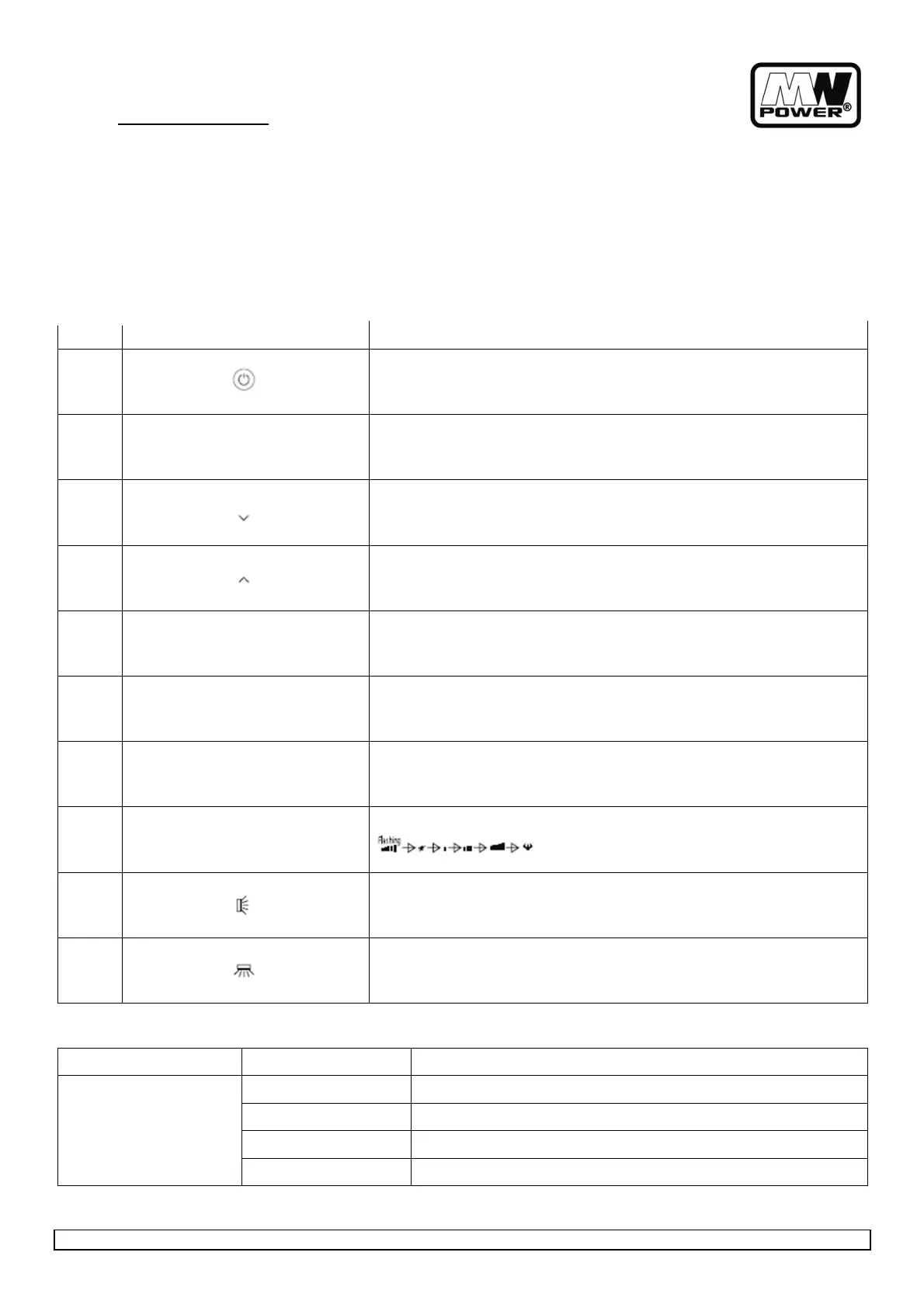
Lp. BUTTON FUNCTION
1
To turn on or off the air conditioner.
2
OPTION
To activate or deactivate optional function (Check below table).
3
To decrease temperature, time setting or choose the function.
.
4
To increase temperature , time setting or choose the function.
5
ECO
Press this button to activate/deactivate the ECO function.
6
TURBO
Press this button to activate/deactivate the Super function which enables the
unit to reach the preset temperature in the shortest time.
7
MODE
To select the mode of operation(AUTO COOL DRY FAN HEAT)
8
FAN
To select the fan speed of auto/mute/low/mid/high/turbo , cycle as below
9
Press this button to activate/deactivate the SUPER function which enables
the unit to reach the present temperature in the shortest time.
10
To activate or deactivate of the movement of the horizontal deflectors. (If
applicable)
ON/OFF MODE FUNCTION
ON
AUTO TIMER, DISPLAY, HEALTH, I FEEL, 8°CH
COOL TIMER, DISPLAY, HEALTH, SLEEP, MILDEW, I FEEL, 8°CH
DRY TIMER, DISPLAY, HEALTH, MILDEW, I FEEL, 8°CH
FAN TIMER, DISPLAY, HEALTH, I FEEL, 8°CH


 To Next Page