19 / 21
BETA series
BETA-user manual-EN-
Obrá
zek
nejd
Obrá
zek
nejd
Obrázek n ejde
zobrazit.
Obrá
zek
nejd
Obrá
zek
nejde
Obrá
zek
nejde
Obrá
zek
nejd
8.9.4. S
ELF
-C
LEAN
F
UNCTION
•
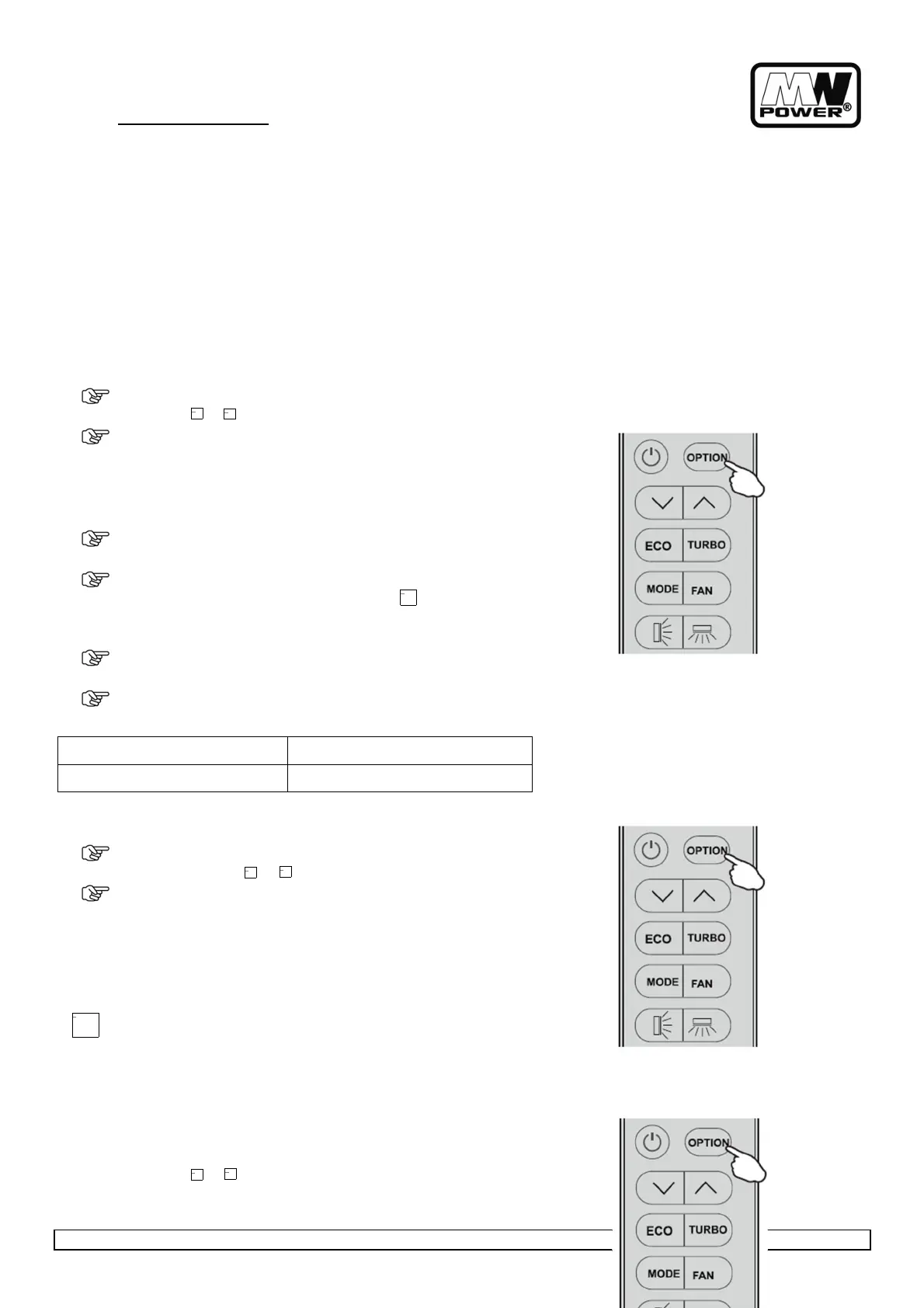
Press (OPTION) at the first time, select the CLEAN by pressing
the button or until symbol CLEAN is flashing.
•
Press OPTION again to activate the CLEAN function, and appears
on the display.
Do it again to deactivate this function.
•
This function help carry away the accumulated dirt, bacteria, etc
from the evaporator.
•
This function will run about 30 minutes, and it will back to the
mode set before this function. You can press to cancel this
function during the process. You will hear 2 beeps when it's
finished or cancelled.
•
It's normal if there are some noise during this function process,
as plastic materials expand with heat and contract with cold.
We suggest operate this function per 3 months.
Indoor unit Temp < 30°C
Outdoor unit 5°C < Temp < 30°C
8.9.5. MILDEW
F
UNCTION
•
Press (OPTION) at the first time, select the MILDEW by pressing
the button or until symbol MILDEW is flashing.
•
Press (OPTION) again to activate the MILDEW function, and
MILDEW appears on the display.
Do it again to deactivate this function.
This function enable the air conditioner still blow airflow about 15 minutes
to dry the indoor inner parts to avoid mildew, when the air conditioner is
off.
•
MILDEW function only available in DRY/COOLING mode.
8.9.6. H
EATING
F
UNCTION
It can be set in COOL/HEAT/DRY/FAN/AUTO mode, but you need to turn
off the unit to activate it.
•
Press OPTION at the first time, select the 8°CH by pressing the
button or until symbol 8°CH is flashing.
Obrázek
nejde
zobrazit.


 To Next Page