18 / 21
BETA series
BETA-user manual-EN-
Obrázek n ejde
zobrazit.
Obrá
zek
nejde
Obrá
zek
nejd
Obrázek n ejde
zobrazit.
Obrá
zek
nejd
Obrá
zek
nejde
•
Press the "ON / OFF" button to turn on appliance and select
a COOLING / HEATING mode.
•
Press the ECO button, the appliance will run in ECO mode.
•
Pressing the ECO button again will cancel the mode, "ECO"
will no longer be shown on the LCD screen.
•
The ECO function is available in cooling and heating modes.
8.9.1. D
ISPLAY
F
UNCTION
(
INDOOR DISPLAY
)
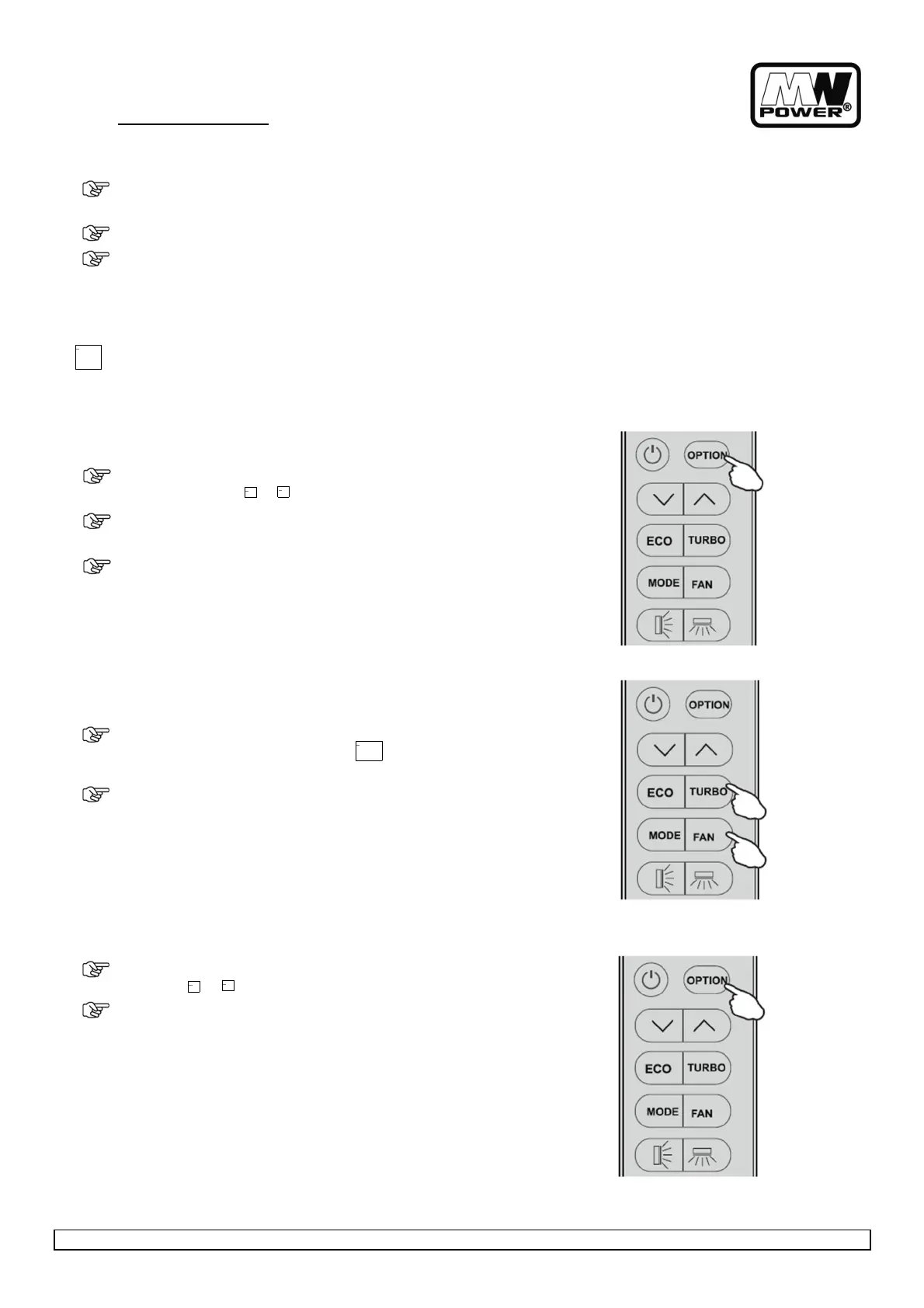
Switch on/off the LED display on panel.
•
Press (OPTION) at the first time , select the DISPLAY by
pressing the button or until symbol DISPLAY is flashing;
•
Press (OPTION) again to switch off the LED display on the
panel, and DISPLAY appears on the remote controller display.
•
Do it again to deactivate this function.
After 10 hours running in sleep mode the air conditioner is switched
off automatically.
8.9.2. TURBO
F
UNCTION
•
To activate turbo function, pressing the button TURBO or
pressing the button FAN until symbol appears on the
display.
•
To cancel this function, pressing the FAN to switch other fan
speed or pressing the TURBO button again.
In AUTO/HEAT/COOL/FAN mode: when you select TURBO feature, it
will use the highest fan setting to blow strong airflow.
8.9.3. I
FEEL
F
UNCTION
•
Press (OPTION) at the first time, select the I FEEL by pressing
the button or until symbol I FEEL is flashing.
•
Press (OPTION) again to activate the I FEEL function, and I
FEEL appears on the display.
Do it again to deactivate this function.
This function enable the remote control to measure the temperature
at its current location and send this signal 7 times in 2 hours to the
air conditioner to enable the air conditioner to optimize the
temperature around you and ensure maximum comfort.
It will automatically deactivate 2 hours later.


 To Next Page