EMPEROR XT - USER MANUAL
15
12.3
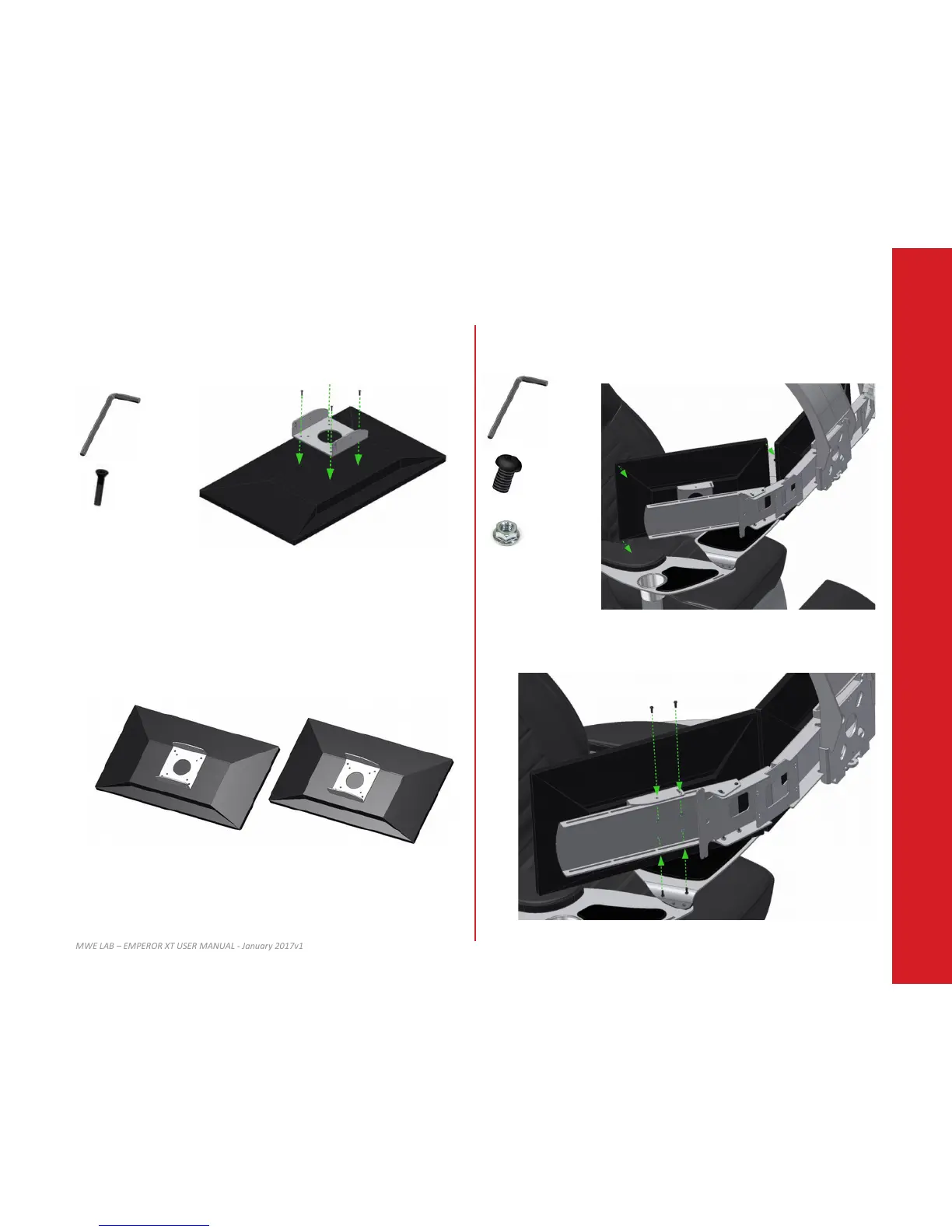
Install the VESA adapter on your le monitor using 4x M4 screws.
Select the appropriate screw length. Refer to your monitor user guide for more details
about VESA mount installaon.
12.5
Align and place the right monitor on the right extender as shown below.
12.4
Make sure the brackets on the monitor are securely installed as shown below before
installing them to the mount.
12.6
Align and ghten screws and nuts as shown in order to secure the monitor in place.
3/32”
10-32 x 1/2
10-32
X8
X8
2.5mm
M4 (12, 16 or 18mm)
Right Monitor
Le Monitor
X4
TOP of the le monitor


 To Next Page