USER MANUAL - EMPEROR XT
18
15.1
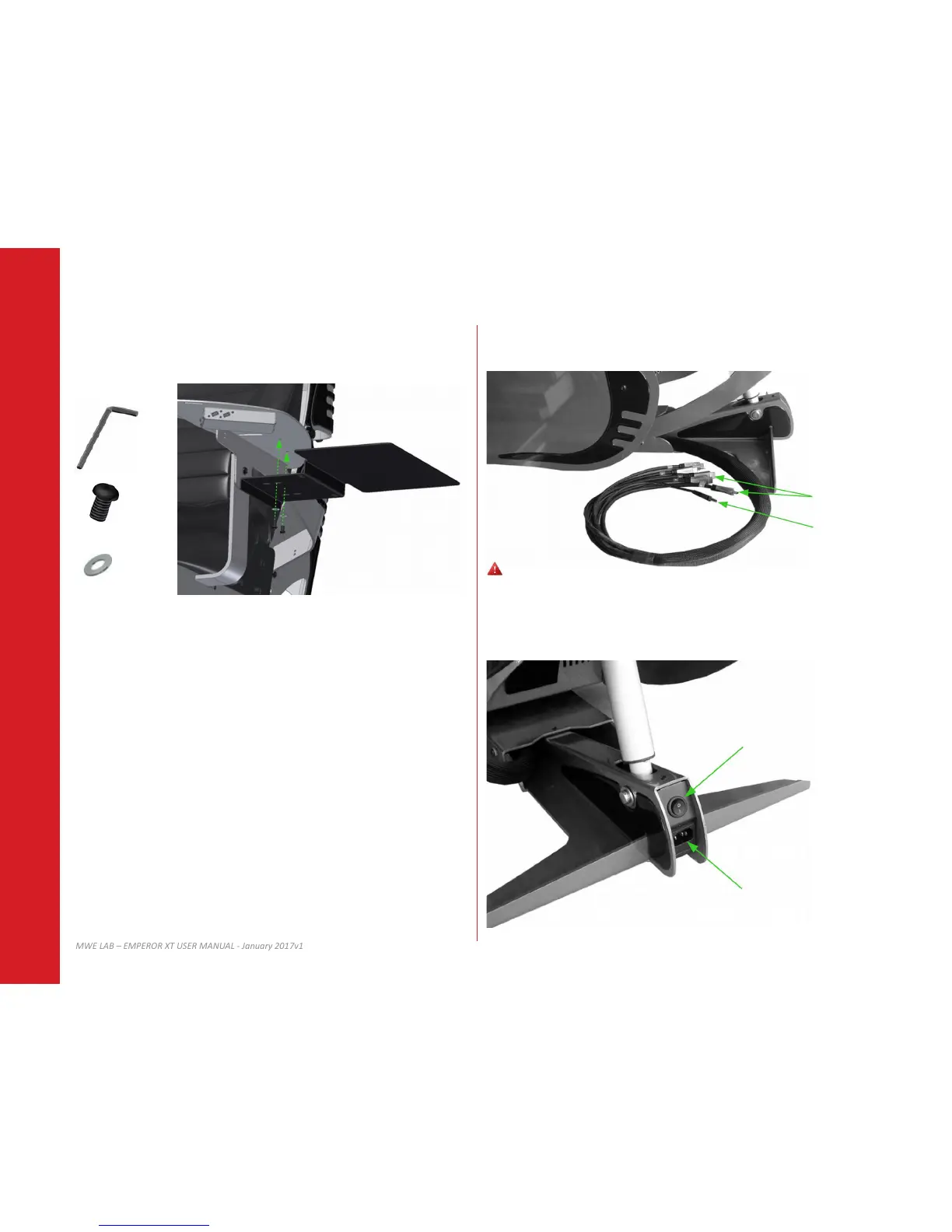
Align, and install the laptop tray on desired side using provided screws and washers.
16.1
Connect provided cables (video and USB) to your computer.
16.2
Connect your Emperor with provided power cable to wall electrical outlet (110-120V or
220-240V) and turn ON your Emperor using main switch.
16 OPERATING YOUR EMPEROR15 LAPTOP TRAY (OPTION)
3/16”
5/16-18 x 1/2
Video Cables
Main Switch
USB
AC power cord input
X2
X2
5/16
Place your computer at least 18” (45cm) away from the Emperor on the side.


 To Next Page