USER MANUAL - EMPEROR XT
6
3 UNPACKING 4 CONTENT OF THE BOX
3.1
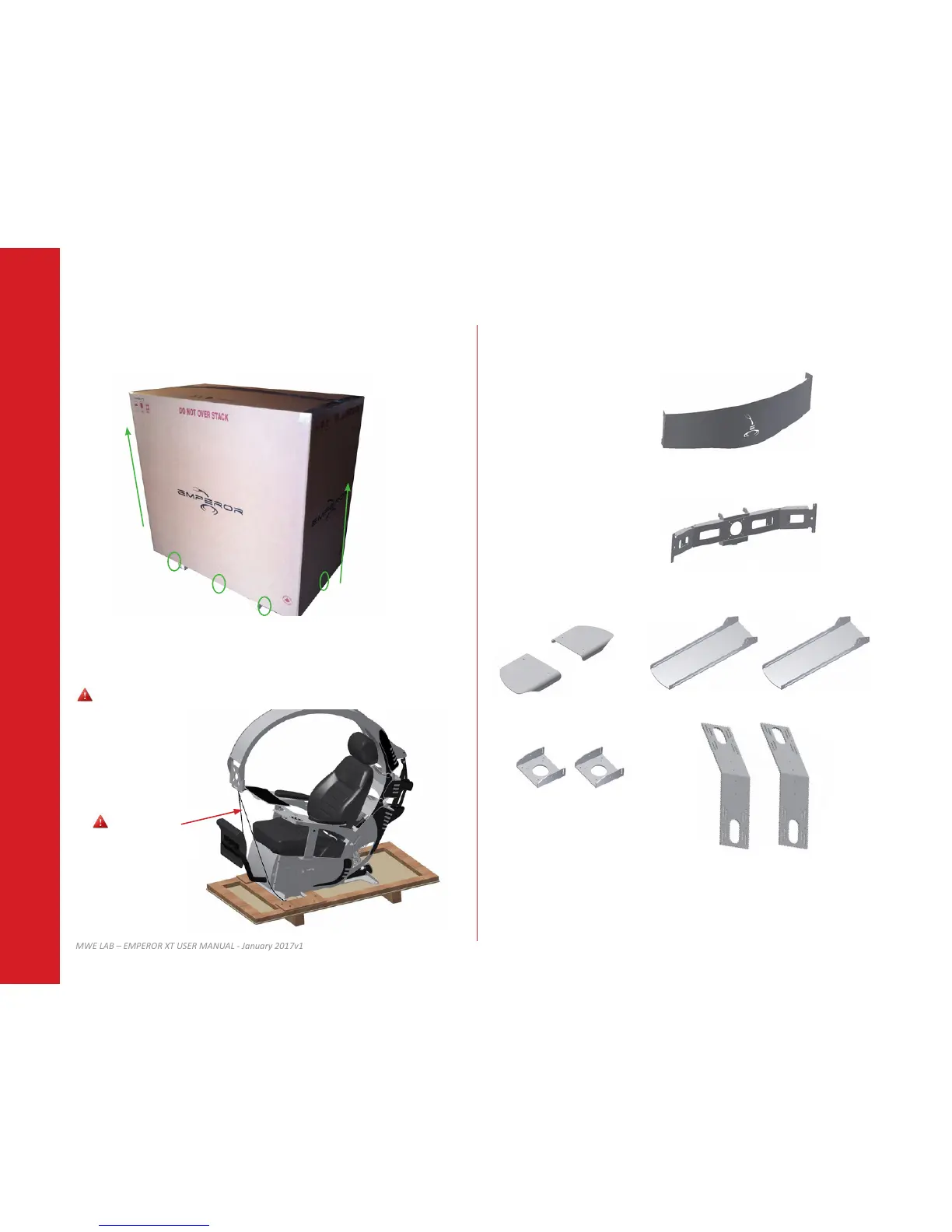
Remove screws from the Emperor workstaon’s skid using a Philips shaped p screwdriver
and remove the box.
4.1
List of components located in the box and accessory box(es).
Standard components
Front plate (A)
Monitor mount (B)
Emperor black bag
Screws and nuts
Tools
Lateral wings (C)
Oponal accessories
Addional monitors mount (D)
Addional VESA mount (E)
Addional mounng plates (F)
Laptop tray
3.2
Remove carefully the plasc bag and wrap but leave the black strap that holds the upper
secon down. Move accessory box(es) and moving parts aside.
Do not allow children to play with the plasc bag and dispose of it properly.
Do not remove
A
B
C
D
E
F


 To Next Page