USER MANUAL - EMPEROR XT
14
11.1
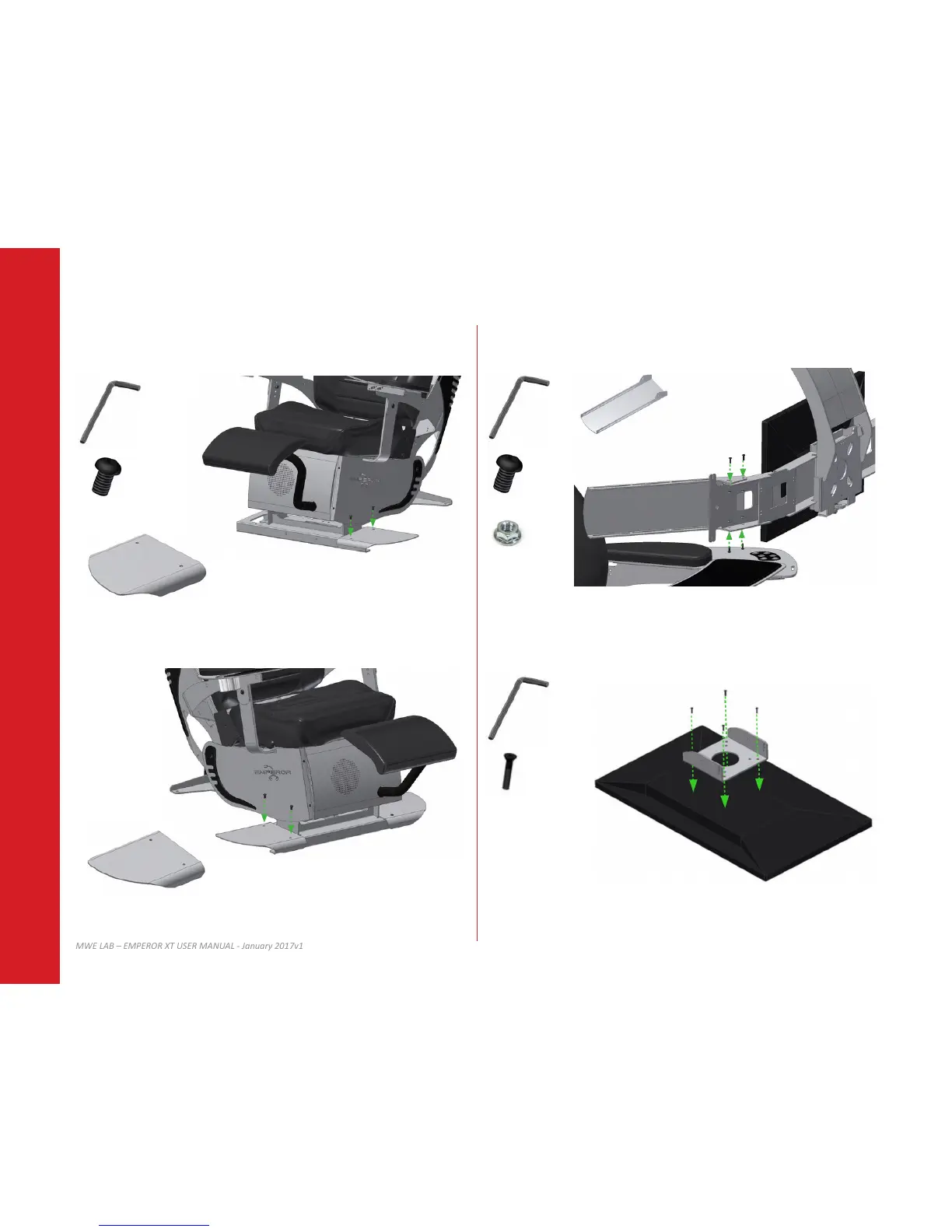
Using provided screws and tool, install le lateral wing as shown.
11.2
Repeat step 11.1 with the le lateral wing.
12.1
Install monitor extenders as shown on both side. Tighten screws in order to sll be able to
move the extenders.
12.2
Install the VESA adapter on your right monitor using 4x M4 screws.
Select the appropriate screw length. Refer to your monitor user guide for more details
about VESA mount installaon.
11 LATERAL WINGS 12 TRIPLE MONITOR CONFIGURATION
3/16”
3/32”
5/16-18 x 1/2
X4
10-32 x 1/2
10-32
X8
X8
X2
2.5mm
M4 (12, 16 or 18mm)
X4
TOP of the right monitor


 To Next Page