USER MANUAL - EMPEROR XT
16
12.7
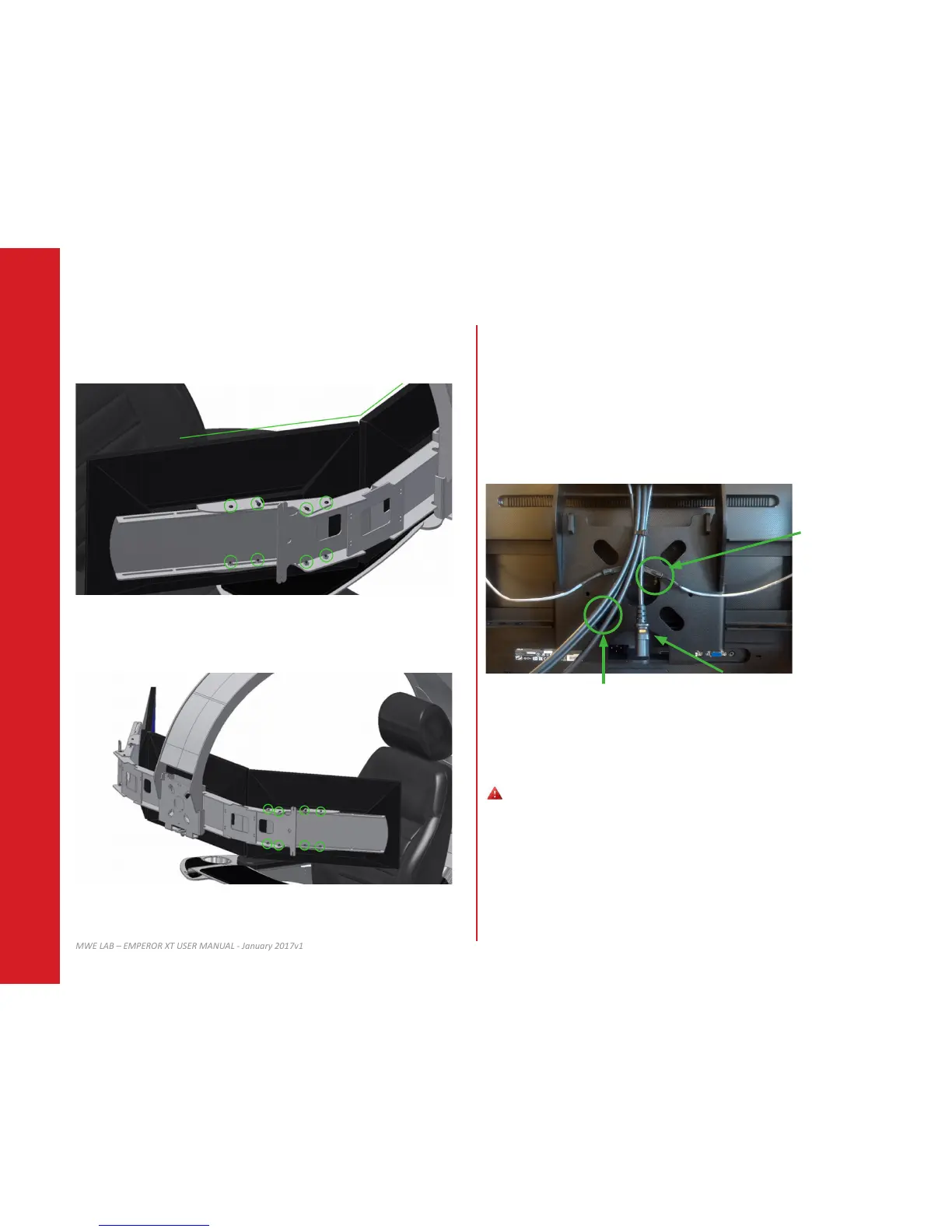
Adjust the right monitor to desired posion and ghten strongly the extender and VESA
adapter screws.
13.1
Gently connect video cables coming out of the upper secon to your monitor’s video
inputs.
13.2
Connect power cable coming out the upper secon to the provided power cord splier.
13.3
Connect the LEDs from the monitor mount to the upper secon output LED cable.
12.8
Repeat step 12.5 to 12.7 with the le monitor and ghten strongly the extender and VESA
adapter screws.
13.5
Using provided es, hide and gently hook cables to the monitor mount.
13 CONNECTING YOUR MONITORS
Avoid ght bending of video cables, it will damage internal wires.
Power cord from upper secon
LEDs connecons
Video cables


 To Next Page