21
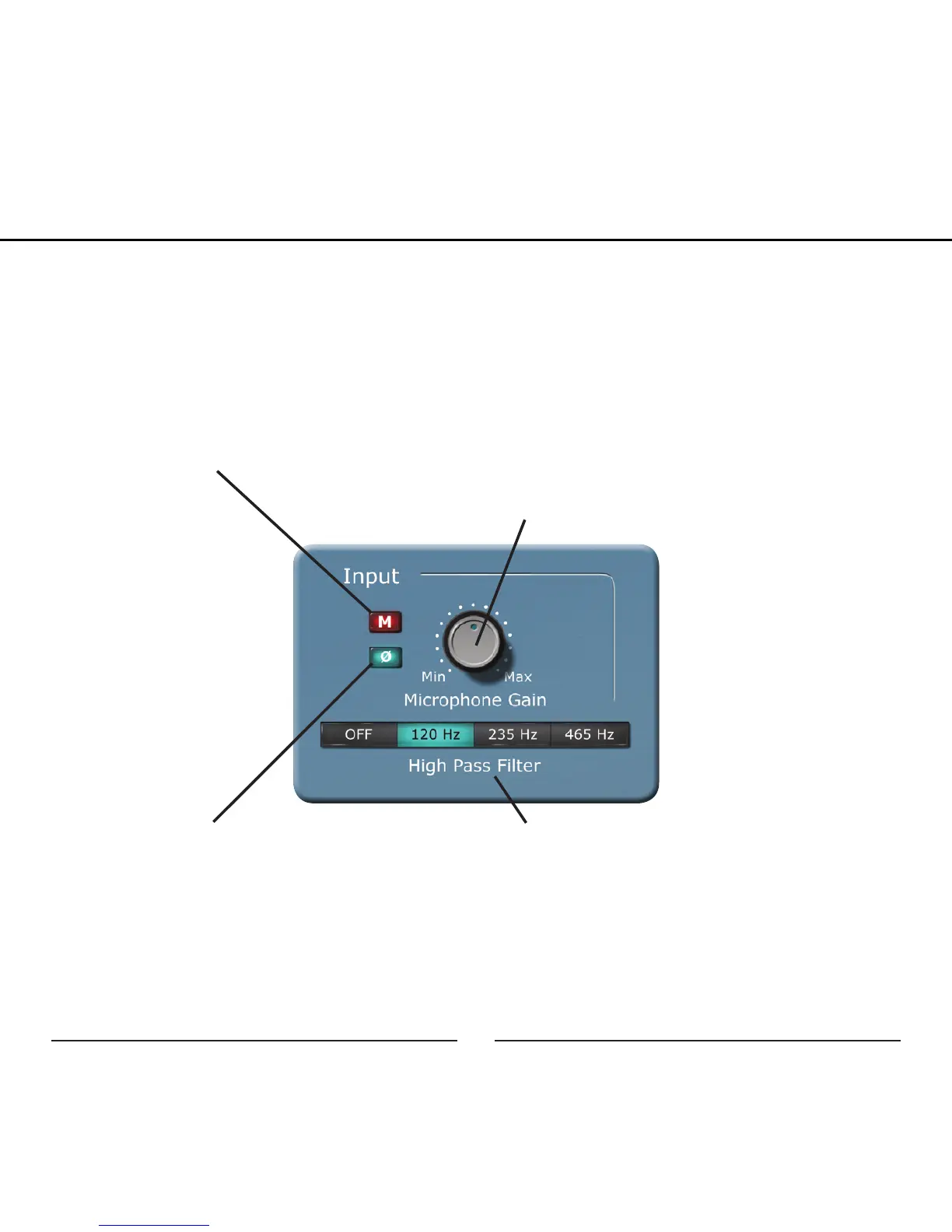
Input:
All of the changes in this section will effect what you hear in the direct
monitoring and the signal recorded on the computer.
Microphone Gain: Use this in
conjunction with the analog control
on the side of the microphone to
optimize the recording level.
Microphone Mute: Mutes the micro-
phone input signal
Phase Invert: Inverts the phase of
the microphone input by 180°
High Pass Filter: Reduces low fre-
quencies with four selectable cut-off
frequencies
Graphic User Interface


 To Next Page