20
Studio 24 USB
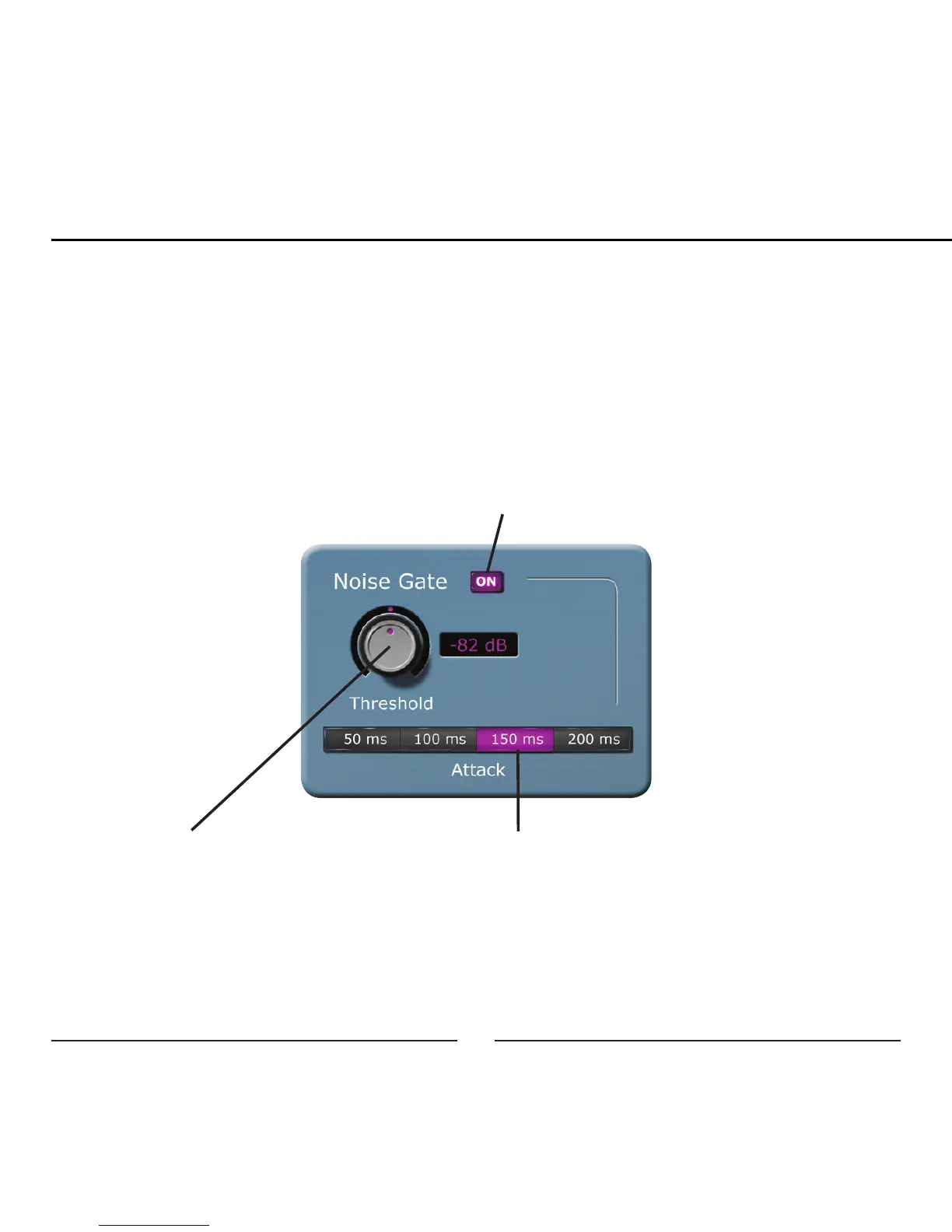
Noise Gate:
The noise gate automatically mutes the microphone input when the signal goes
below the set Threshold. When the microphone signal returns above the Threshold
the microphone input will be un-muted. The effects of the noise gate will be heard in
the headphone monitoring and will be recorded on the computer.
On/Off: Turns the Noise Gate on and off
Threshold: Adjust the Threshold from
-82dB to -34dB with the current set-
ting displayed in the adjacent window.
Attack: The speed at which the micro-
phone is muted or un-muted when the
input signal crosses the Threshold


 To Next Page