EV-020 Rev. 11 – 2014
26
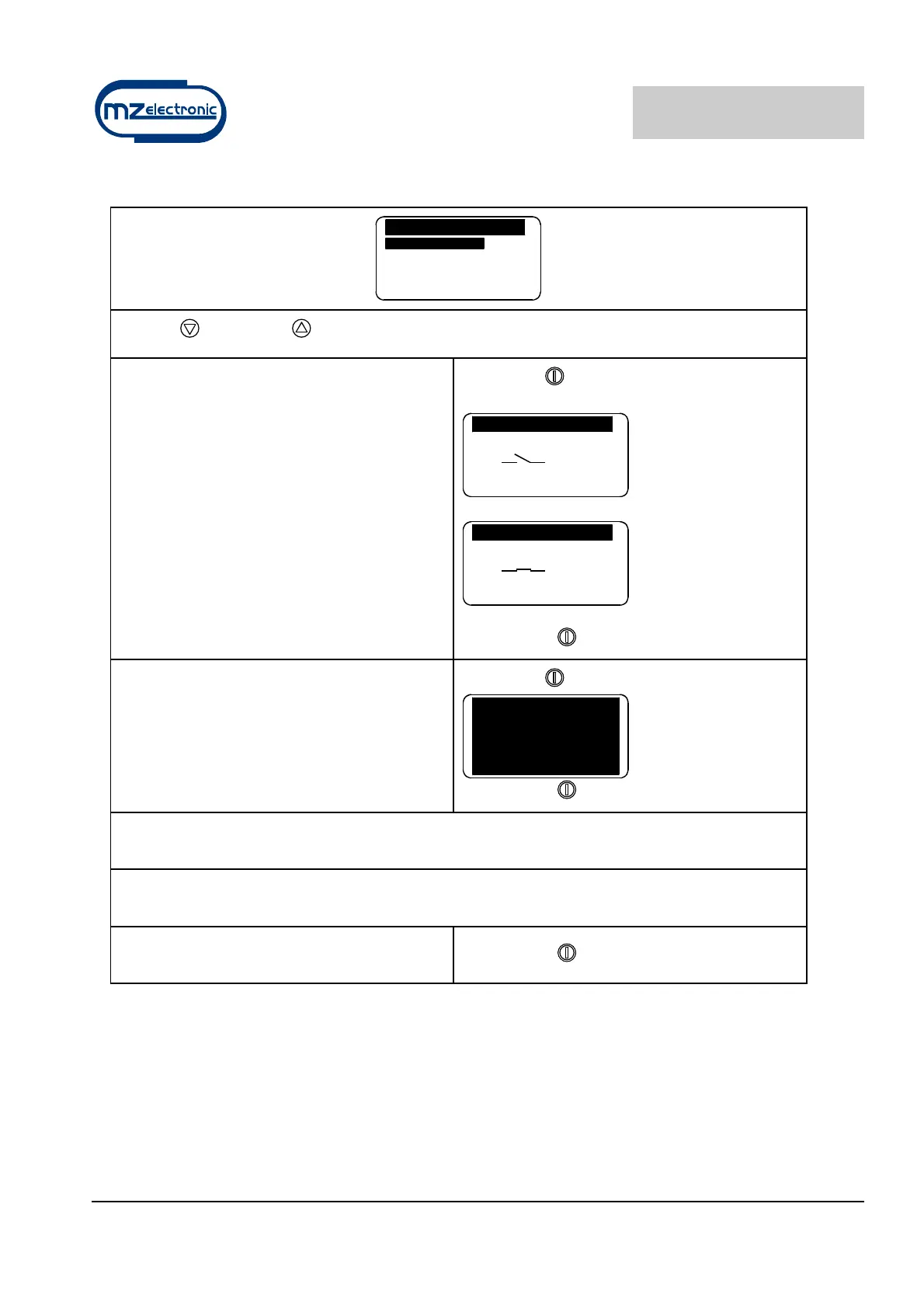
Check menu
Tests
S e n s . C h e c k s
LCD Test
S w. Ve r s i o n 1 . 0 1
W o r k H o u r s 0
E x i t
Use the (DOWN) or (UP) key to move around the parameters.
Sensor Checks
The purpose of this function is to check the
state of the sensor:
contact open
contact closed
Select with
Sensor Test
Sensor Test
Confirm with
LCD Test
This function switches on all the display’s
pixels thus making it possible to perform a
check on them.
Select with
Confirm with
Software Version
Indicates the version of the software installed.
Work Hours
Indicates the hours of operation of the winch.
Exit
To return to the settings menu.
Confirm with
Instrument calibration
Before using the instrument the following parameters must be set:
• choice of unit of measurement (metres or feet);
• detection of type of sensor (Standard or Project);
• gipsy diameter setting (default value 33 cm) or reduction factor (default value 57).


 To Next Page