SETTINGS
The “Settings” main menu allows you to congure or show the following
features:
• Bass
• Balance
• Pre Out/Subwoofer
• Temporary Display
• Network Standby
• Auto Sense
• IR Learning Device
• Firmware Version
• MDC Card Upgrade
• Tone Controls
• Treble
• Filters
• Speaker Channel
• Dimmer
• Auto Standby
• IR Channel
• Volume Display Mode
• Firmware Upgrade
• BT Work Mode
TONE CONTROLS
Tone controls allow the boosting or reduction of particular audio
frequencies. The tone control levels, Bass and Treble, can be turned on or
o.
On: Tone control levels are active. At Tone Controls On, Bass and Treble
control levels are available for conguration.
O: Tone controls levels are bypassed. At Tone Controls O, Bass
and Treble control levels become unavailable or turned o from the
Settings menu.
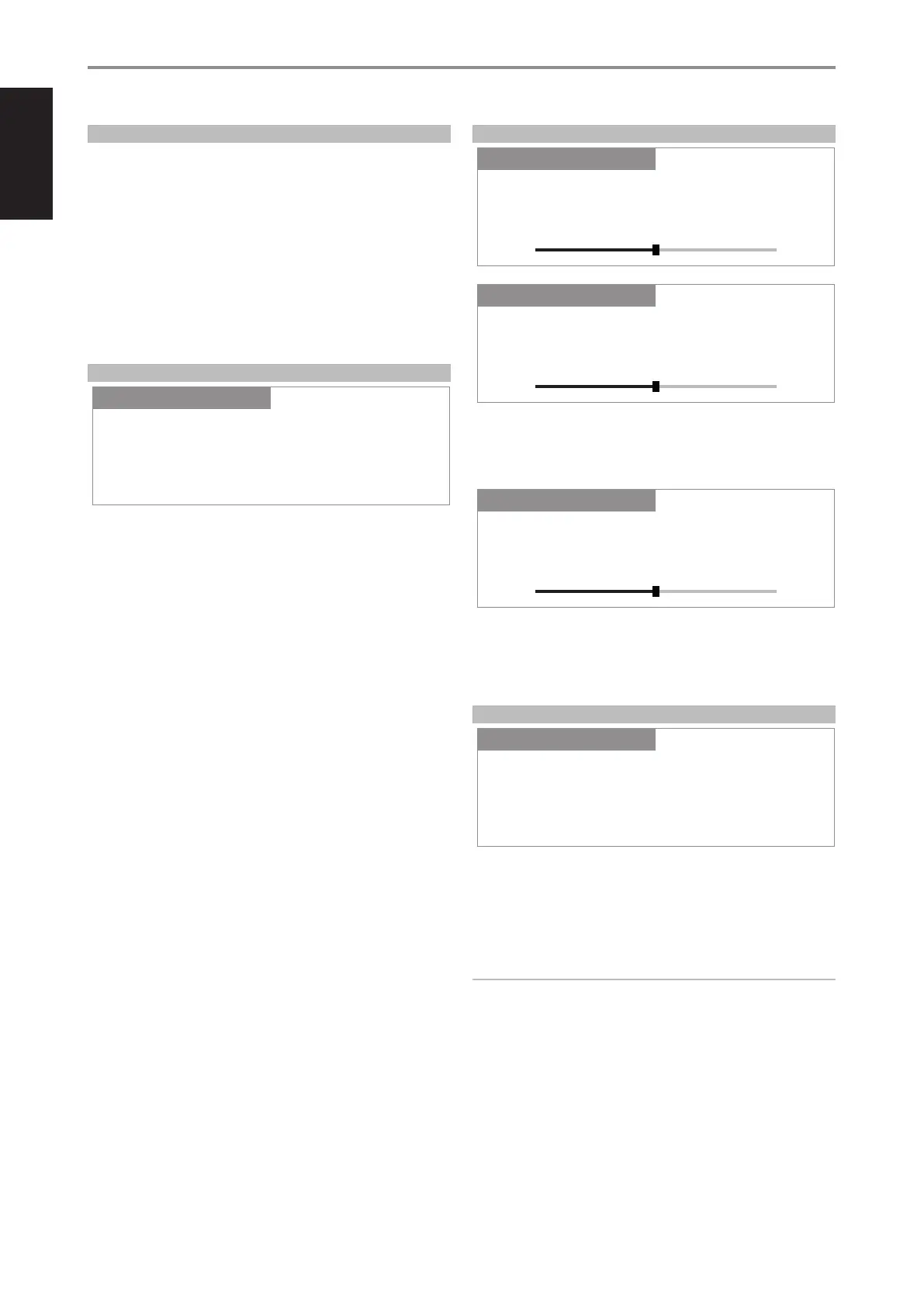
BASS, TREBLE, BALANCE
Bass and Treble controls only aect the low bass and high treble leaving
the critical midrange frequencies free of coloration.
• Use [a/s] to boost or cut Bass or Treble levels within ±7 dB range.
Balance control adjusts the relative levels of the left and right speakers.
• Press [s] to shift the balance to the right or [a] to shift the balance to
the left. Use [a/s] also to recover or even out the balance levels.
• “0 dB” level setting provides equal level to the left and right channels.
FILTERS
Filters provide easy bi-amplication or subwoofer integration by adding the
required lters to redirect bass frequencies to the subwoofer.
High Pass: Low pass signal up to 150 Hz is attenuated and over 150
Hz sent to the speakers. This is based from 2nd order Linkwitz-Riley
Crossover Filter @150 Hz.
IMPORTANT NOTE
If dierent crossover lter settings are required, it is recommended to
use the lters built into the connected external Powered Subwoofer.
Experiment by reversing the polarity of the Subwoofer or use a
combination of lters, for example, the High Pass lter built into the
C 368 and run full range to the Subwoofer and set the Crossover lter
setting on the Subwoofer itself. Note that changing the level can also
change the crossover frequency, so experimentation is the only way to
get an optimal result.
Full Range: Refers to the whole frequency spectrum capability of your
C 368 and speaker system. This is ideally 20 Hz to 20 kHz.
OPERATION
USING THE C 368
Balance
SettingsSource Setup
0 dB
+-
Settings
Tone Controls
SettingsSource Setup
On
Settings
Filters
SettingsSource Setup
High Pass
Settings
Bass
SettingsSource Setup
0 dB
+-
Settings
Treble
SettingsSource Setup
0 dB
+-
Settings
14
ENGLISH FRANÇAIS ESPAÑOL ITALIANO DEUTSCH NEDERLANDS SVENSKA РУССКИЙ


 To Next Page