ENGLISH
MDC2 UPGRADE SLOTS
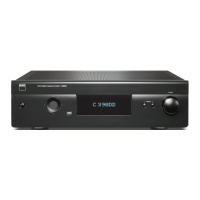
C 389 supports NAD’s MDC2 architecture. By enabling two-way
communications between the module and component, MDC2 opens up
the future for new upgrades.
MDC2 BLUOS-D
The optional MDC2 BluOS-D module lets listeners play
music from their favourite streaming services through
the C 389. MDC2 BluOS-D is equipped with Wi-Fi and
Ethernet and uses the acclaimed BluOS Controller app
for Android, iOS, macOS, and Windows.
Like all BluOS-enabled products, the MDC2 BluOS-D
has integrated support for dozens of streaming services
and supports Apple AirPlay 2, Spotify Connect, and Tidal
Connect. Two-way communications also enable the
MDC2 BluOS-D to stream music from sources connected
to the C 389 to BluOS-enabled components in other rooms.
The MDC2 BluOS-D comes with Dirac Live® Limited Bandwidth (20Hz –
500Hz) installed with the option for advanced users to upgrade to the
Dirac Live Full Frequency version. Dirac Live function lets you measure
your room’s acoustics using a supplied microphone and intuitive app, and
then upload correction curves to the MDC2 BluOS-D. By compensating for
acoustic anomalies in your listening environment, Dirac Live dramatically
improves bass clarity, imaging, and timbral accuracy. Thanks to its two-way
architecture, the MDC2 BluOS-D performs room correction for all sources
connected to your C 389. For Dirac Live Setup guidelines, go to
support.nadelectronics.com and search for “Dirac Setup”.
IDENTIFICATION OF CONTROLS
REAR PANEL
9


 To Next Page