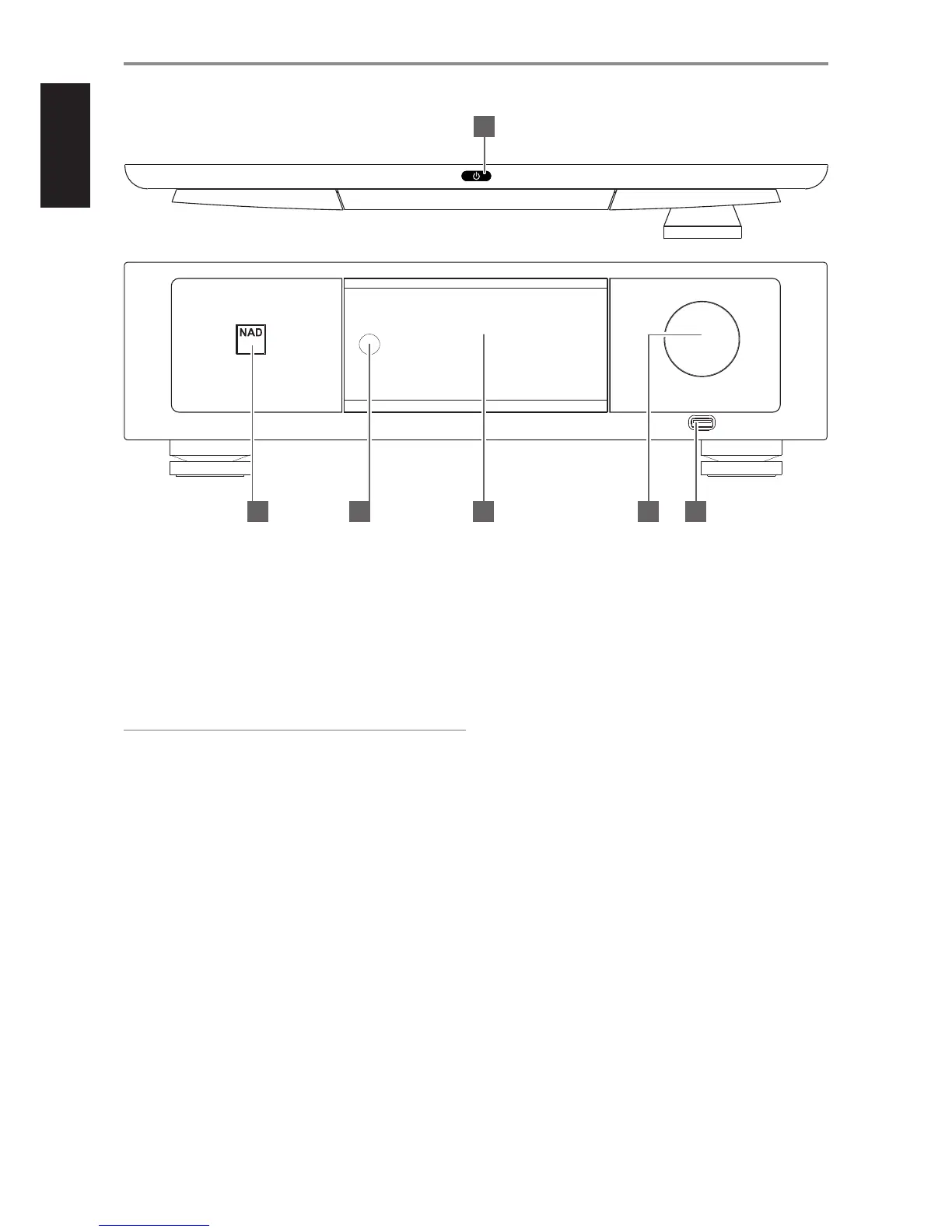
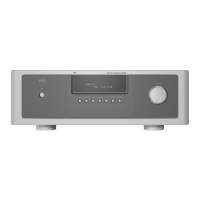
1 o (STANDBY)
• Press o (Standby) button for the M12 to be switched ON from
standby mode. The Power indicator will turn from amber to bright/
white color.
• Pressing o (Standby) button again switches back M12 to standby
mode. The Power indicator will illuminate to amber color at standby
mode.
• The o (Standby) button cannot activate the M12 with the rear
panel POWER switched o.
IMPORTANT NOTES
• Refer also to +12V TRIGGER (IN/OUT) in IDENTIFICATION OF CONTROLS
– REAR PANEL.
• For the o (Standby) button to activate, two conditions must be
completed.
a. Plug-in the supplied mains power cord to a mains power source.
Connect corresponding end of the mains power cord to the AC
mains input of M12 and the plug connected to a mains power
source.
b. The rear panel POWER switch must be set to ON position.
2 POWER INDICATOR
• This indicator will light up amber when the M12 is at standby mode.
• When the M12 is powered up from standby mode, this indicator
will turn from amber to bright/white color.
3 REMOTE SENSOR
• Point the HTRM 2 remote control at the remote sensor and press
the buttons.
• Do not expose the remote sensor of the M12 to a strong light
source such as direct sunlight or illumination. If you do so, you may
not be able to operate the M12 with the remote control.
Distance: About 23ft (7m) from the front of the remote sensor.
Angle: About 30° in each direction of the front of the remote sensor.
4 DISPLAY (TOUCH PANEL DISPLAY)
• Show visual and menu information according to the display
settings selected.
• The following display options are accessible via the touch panel
display - Main, Media, Mode, EQ and Setup.
• Use your nger to press and select any of these display options to
show their corresponding menu options or settings.
5 VOLUME
• The VOLUME control adjusts the overall loudness of the signal being
fed to the loudspeakers. Volume control is characterized by perfect
signal tracking and channel balance. It gives a highly linear and low
noise operation.
• Turn clockwise to increase the volume level; counter clockwise to
lower it.
• The default volume level is -20dB.
6 DIGITAL USB FRONT
• Connect a USB mass storage device to this input. Typical USB
mass storage devices compatible with M12 include portable ash
memory devices and external hard drives (FAT32 formatted).
• Refer also to the item about LISTENING TO USB DEVICE at the
OTHER FEATURES section of the OPERATION page.
IDENTIFICATION OF CONTROLS
FRONT PANEL
© NAD M12
M12
DIGITAL PREAMP DAC
4 652 3
1
6



 To Next Page