MENU SCREEN
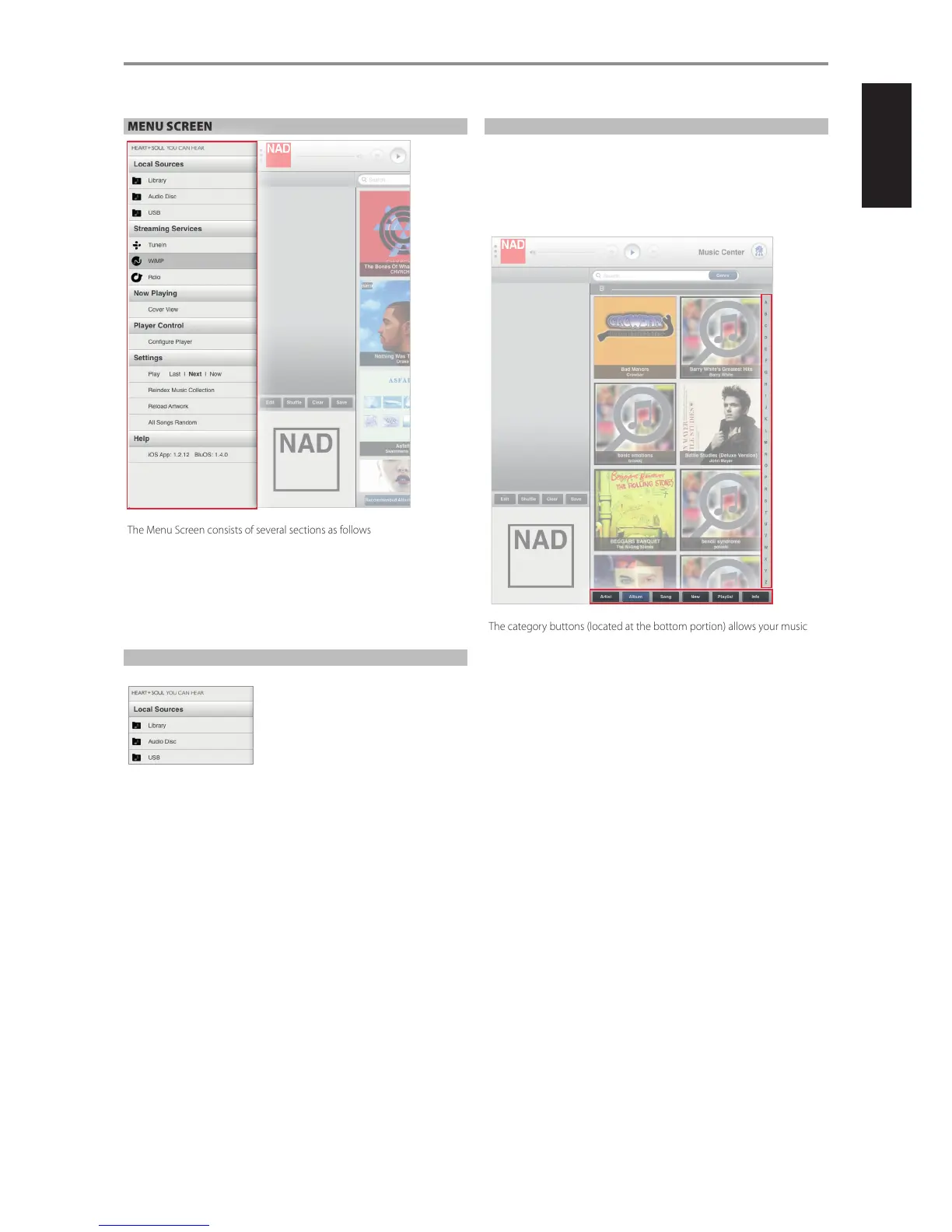
The Menu Screen consists of several sections as follows
• Local Sources
• Streaming Services
• Now Playing
• Player Control
• Settings
• Help
LOCAL SOURCES
Show current sources. When available, these sources could be
Library
Collection of personal music you have backed up, stored or ripped in
• A M52 Digital Music Vault or USB mass storage device connected to the
USB 2 (Type A) input of your M50
• Shared network (PC, MAC, NAS)
Audio Disc/Data Disc
Tracks or les playable from the audio or data disc loaded at the disc slot.
USB
Stored music les accessible from the USB device connected to the Front
USB.
LIBRARY
Selecting “Library” allows you to listen to your personal music collection
stored on your network (PC, MAC, NAS), ripped to your M52 Digital Music
Vault or contained in a USB mass storage device connected to the USB 2
(Type A) input of the M50.
Upon selection of “Library”, your music catalogue will appear on-screen.
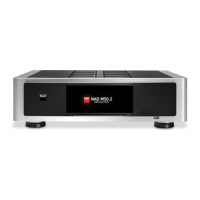
The category buttons (located at the bottom portion) allows your music to
be sorted in several ways as follows
• Artist
• Album
• Song
Select an alphabet letter on the right side for quick redirection to the
corresponding list of artists, albums or songs that starts with the selected letter.
• New: List albums in the order they were encoded with the latest
item at the top of the list. This is an easy way to locate ripped CD’s or
purchases that were recently downloaded.
• Playlist: Show favourite songs that were grouped together and saved
for easy access. Several playlists can be created like your Favourite
playlist, Contemporary playlist, Oldies playlists, etc.
• Info: Open on Last.fm a small browser showing related information
(like biography, albums) about the current artist being played back.
If no information about the artist is available, the browser will display
“[unknown]”.
OPERATION
15


 To Next Page