NOW PLAYING
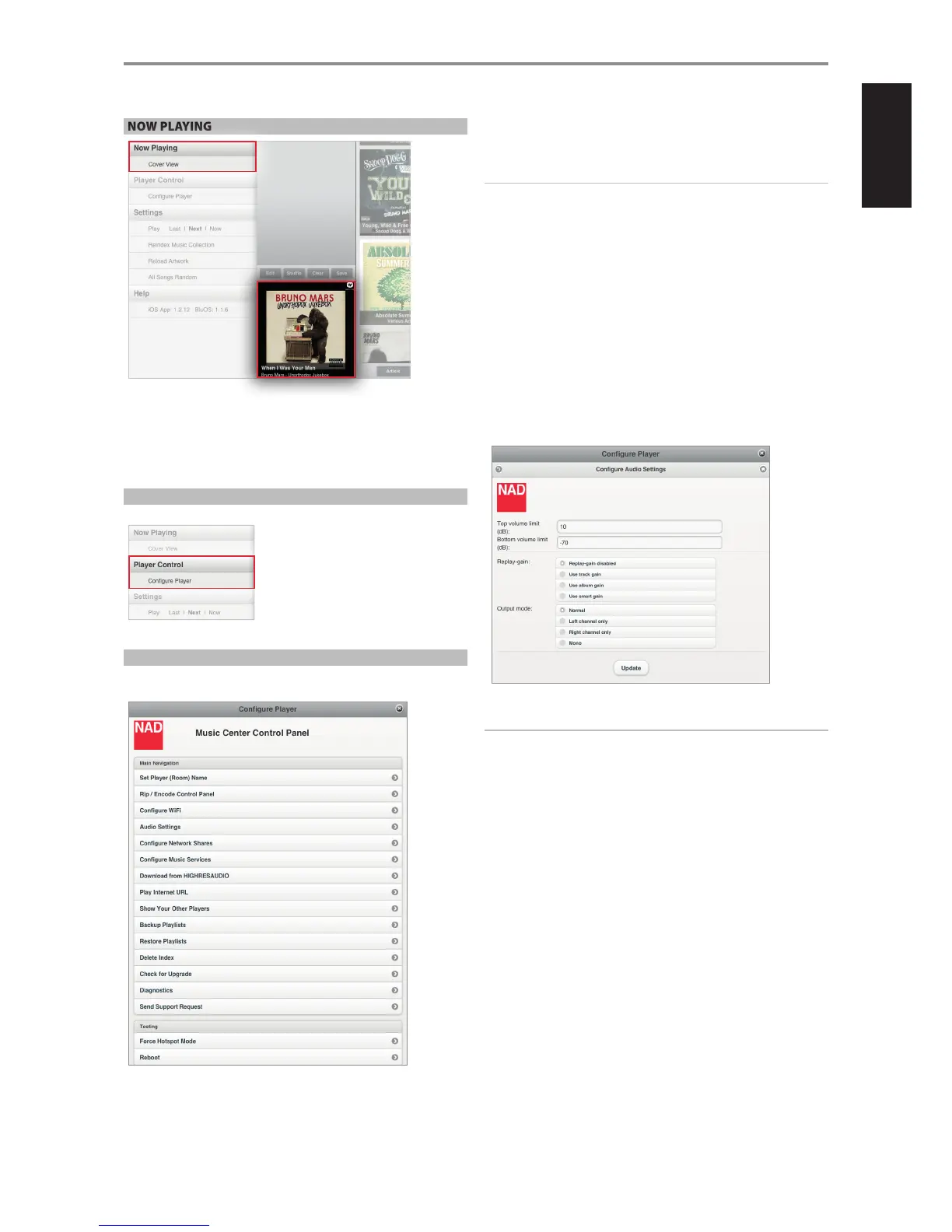
COVER VIEW
Display in full screen view the current source being played or broadcast.
Select “Cover View” and the current thumbnail of the song or station will be
maximized in full screen view along with other related information.
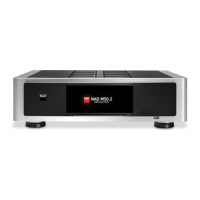
PLAYER CONTROL
Access “Congure Player” to launch the Control Panel of your M50.
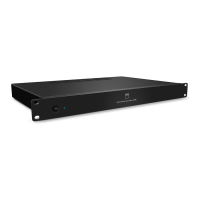
CONFIGURE PLAYER
Launch the Control Panel of your M50. Use this Control Panel to initiate, set
or congure the following options.
SET PLAYER ROOM NAME
Update the current player name using the on-screen keyboard.
RIP/ENCODE CONTROL PANEL
Refer below under the same heading.
IMPORTANT!
“Rip/Encode Control Panel” will manifest in the “Congure Player” menu
window only if there is a USB mass storage device or M52 connected to
M50’s rear panel USB 2 input. In the absence of such interconnection, the
“Rip/Encode Control Panel” option will not be available in the “Congure
Player” menu.
CONFIGURE WIFI
Refer to section above about “CONNECT TO WiFi” under GETTING STARTED.
AUDIO SETTINGS
Congure the audio settings of the M50 with respect to volume limits, gain
and output mode.
Top volume limit/Bottom volume limit
Manually set desired maximum and minimum volume level settings of the
volume slider using the on-screen keyboard.
IMPORTANT!
• “Top volume limit” and “Bottom volume limit” will manifest in the
“Congure Audio Settings” menu window only if the respective RS232
ports of M50 and the optional M2, M51, C390DD or any compatible NAD
models are interfaced and connected together.
• Audio output level is adjustable via the Volume slider in the NAD App
only if the respective RS232 ports of M50 and the optional M2, M51,
C390DD or any compatible NAD models are interfaced and connected
together. The Volume slider in the NAD App is disabled and not
functional in the absence of such interconnection.
• Use a NULL modem cable or cross serial RS232 gender changer adapter
to interface the M50 with the compatible NAD model.
CONFIGURE NETWORK SHARES
Refer below under the same heading.
CONFIGURE MUSIC SERVICES
Log-in to your music service provider account (like WiMP) by entering
applicable details like User name, Password and Country. Select “Update”
to register and store your corresponding account details. Refer also to the
WIMP section above.
OPERATION
21


 To Next Page