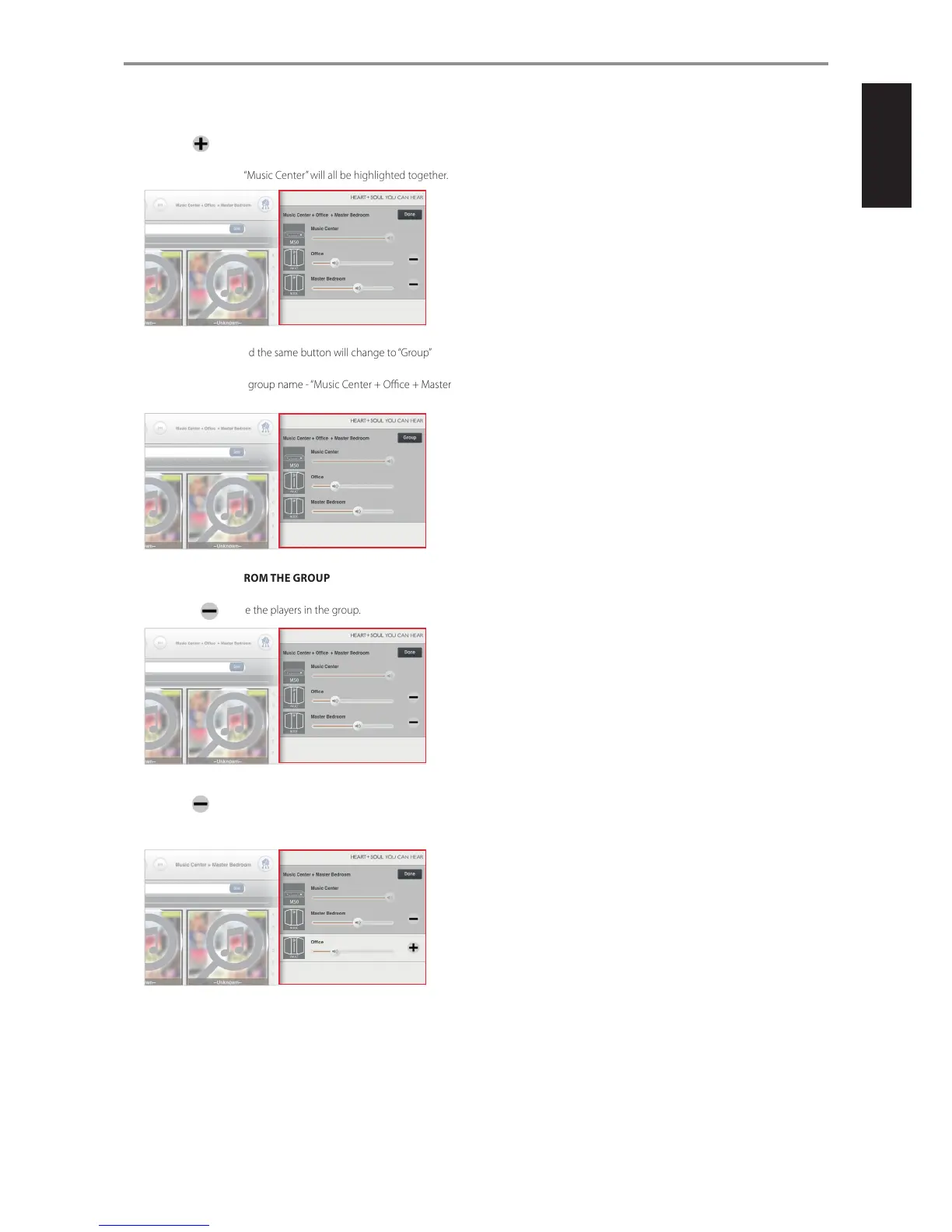
4 Select the symbol of the player (“Oce” and “Master Bedroom”
in this example) you would like to group with “Music Center”. “Oce”,
“Master Bedroom” and “Music Center” will all be highlighted together.
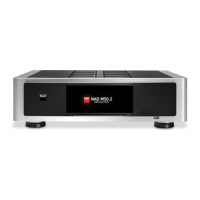
5 Select “Done” button and the same button will change to “Group”
button - “Music Center”, “Oce” and “Master Bedroom” are now grouped
together. Note also the group name - “Music Center + Oce + Master
Bedroom”.
REMOVING A PLAYER FROM THE GROUP
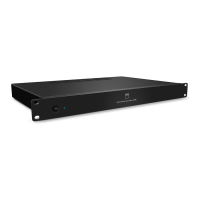
1 Select “Group” button and the same button will change to “Done”
button with beside the players in the group.
2 Select the beside the player you want to remove from the group
(“Oce” in this example) and the selected player will be removed from
the group.
3 Select “Done” to complete removal process. The new group name is
now “Music Center + Master Bedroom”.
OPERATION
27
ENGLISHFRANÇAISESPAÑOLITALIANODEUTSCHNEDERLANDSSVENSKAРУССКИЙ


 To Next Page