Copying
42
2
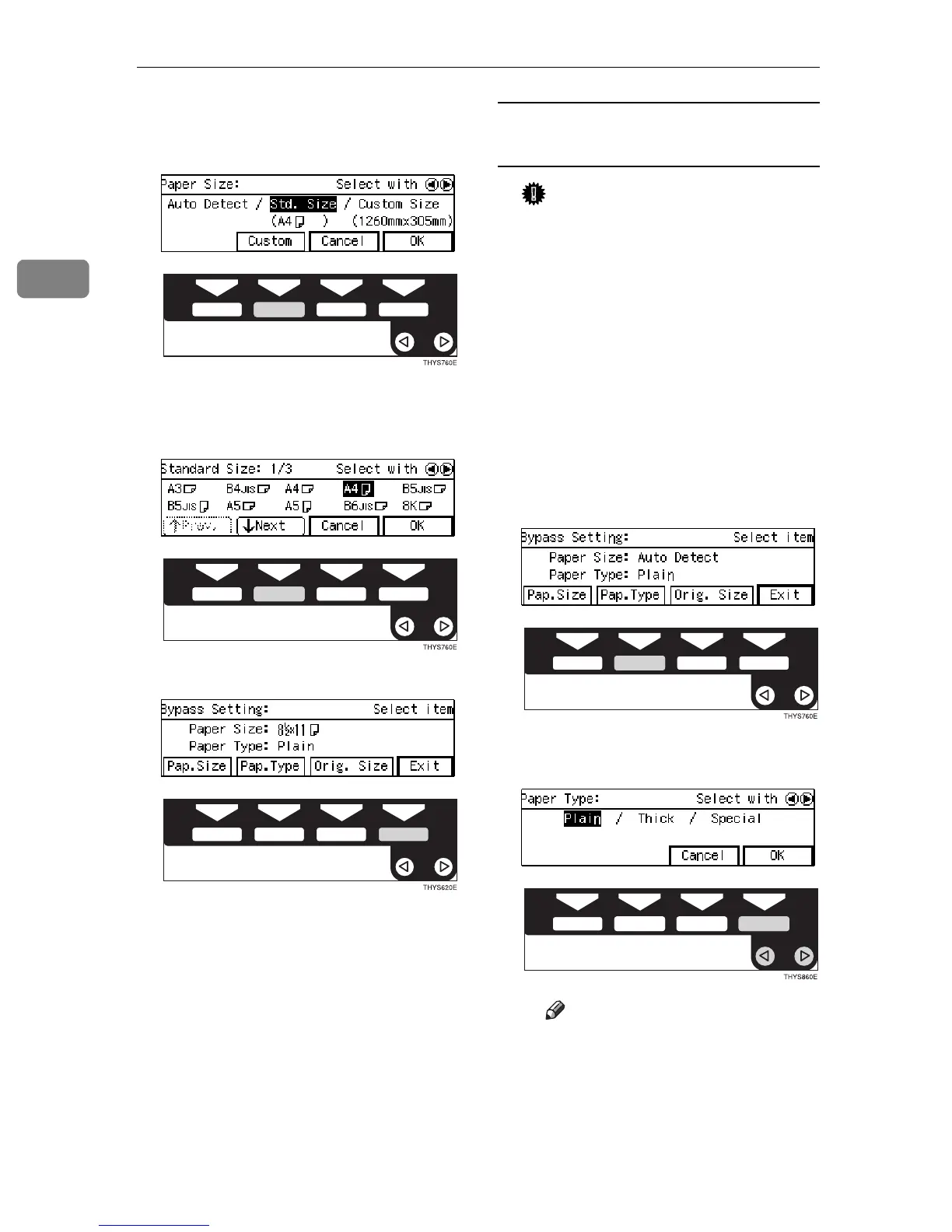
D Select [
Std. size
] with the 0
00
01
11
1
keys. Then press the [
Custom
]
key.
E Select the desired size with the
[
NEXT
] , [
Prev.
] or the 0
00
01
11
1 keys,
then press the [
OK
] key.
F Press the [
Exit
] key.
When copying onto OHP
transparencies or thick paper
Important
❒ If you select Thick Paper/Spe-
cial Paper as the Paper Type set-
ting, these functions will remain
in effect even after Auto Clear
or pressing the {
Clear Modes
}
key. You can alter this behavior
by changing “12. Reset Bypass
Set”. See ⇒ P.80 “1. General Fea-
tures
3
/
4
”
A Make sure the {
{{
{
Bypass
}
}}
} is se-
lected.
B Press the {
{{
{
#
}
}}
} key.
C Press the [
Pap. Type
] key.
D Select [
Thick
] with the 0
00
01
11
1
keys. Then, press the [
OK
] key.
Note
❒ Only select Special Paper
when you cannot make clean
copies. See ⇒ P.63 “If You
Cannot Make Clear Copies”



 To Next Page