Copying from the Bypass Tray
41
2
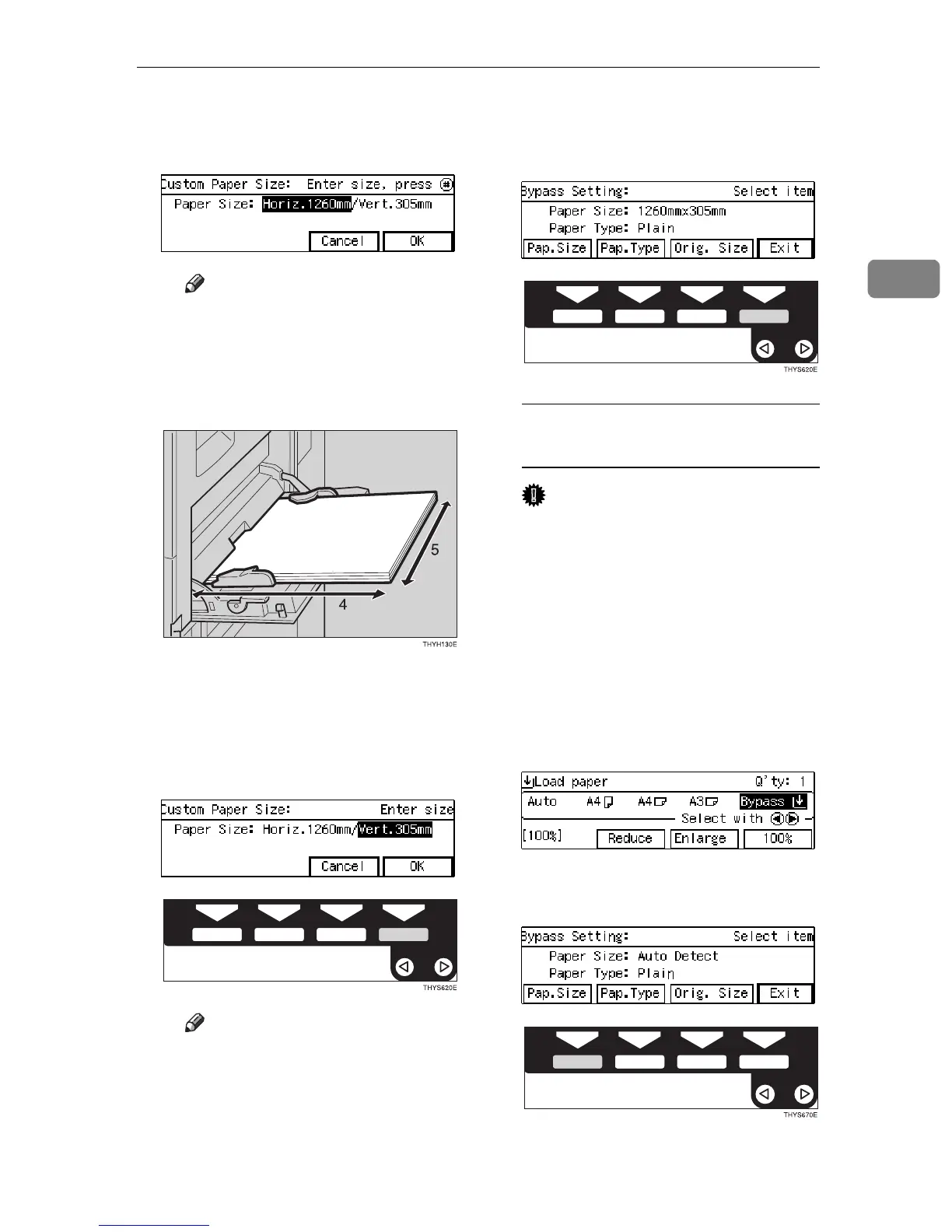
E Enter the horizontal size of the
paper with the {
{{
{
Number
}
}}
} keys,
then press the {
{{
{
#
}
}}
} key.
Note
❒ To change the number en-
tered, press the {
Clear/Stop
}
key and enter the new
number.
4: Horizontal
5: Vertical
F Enter the vertical size of the
paper with the {
{{
{
Number
}
}}
} keys,
then press the
[
OK
]
key.
Note
❒ To change the number en-
tered, press the {
Clear/Stop
}
key and enter the new
number.
❒ When you specify the paper
size, ! appears on the dis-
play to indicate bypass tray
copying.
G Press the
[
Exit
]
key.
When copying onto standard size
copy paper
Important
❒ If you select Standard or Cus-
tom as the Paper Size setting,
these functions will remain in
effect even after Auto Clear or
pressing the {
Clear Modes
} key.
You can alter this behavior by
changing “12. Reset Bypass
Set”. See ⇒ P.80 “1. General Fea-
tures
3
/
4
”
A Make sure the
[
Bypass
]
is se-
lected.
B Press the {
{{
{
#
}
}}
} key.
C Press the
[
Pap. Size
]
key.



 To Next Page