• Check that the cable glands and screws are properly tightened.
• Check that the device is completely closed and that live parts are not accessible.
8.2. Powering
DANGER
Before supplying power to the device, make sure you have read, understood and implemented all the
safety, mechanical, and electrical installation instructions.
At the end, it shall be possible to:
• power up the device.
• verify the correct switching on and the absence of alarm messages.
• perform programming.
• start the motor.
9. Use and programming
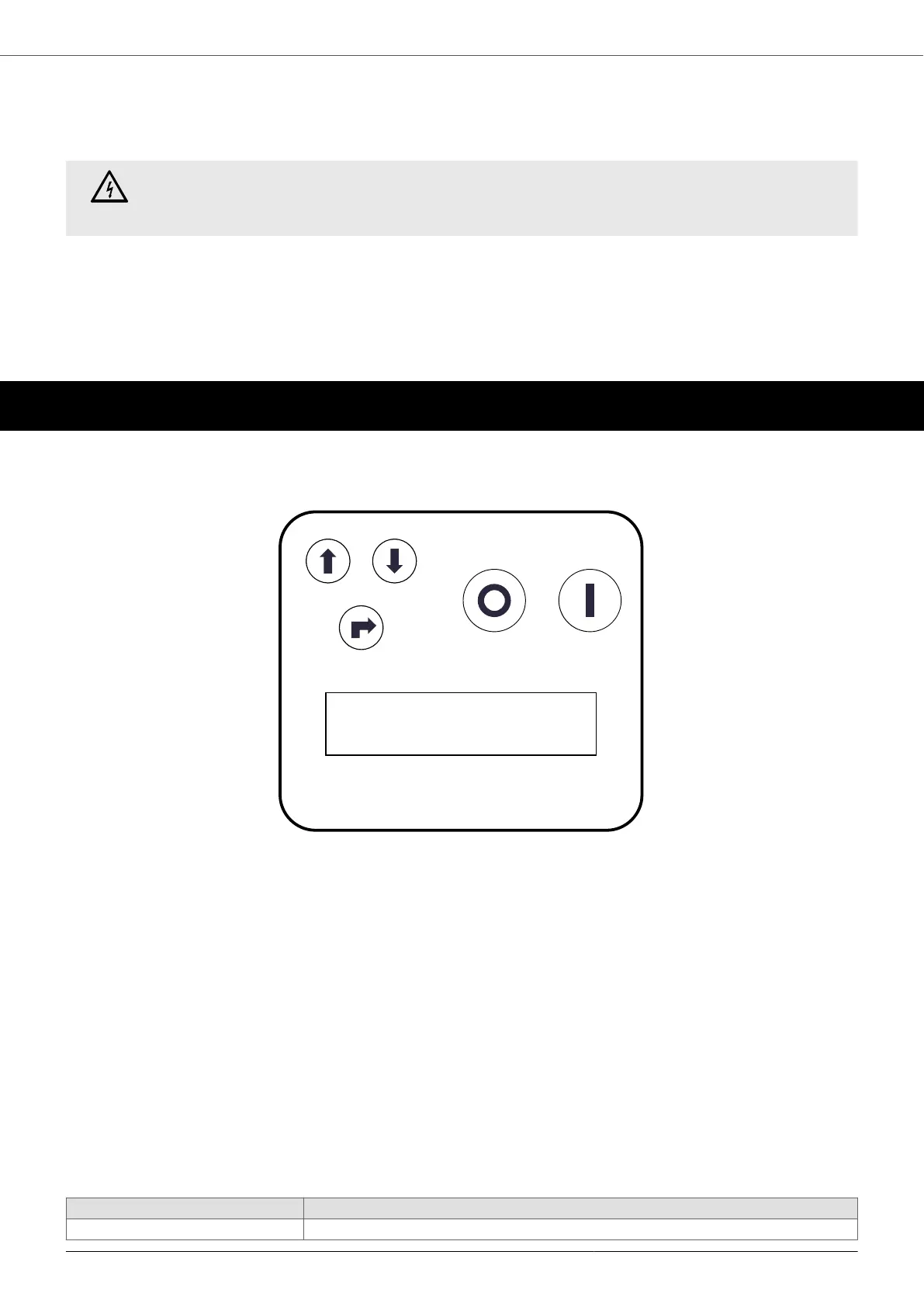
9.1. Keyboard and display
1. DISPLAY
2. START: motor start
3. STOP: motor stop / alarm reset / exit the menu
4. ENTER: access the menu / edit parameters / confirm parameters
5. +: parameter scrolling / parameter editing
6. -: parameter scrolling / parameter editing
9.2. Initial display
When the device is switched on, the firmware versions are communicated to the user.
Next, the initial view opens.
The first line in the display shows the status of the device:
• START: motor started
• STOP: motor stopped
9.2.1. Operating parameters
Parameter Description
I = XX.X A I is the measured current value.
PILOT
21


 To Next Page