
 Need help?
Do you have a question about the Nastec PILOT and is the answer not in the manual?
Explains manual's purpose for installation, operation, and maintenance, prioritizing safety.
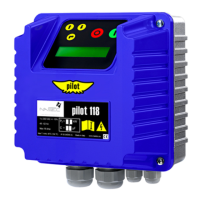
Details the PILOT's electronic functions for pump protection and control, including its display and IP rating.
Defines symbols like TIP, NOTE, CAUTION, WARNING, and DANGER used for user guidance and warnings.
Emphasizes that only trained personnel should install, use, or maintain the product to avoid risks.
Lists essential safety precautions for installation and operation in various environments.
States the device's acoustic emission level is less than 65 dB.
Lists the product's certifications, including CE.
Outlines the required maintenance tasks and their intervals, emphasizing safety checks.
Details Nastec's warranty policy, coverage period, and conditions for claims.
Explains how to register the product online to activate the manufacturer's warranty.
Informs about the availability of spare parts and recommends using original parts.
Advises on safety instructions for disassembling and repairing the device.
Instructs on the proper disposal of the device as electronic waste, not household waste.
Provides guidelines for transporting the product, including environmental conditions and handling precautions.
Details checks to perform upon receiving the product, such as packaging integrity and component presence.
Describes safe handling procedures, including using appropriate lifting equipment and personal protective gear.
Specifies storage conditions for the product, including temperature, humidity, and duration limits.
Presents detailed electrical, environmental, and general specifications for the PILOT device.
Shows the physical dimensions and maximum weight of the PILOT device for different models.
Provides information on cable glands, including tightening torque and cable diameter compatibility.
Advises on selecting a suitable installation environment, adhering to specified environmental conditions.
Explains the device's natural ventilation cooling method and required clearance for proper heat dissipation.
Illustrates the physical process of mounting the device on a wall, showing dimensions.
Details critical grounding procedures, safety warnings, and requirements for connection terminals.
Provides instructions for connecting power and control cables, including cross-sections and tightening torques.
Specifies cable cross-sections and tightening torques for power connections for various PILOT models.
Details cable cross-sections and tightening torques for control cable connections.
Recommends appropriate upstream protection devices like fuses, circuit breakers, and RCDs for safety.
Refers to specific connection diagrams and procedures for power and control wiring.
Details power connection diagrams and cable specs for PILOT 112 and 118 models.
Illustrates power connection diagrams and cable specs for PILOT 312 series models.
Displays power connection diagrams and cable specifications for PILOT 325 and 330 series models.
Provides details on signal GND, digital inputs, and relay outputs for control wiring.
Explains the installation of the AVIATOR board for enhancing starting torque in single-phase motors.
Lists essential electrical and mechanical checks to perform before powering the device.
Provides crucial safety instructions and steps to follow before supplying power to the device.
Describes the function of each button on the keyboard and the components of the device's display.
Explains the information shown on the display when the device is first switched on, including status.
Introduces the concept of operating parameters and lists the first parameter, measured current.
Lists diagnostic parameters for motor restarts, motor hours, and alarm logs.
Details how to access the menu, password protection, and notes on parameter display and editing.
Describes various configurable parameters like Amp. max, Dry run PF, Restarts delay, and digital inputs.
Lists common alarm types (AL. AMP. MAX, PHASE FAILURE, etc.) and their possible solutions.
Provides important notes and recommendations regarding the Dry Run PF parameter, its dependency, and limitations.
Explains warnings like DIGITAL INPUT activation and DRY RUN PF, and suggests corresponding actions.
Declares that the PILOT product complies with EU directives and harmonized standards.
Declares that the PILOT product complies with UK regulations and harmonized standards.
 General
| Brand | Nastec |
|---|---|
| Model | PILOT |
| Category | Water Pump |
| Language | English |

 To Next Page