NV30/NV40 Operations and Maintenance Manual Operating the transmitter
Page 2-60 Issue 3.3 2014-12-10
Viewing alarm details
The Transmitter Status page - see Figure 2.40 on page 2-59 displays a table that lists the active alarm
details under the following columns:
• Device - identifies the alarms by their originating device (e.g., Controller, Exciter A, etc.)
• Alarm - identifies the type of alarm (alarm name).
• Level - identifies the severity level of the alarm.
Status button colour indications
• When the Status button is red, one or more active alarms are indicating that the transmitter
may be in an ‘off-air’ state.
• When the Status button is amber, one or more active alarms are indicating that the transmit-
ter is still ‘on-air’, but may be at reduced power.
• When the
Status button is green, no alarms are being reported and the transmitter is operat-
ing normally.
Resetting alarms
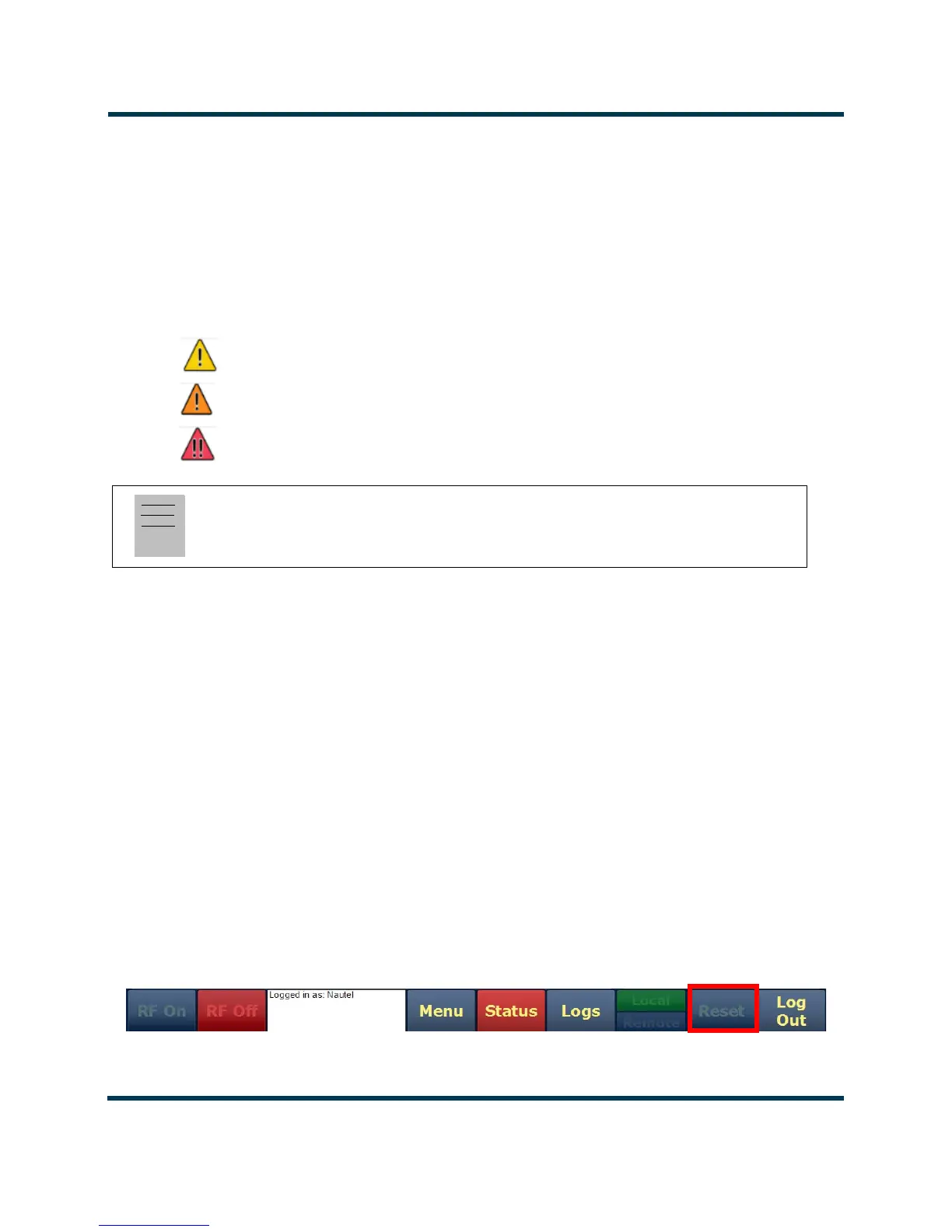
When an alarm is present, use the Reset button, at the bottom of any AUI screen, (see Figure 2.41) to
clear any latching alarms that are holding the transmitter in an “off-air” state. If the offending alarm
has cleared, then the transmitter should resume operation.
Figure 2.41: Reset Button
Note:
When viewing alarms, cross reference the alarm name, (which appears in the Alarm column of the
Transmitter Status page) with Table 1.1 of the Troubleshooting Manual.
= low (RF output not affected)
= medium (RF output may be reduced)
= high (RF output may be inhibited)



 To Next Page