SETUP PAGE
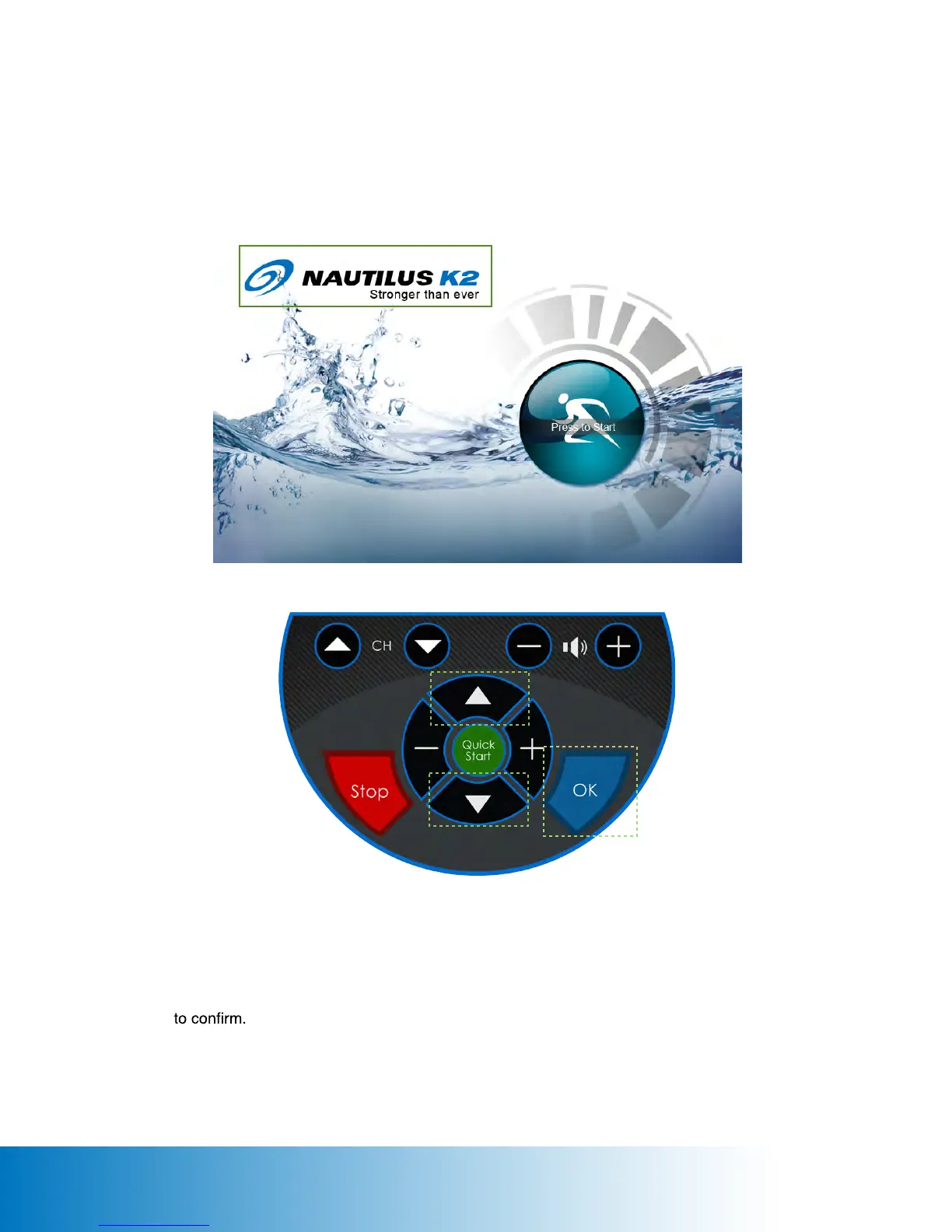
There are 2 ways to enter the SETUP page as follows:
Touch Panel : Press on the logo for 5 seconds.
Keypad : Press CH Up twice / Volume Up / CH Down / Volume Down buttons in sequence.
Keypad Control:
Press Up and Down key to select the setup option.
Press + and - to change value.
Press OK
Press Stop to cancel the setup and back to the last page OR exit the setup page.
c
c
54







 To Next Page