Confidential and proprietary information of NCRVoyix Corporation.
Unauthorized use, reproduction and/or distribution is strictly prohibited.
34
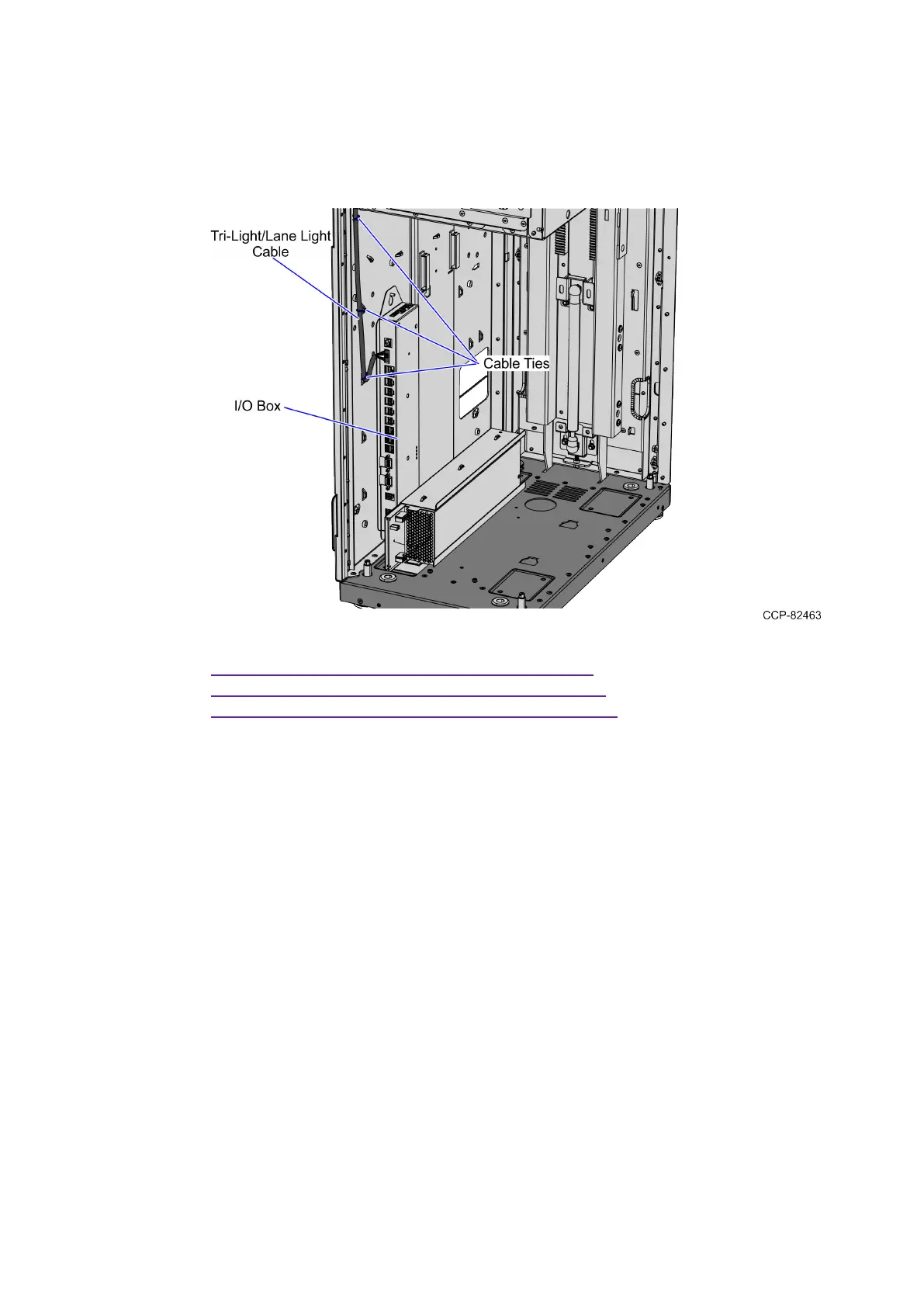
2. Route the Tri-Light/Lane Light Cable by doing the following:
a. From the corner cable access hole, route the cable down the Core Cabinet
wall and use cable ties to secure the cables on the bridge lances.
b. Connect the cable to the Tri-Light/Lane Light port of the I/O Box.
3. Route the LAN Cable. Depending on the unit configuration, refer to the following:
l
Routing the LANCable: No-Bag on the next page
l
Routing the LANCable: Left-Hand Unit on page36
l
Routing the LANCable: Right-Hand Unit on page38


 To Next Page