Confidential and proprietary information of NCRVoyix Corporation.
Unauthorized use, reproduction and/or distribution is strictly prohibited.
33
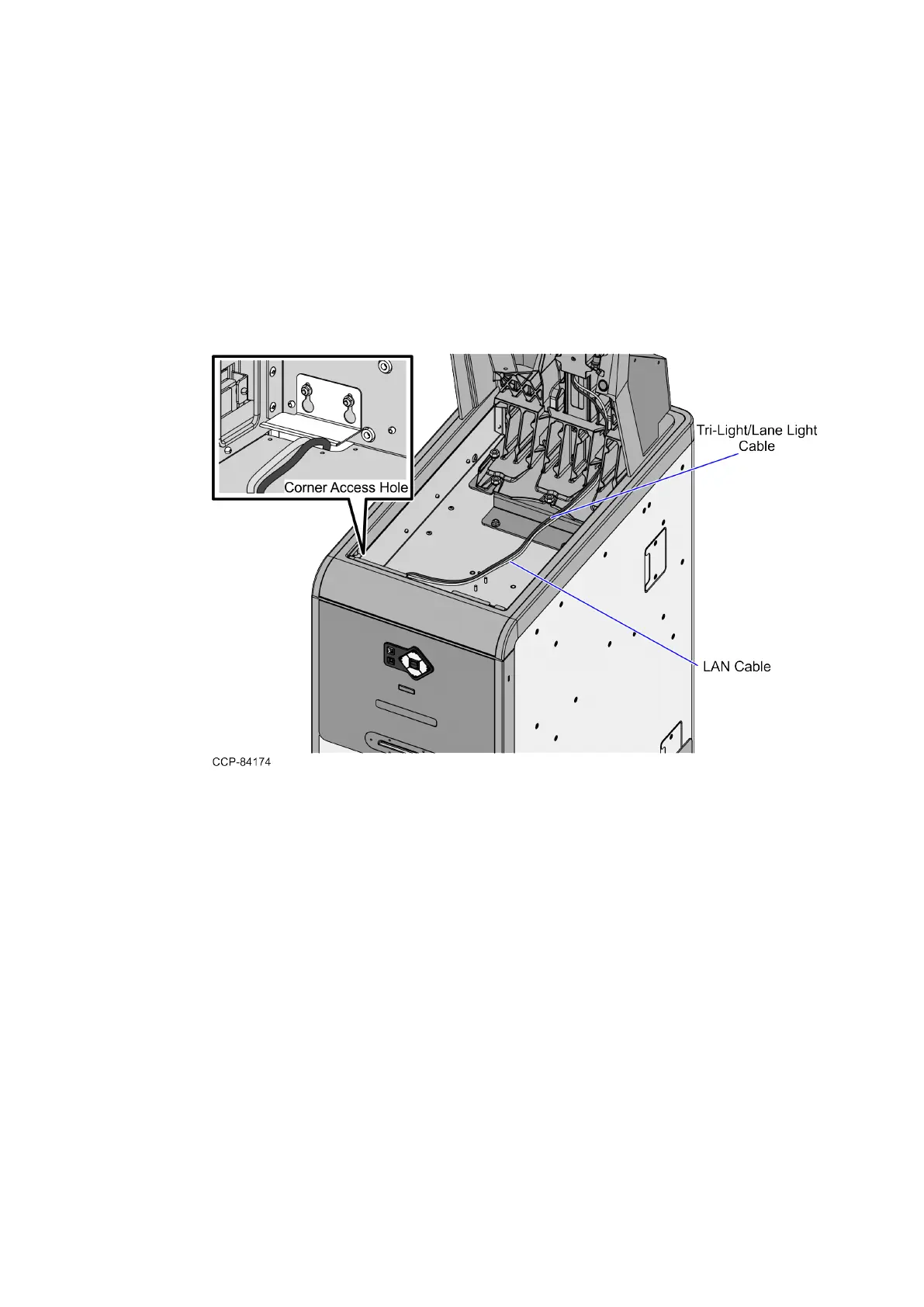
Routing the Cables: 7360 R6-C (Card Only)
To route the Tri-Light/Lane Light Cable and LANCable in the R6-C Card Only unit, follow
these steps:
1. Do the following:
a. From the Tower Frame pole duct, route the Tri-Light/Lane Light Cable and the
LANCable down through the built-in hooks inside the Tower Frame.
b. Route the cables down the Scanner Bucket floor. Use cable ties to secure the
cable on the bridge lances.
c. Secure the cables to the anchor using a cable tie.


 To Next Page