Confidential and proprietary information of NCRVoyix Corporation.
Unauthorized use, reproduction and/or distribution is strictly prohibited.
45
Right-Hand Unit: 7357 R6LNPlus
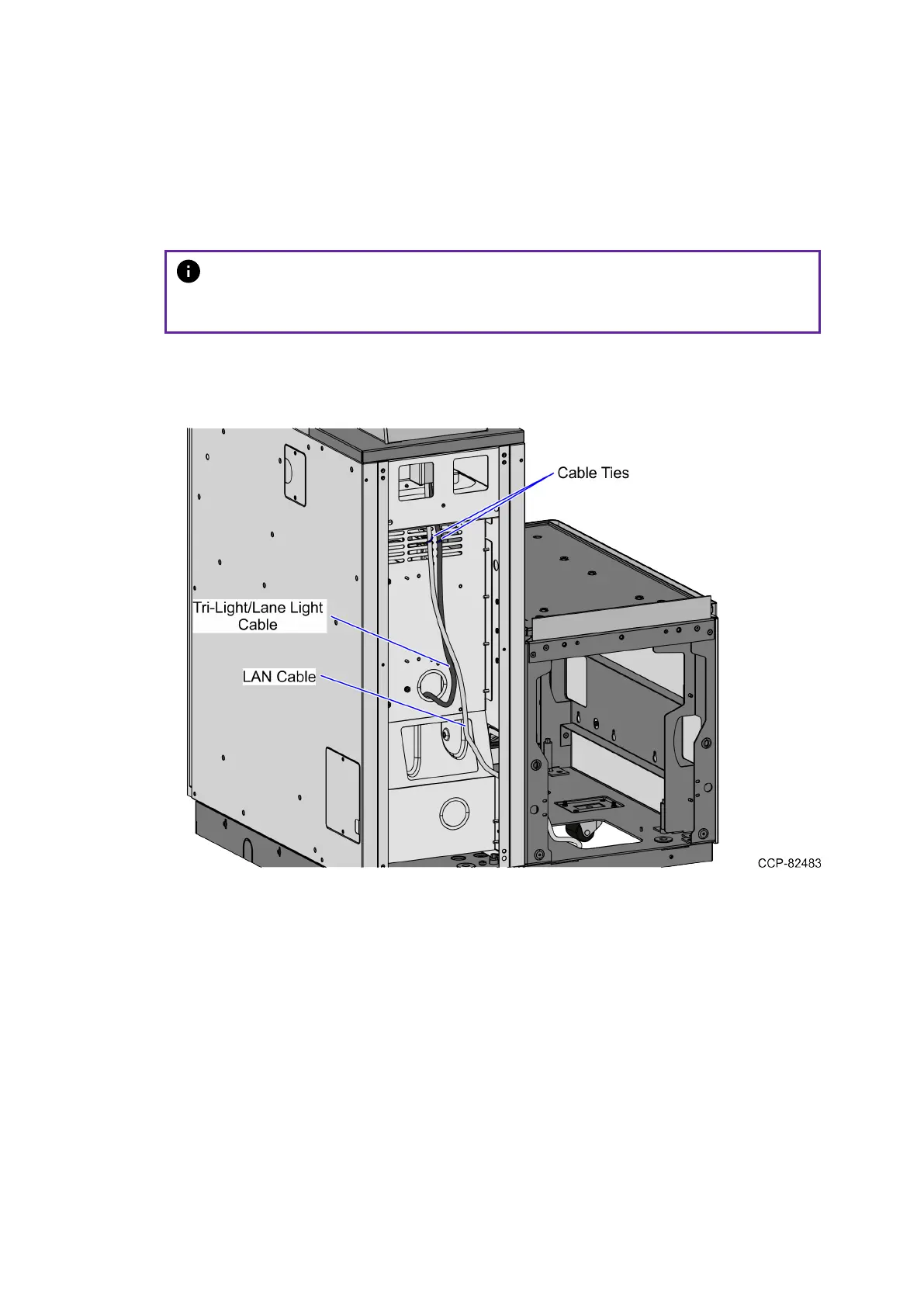
To route the LANCable, follow these steps:
1. From the Tri-Light/Lane Light Pole, route the cable down the rear of the Core
Cabinet. Use a cable tie to secure the cable to the vent.
Note
Ensure that there is enough cable slack to avoid cables from being stretched
during installation or removal procedures.
2. Continue to route the cable out through the right side cable exit hole and into the
Bagwell.
3. Pass the cable through the bottom cable exit hole of the Bagwell.
4. Connect the cable to the PoE Switch.


 To Next Page