Confidential and proprietary information of NCRVoyix Corporation.
Unauthorized use, reproduction and/or distribution is strictly prohibited.
40
Routing the Cables: 7357 R6LN Plus
To route the Tri-Light/Lane LightCable and the LAN Cable in the 7357 unit, follow these
steps:
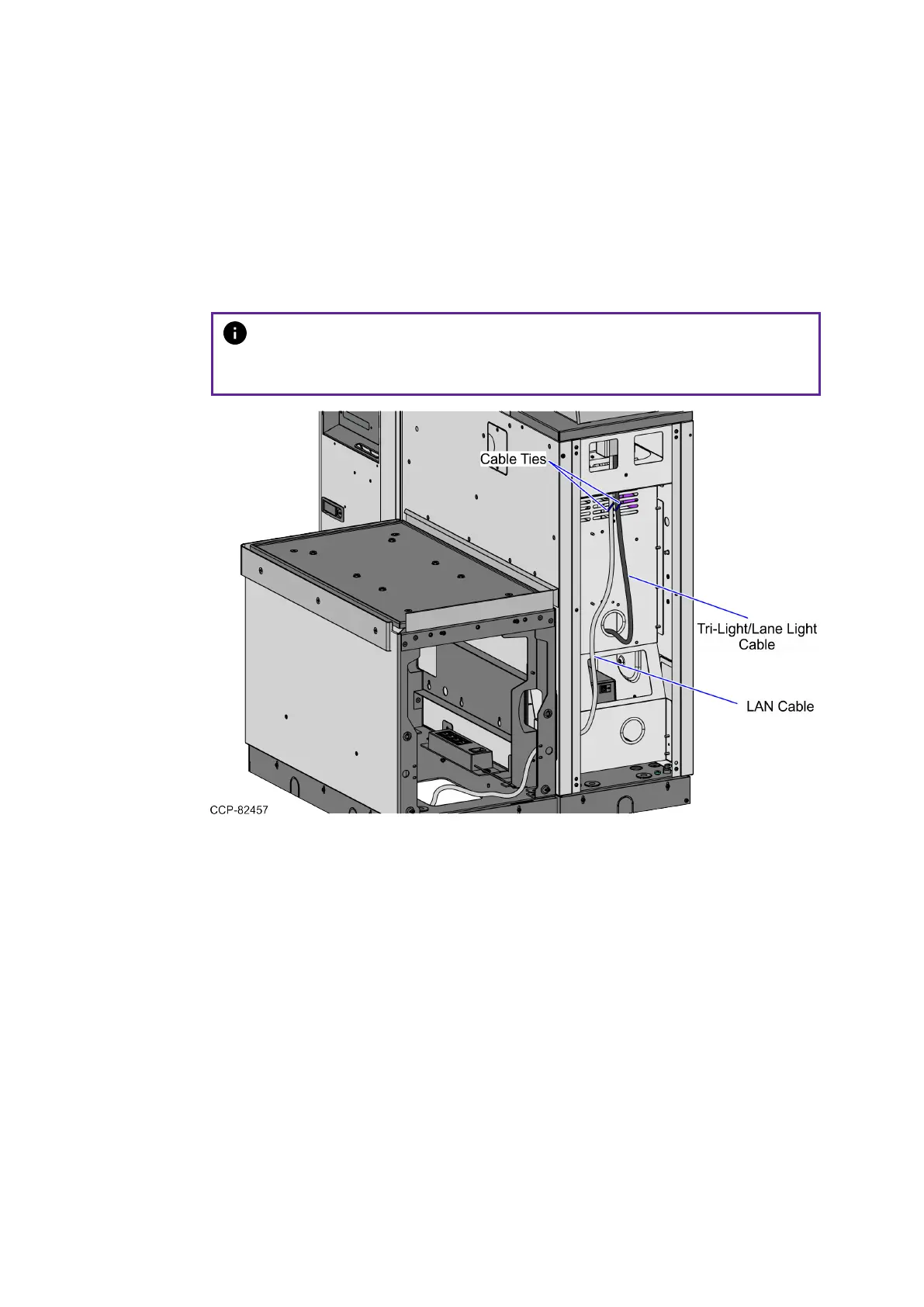
1. Route the Tri-Light/Lane Light Cable by doing the following:
a. From the Tri-Light/Lane Light Pole, route the cable at the rear of the unit down
the cable access hole and into the Core Cabinet, as shown in the image
below. Use a cable tie to secure the cable to the vent.
Note
Apply enough cable slack to prevent the cable from being stretched
during installation or removal procedures.


 To Next Page