
 Need help?
Do you have a question about the NDW BC50 and is the answer not in the manual?
Essential safety precautions for operating the BC50 controller.
Specifies the approved applications and operating environments for the controller.
Defines the qualifications and responsibilities of personnel working with the controller.
Lists potential hazards and instructions to prevent accidents.
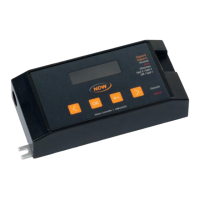
Overview of the BC50 motor controller's design and purpose.
Explains the controller's graphical user interface and navigation.
Details the controller's built-in protection mechanisms.
Explains the two modes for operating the controller.
Lists all components included in the product package.
Explains the information found on the BC50 controller's label.
Provides the physical measurements of the BC50 motor controller.
Procedures for safely transporting and storing the BC50 controller.
Alerts to risks associated with assembly and electrical connection.
Key safety precautions to follow during the assembly process.
Step-by-step guide for securely mounting the controller.
Instructions for establishing communication connectivity.
Details on how to connect the 24VDC power supply.
Details on the optional M8-5pin adapter cable for integration.
Guide for connecting the motorized E-roller to the BC50 controller.
Essential checks before initial power-up and operation.
Checks to perform immediately before operating the system.
Guide to configuring initial settings via the controller's interface.
Instructions for controlling the BC50 using external I/O signals.
How to set the E-roller's rotational direction.
Methods for setting and adjusting the E-roller's speed.
Introduction to the controller's graphical interface and controls.
Detailed instructions for navigating menus and changing settings.
How to access and manage settings within submenus.
Configuring core motor operational parameters.
How to switch the E-roller motor on or off.
Setting the rotational direction of the E-roller.
Configuring E-roller motor type and diameter for optimal performance.
How to define and use pre-set speed points.
Choosing between manual and external I/O control modes.
Settings related to device operation and I/O compatibility.
Adjusting screen appearance and idle behavior.
Viewing controller hardware and software version details.
Steps to restore the controller to its original factory defaults.
Securing the controller against unauthorized access.
Guidelines for maintaining the controller's condition.
Steps for safely removing and disposing of the controller.
Solutions for frequently encountered problems with the controller.
Information on compatible cable accessories for the BC50.
Formal statement of compliance with EU regulations.
 General
| Brand | NDW |
|---|---|
| Model | BC50 |
| Category | Controller |
| Language | English |

 To Next Page